Account Type
Different account types using the NU Bills portal.
This section will provide an overview of the various types of users within the NU Bills portal.
Here are the different account types available in NU Bills.
-
Applicant - These are student applicants who have been approved and have an active NU Quest account. This account will be used for making payments towards their reservation fees.
-
Student - These are the official student of the university (with assigned student ID number). This account will be used by students for paying their matriculation (Full or Installment payment option).
-
Employee -This type of account is specifically for university employees. It is used by employees to make payments for the tuition fees of their beneficiaries, such as children or dependents, who are enrolled at the university.
-
Guest - This account is intended for use by the parents or guardians of students. It allows them to make payments for the tuition fees (matriculation) on behalf of their beneficiaries, such as their children or dependents, who are enrolled at the university.
How to Create NU Bills Account?
This guide is designed for guest users who need to create an account in order to make payments for the matriculation fees of their beneficiaries, such as children or dependents, who are enrolled at the university.
STEP 1. Enter the website address https://onlineapp.national-u.edu.ph in your browser.
STEP 2. Choose the campus where you would like to create your account. To do this, click on the campus dropdown menu and select the desired campus from the list.
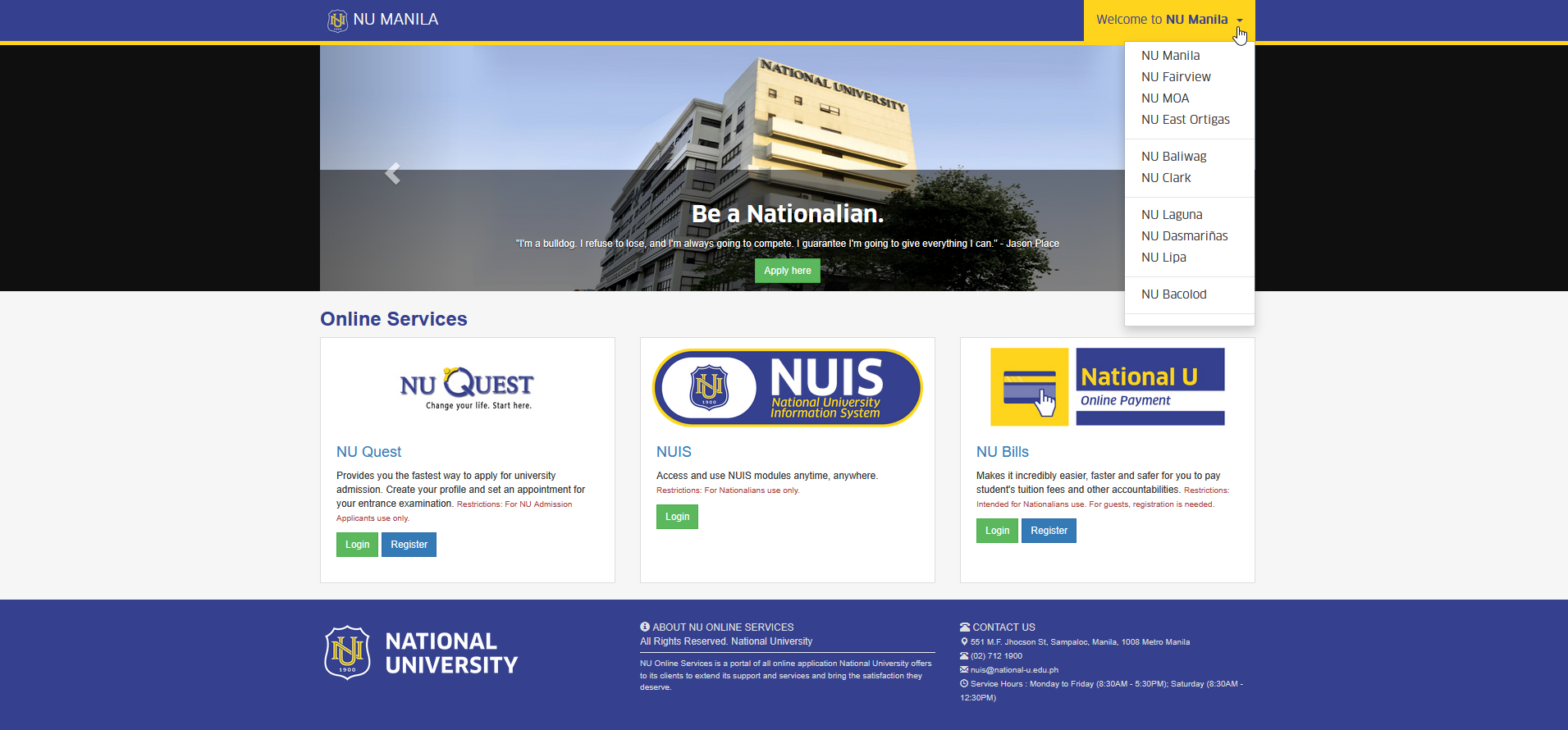
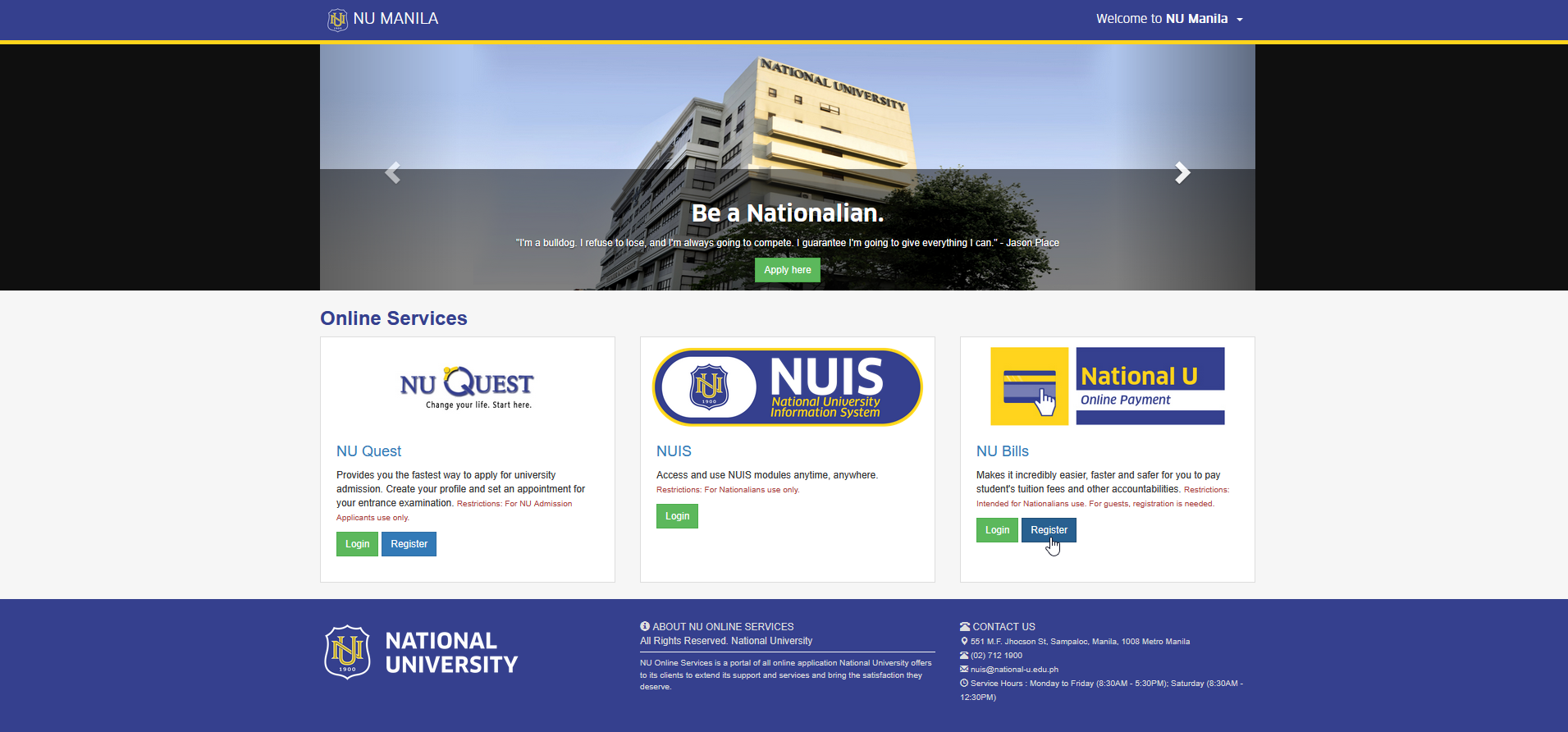
STEP 3. On the main page of the online application, click the button to begin the account registration process. This action will redirect the user to Account Registration page.
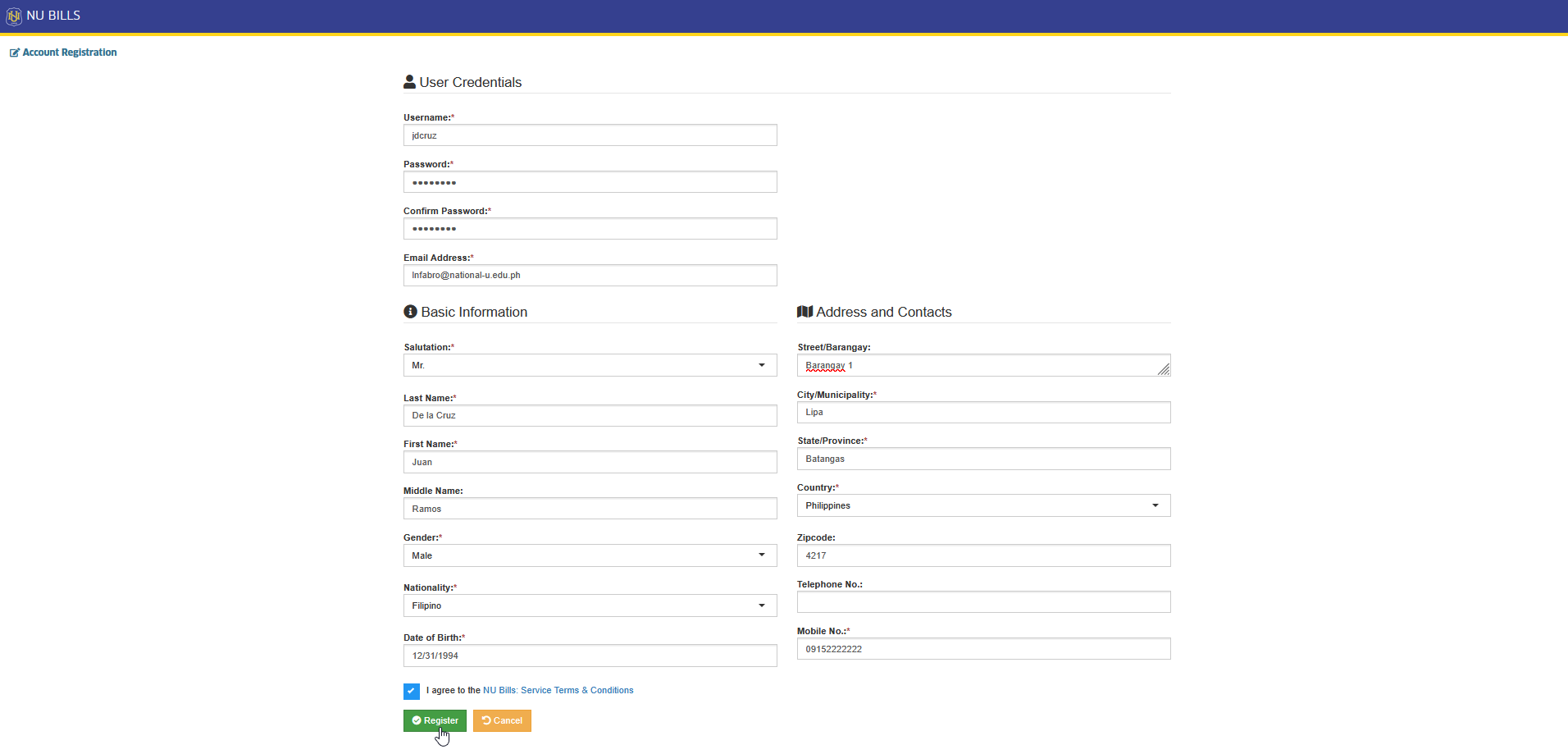
STEP 4. On the Account Registration page, fill in your personal details, agree to the NU Bills Service Terms & Conditions, and click the button to complete the registration.
STEP 5. Activate your NU Bills account by clicking the activation link sent to your registered email address.
-
Creation of account will be done by Guest type of user only.
-
Applicants should use their NU Quest credentials to pay the reservation fees.
-
Students and Employees should use their NUIS credentials to log in to NU Bills.
For more questions or concerns, email us at nuis@national-u.edu.ph