Initial Evaluation of Transfer Credentials
To undergo with the process, applicant is required to encode all earned units from previous institution for evaluation and crediting.
How to encode and submit earned units for evaluation?
Follow the steps below on how to submit your earned units for evaluation.
STEP 1. Login to your NU Quest account.
STEP 2. From the side menu, proceed to Evaluation of Grades.
At this point, you must have already accomplished the Registration process and submitted the required documents (i.e. Transcript of Records, Course Descriptions) which will serve as basis for validation.
STEP 3. You will be prompted whether you will proceed with the evaluation or you wish to restart the curriculum.
Click the to proceed.
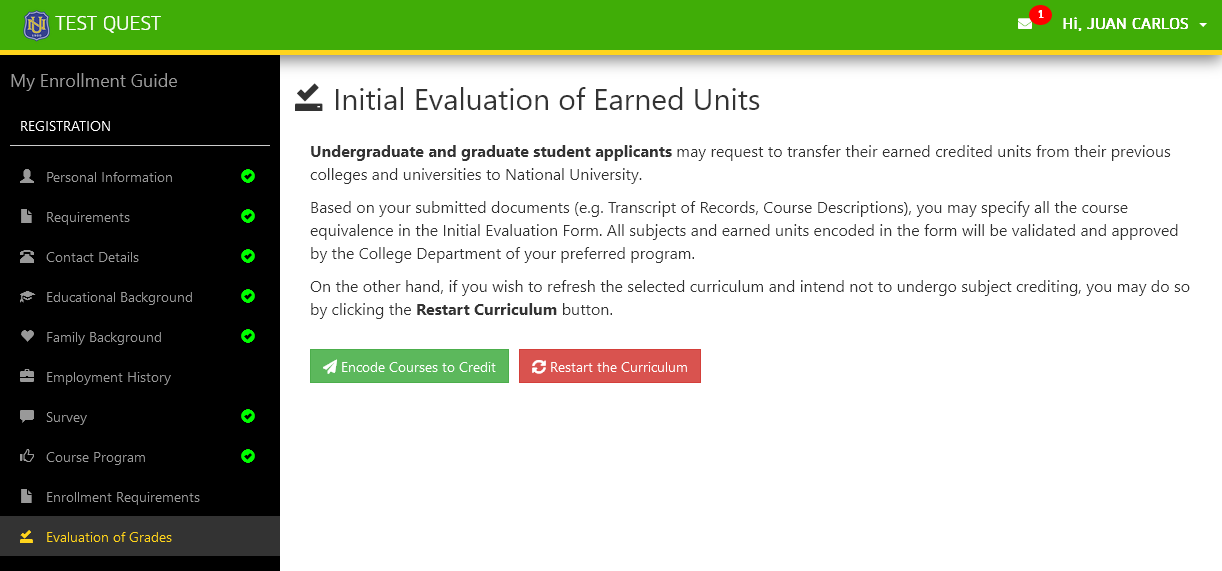
STEP 4. Specify the previous school.
STEP 5. Under the Equivalent Subject from Previous School column, encode all the subjects and grades to be credited.
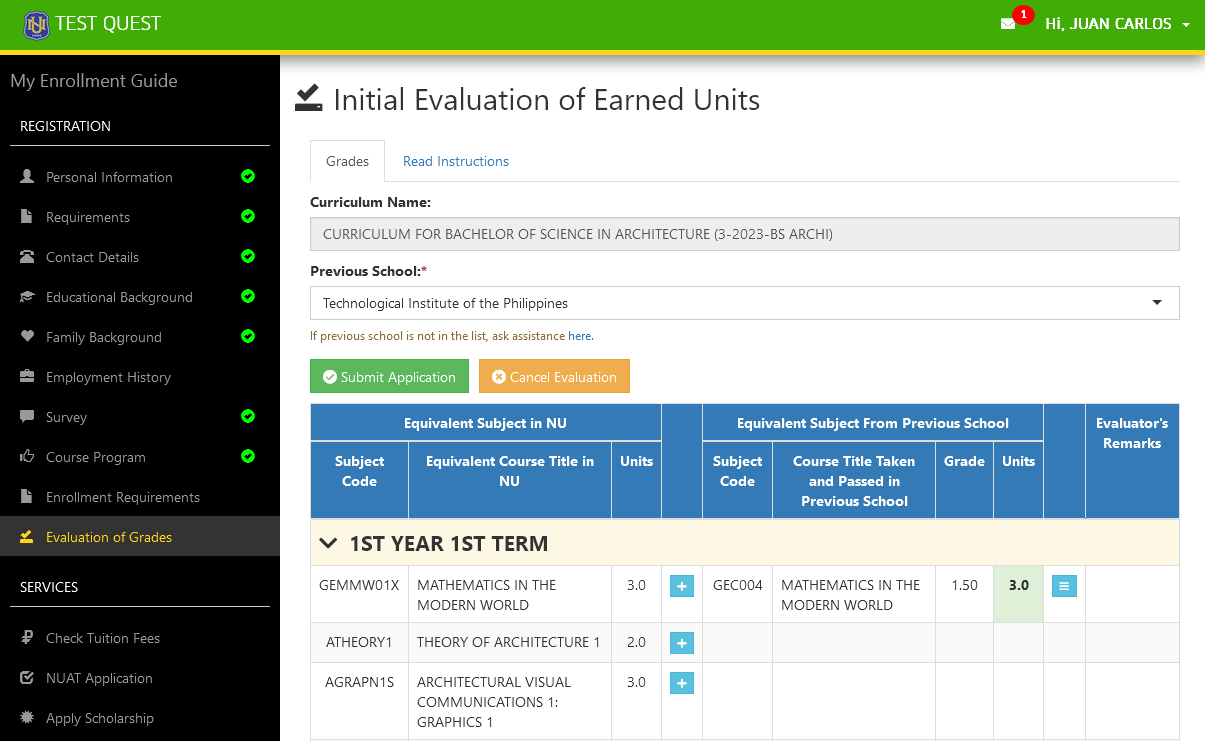
STEP 6. Once done encoding all courses to credit, click the button to submit the application.
STEP 7. Wait from the Admission's Office and Program's College for any update regarding your application.
You are still allowed to modify your evaluation form while it is in pending status.
How to add a subject for crediting?
To add a subject, simply click the corresponding Add button of the subject to be matched.
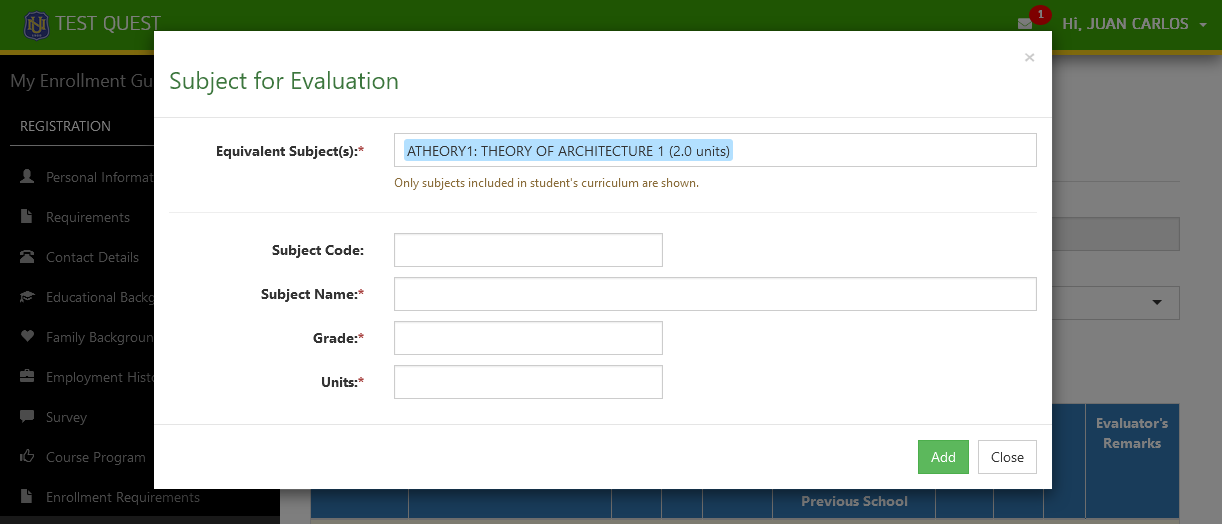
Specify the following fields:
| Field | Description | Required |
|---|---|---|
| Equivalent Subject(s) | The corresponding subject in the University to be credited. The applicant or evaluator may specify two or more subjects if it is what it takes be equivalent. | Yes |
| Subject Code | Subject code used in the previous institution for the specified subject course. | Yes |
| Subject Name | Subject name as defined in the applicant's submitted documents. | Yes |
| Grade | Previous grade as indicated in the applicant's submitted documents. | Yes |
| Units | Course units as indicated in the applicant's submitted documents. | Yes |
Click the button once the fields have been specified.
Records will be reflected in the applicant's laid-out curriculum.
How to edit an encoded subject?
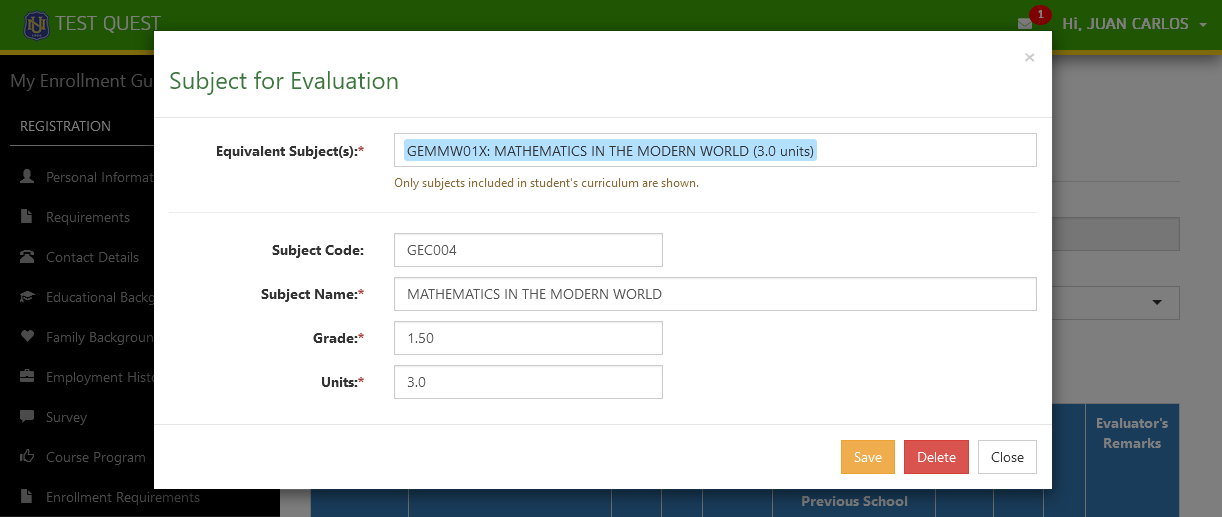
To edit or modify an existing record, click the corresponding Manage button of that specific record.
In the form, update the necessary fields and click the button to apply the changes.
How to delete an existing record?
To remove an existing record, click the corresponding Manage button of that specific record.
Click the button to confirm your action.