NU Quest - Paperless Enrollment and Guide Improvements

The NU Quest Enrollment process has been enhanced to support a more paperless and streamlined experience for applicants.
These updates focus on improving accessibility of enrollment documents, guiding users through the process more effectively, and simplifying payment instructions.
Overview of Changes
The following improvements were implemented in NU Quest Enrollment:
- Enhanced readiness for enrollment opening with more paperless transactions.
- Updated NU Quest Enrollment Guide for clearer and more user-friendly instructions.
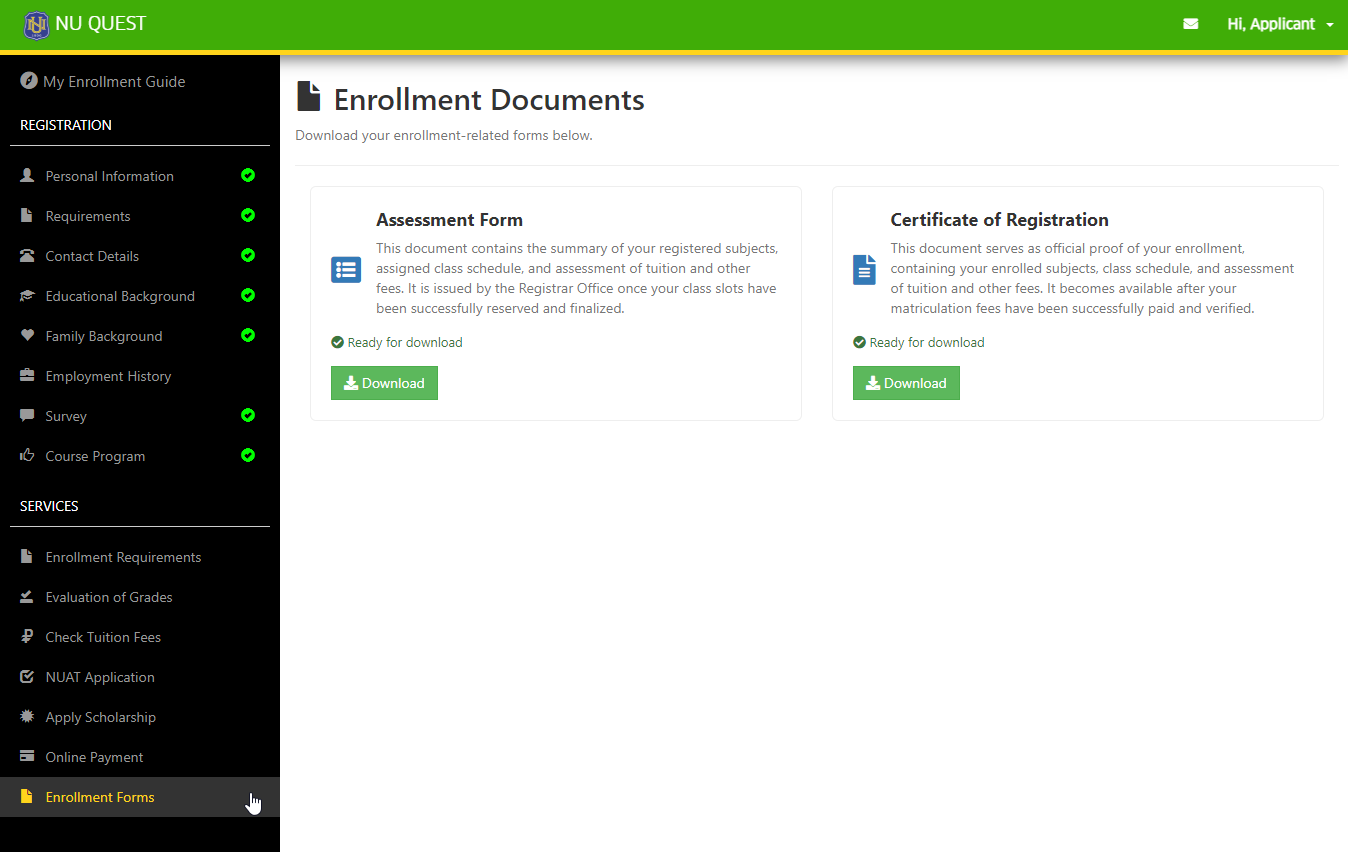
- Assessment Form and Certificate of Registration (COR) are now downloadable directly in NU Quest Enrollment Forms.
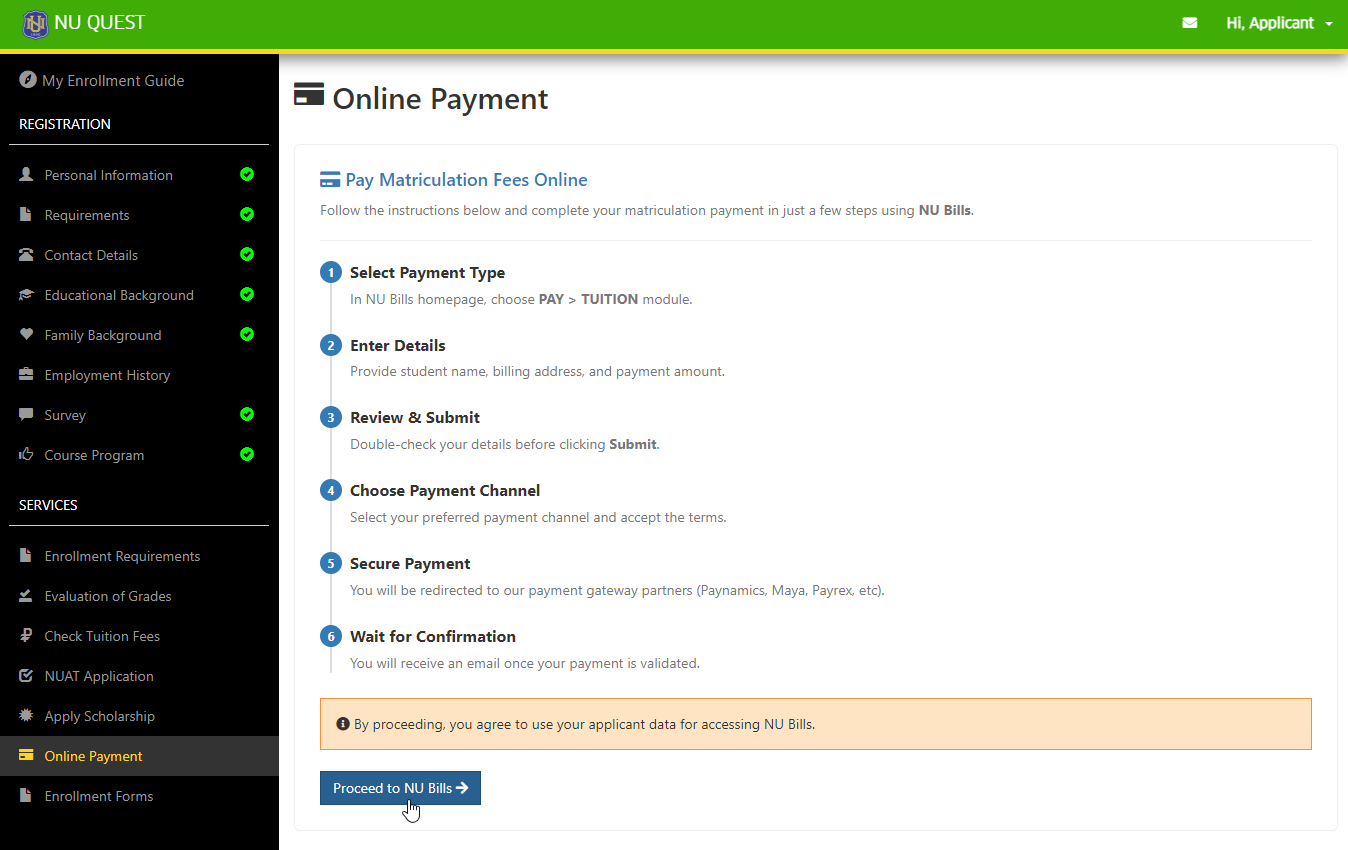
- Added step-by-step payment instructions on how to access and pay through NU Bills.
Paperless Enrollment Readiness
NU Quest now supports a more digital-first enrollment process, reducing the need for physical documents.
Key Improvements
- Minimized manual and paper-based steps during enrollment
- Faster access to required documents online
- Improved efficiency for both applicants and administrators
Benefits
- Convenient access anytime, anywhere
- Reduced processing time
- Environment-friendly (less paper usage)
Updated NU Quest Enrollment Guide
The NU Quest Enrollment Guide has been updated to include instruction on how to access the forms when student is already enrolled.
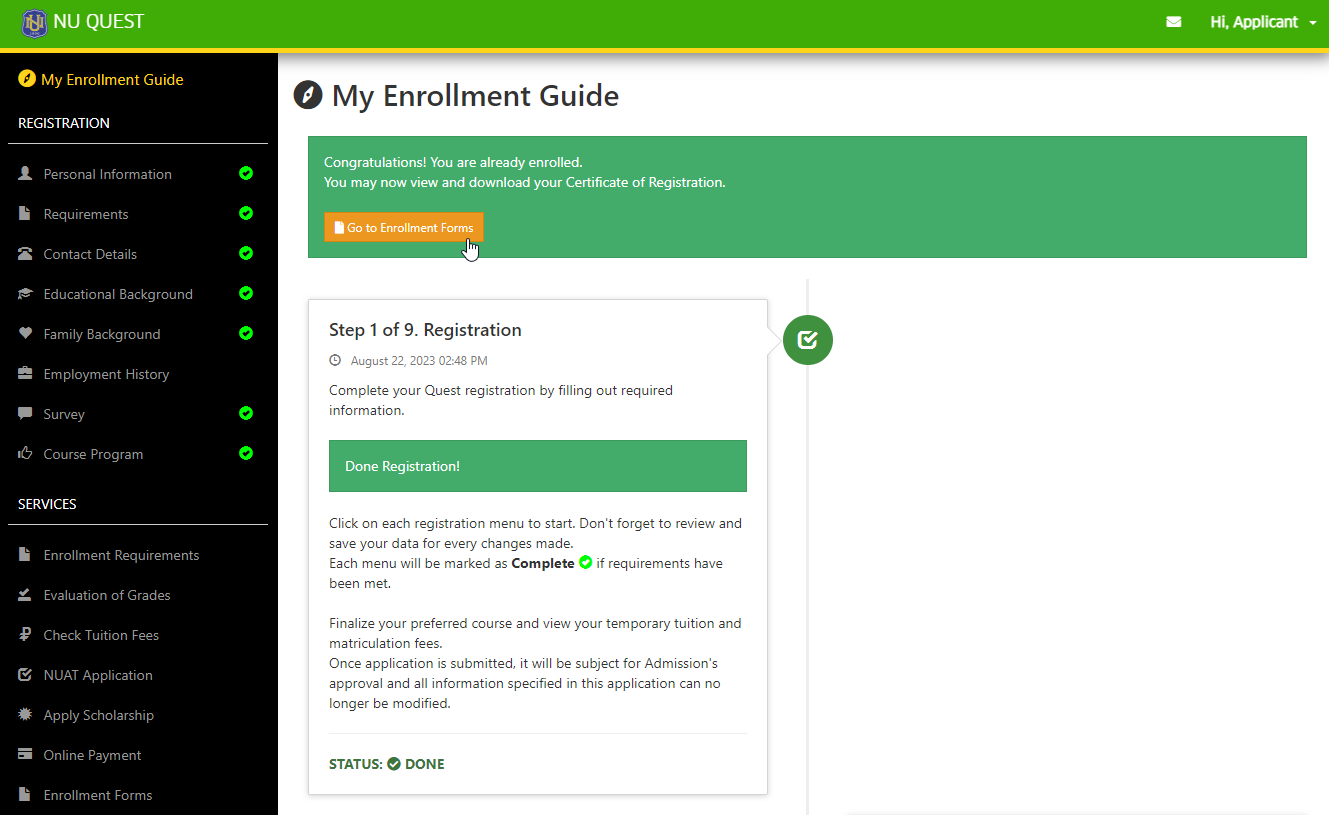
Downloadable Enrollment Forms
Applicants can now download important enrollment documents directly from NU Quest > Enrollment Forms.
-
Assessment Form
- Available once the applicant has been assigned a Student ID and class schedules
-
Certificate of Registration (COR)
- Available after the applicant has successfully completed enrollment
Payment Instructions via NU Bills
The Online Payment section has been updated in NU Quest to guide users on how to complete payments.
- Always check NU Quest regularly for updates on your enrollment status.
- Ensure that your Student ID and schedule are assigned to access the Assessment Form.
- Complete payment promptly to access your Certificate of Registration (COR).
- Follow the updated Enrollment Guide to avoid missing any required steps.