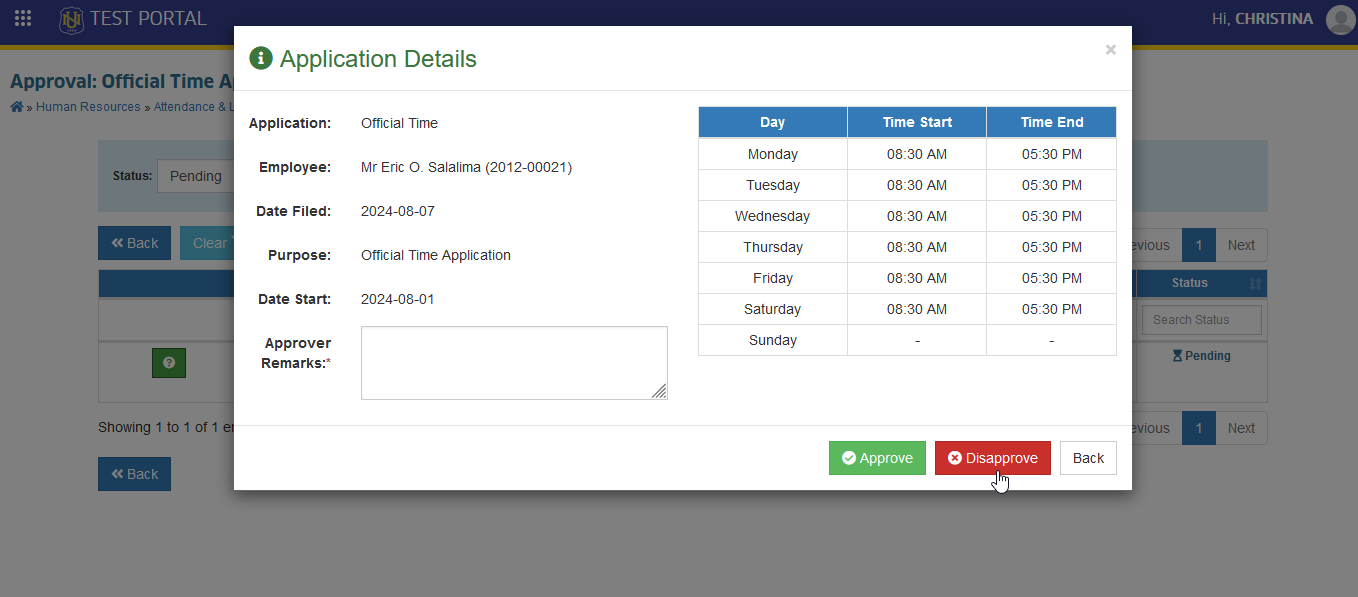
Review of Official Time Applications
Review and manage all official time applications of employees.
This module is assigned to Human Resource personnel only.
Required Permissions
- Review of official Time Applications - This permission is assigned to HR personnel only. This permission allows the user to review the official time applications.
How to access the module?
To access the module, make sure you have the Review of Official Time Applications permission. If it doesn’t appear in your portal, request access from your System Administrator.
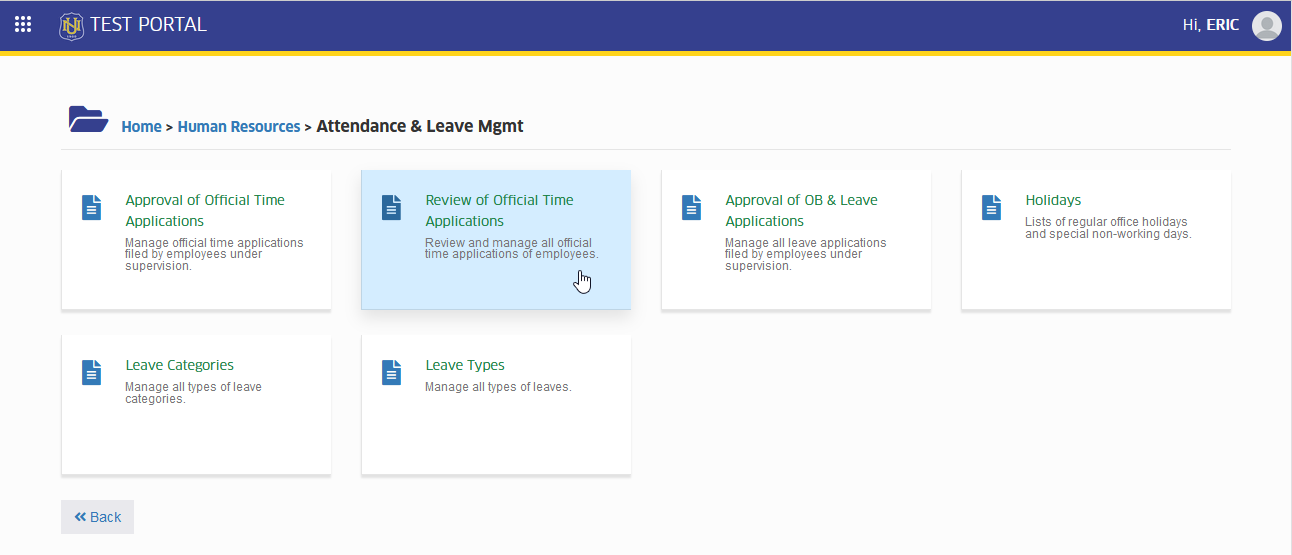
To access the module go to Human Resource> Attendance & Leave Mgmt > Review of Official Time Applications
Click the module tab to redirect to Review: Official Time Applications page.
How to Review the Approved Official Time Application?
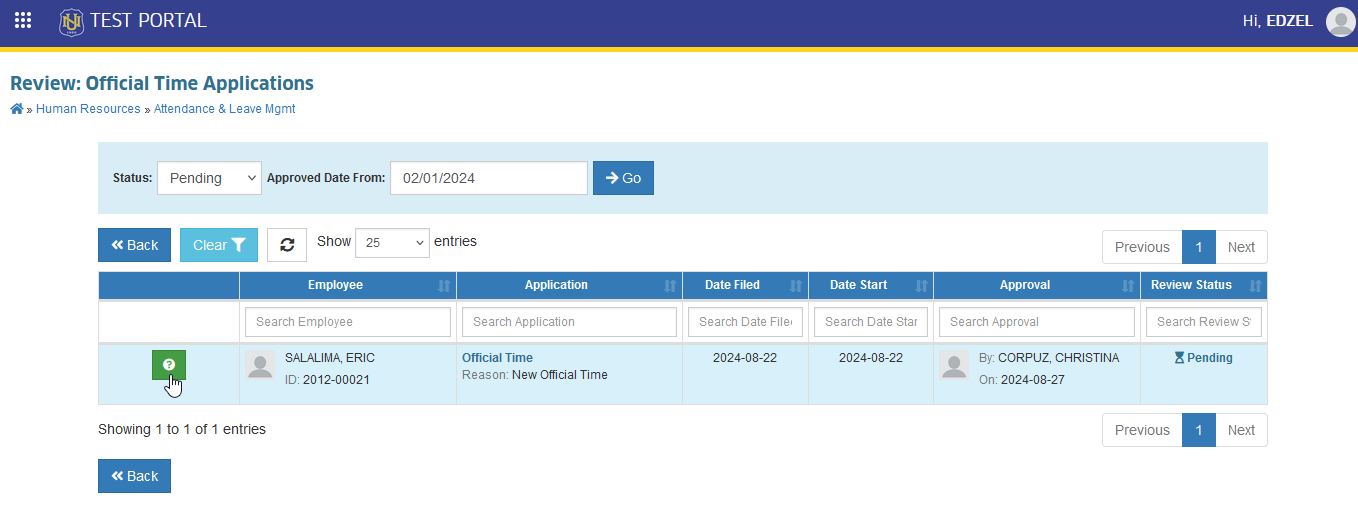
STEP 1. In Review: Official Time Applications listview page, click the corresonding button of the application you want to approve.
STEP 2. Review the official time application by clicking the button. Approver Remarks is required in this actions
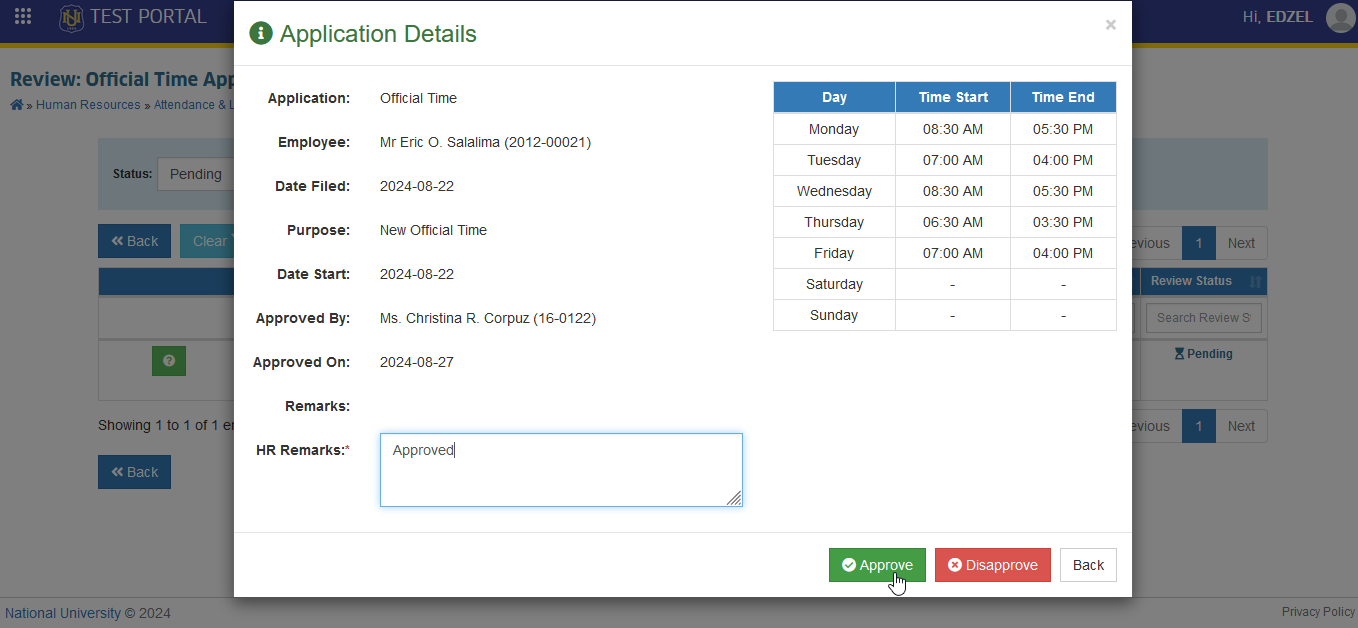
Only HR personnels reviews official time applications.
How to Disapprove Official Time Applications?
HR personnel may disapprove the official time applications of an employee when it is necessary. Follow the steps below to disapprove an official time applications.
STEP 1. In Review: Official Time Applications listview page, click the corresonding button of the application you want to disapprove.
STEP 2. Approve the official time application by clicking the button. Approver Remarks is required in this actions.