Load Revision History
The Load Revision History module lets you generate and view a student’s load revision history. This report shows all changes made to the student’s class load, including added, dropped, or updated subjects, along with the reason for each revision.
Required Permission
- Load Revision History - Allows the user to view and generate a student’s load revision history report, including all changes made to the student’s class load and the reasons for each revision.
How to access the module?
To access the module, make sure you have the Load Revision History permission. If it doesn’t appear in your portal, request access from your System Administrator.
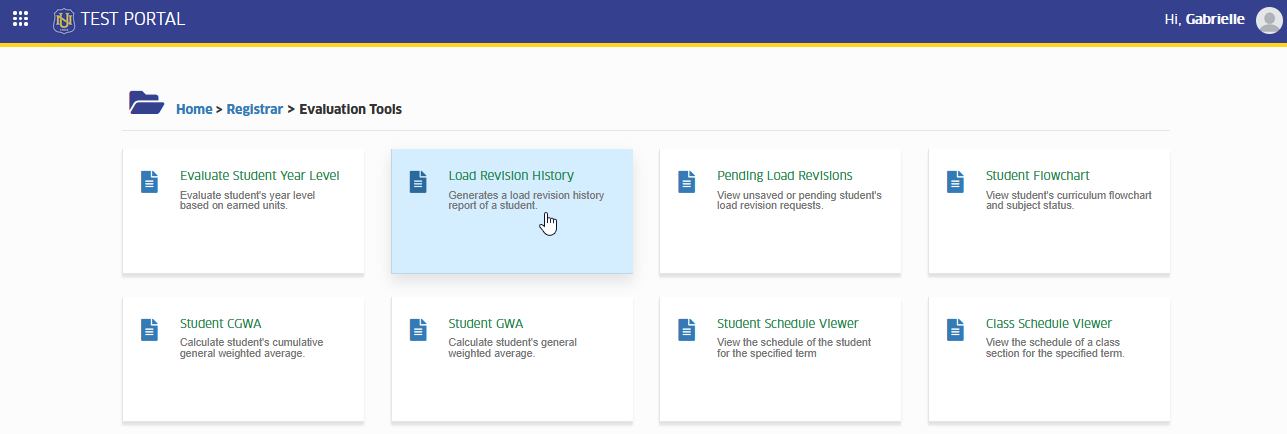
In NUIS portal, go to Registrar > Evaluation Tools > Load Revision History. Click the module tab to redirect to the Term's Load Revision History page.
View Load Revision History
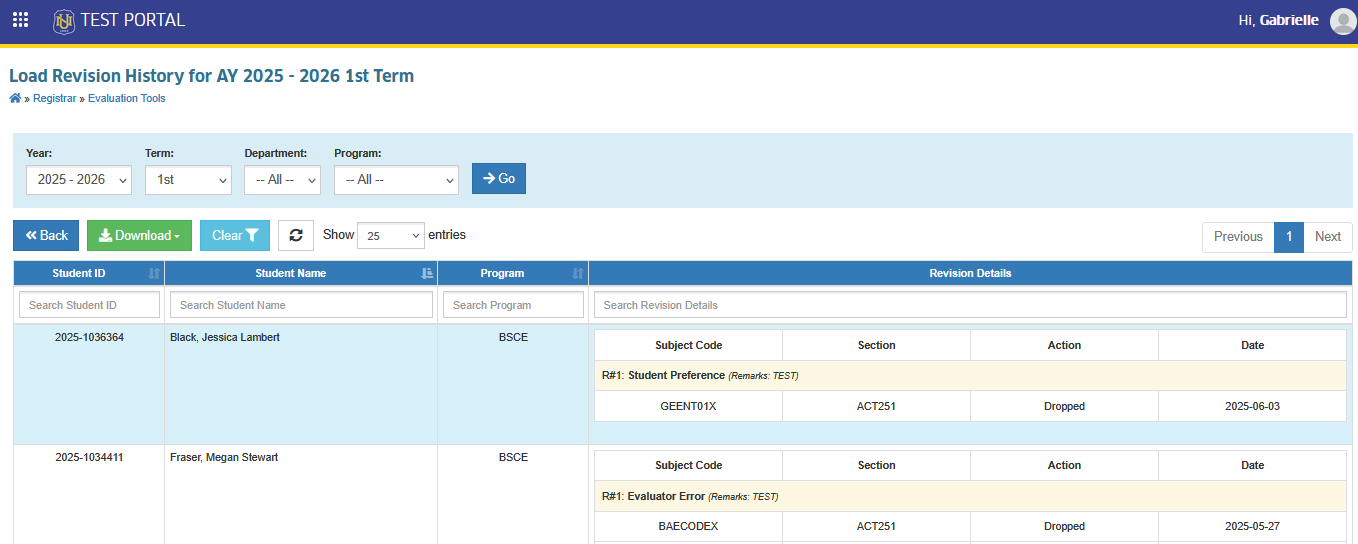
STEP 1. By default upon opening the module, the systtem will display the active term's load revision history.
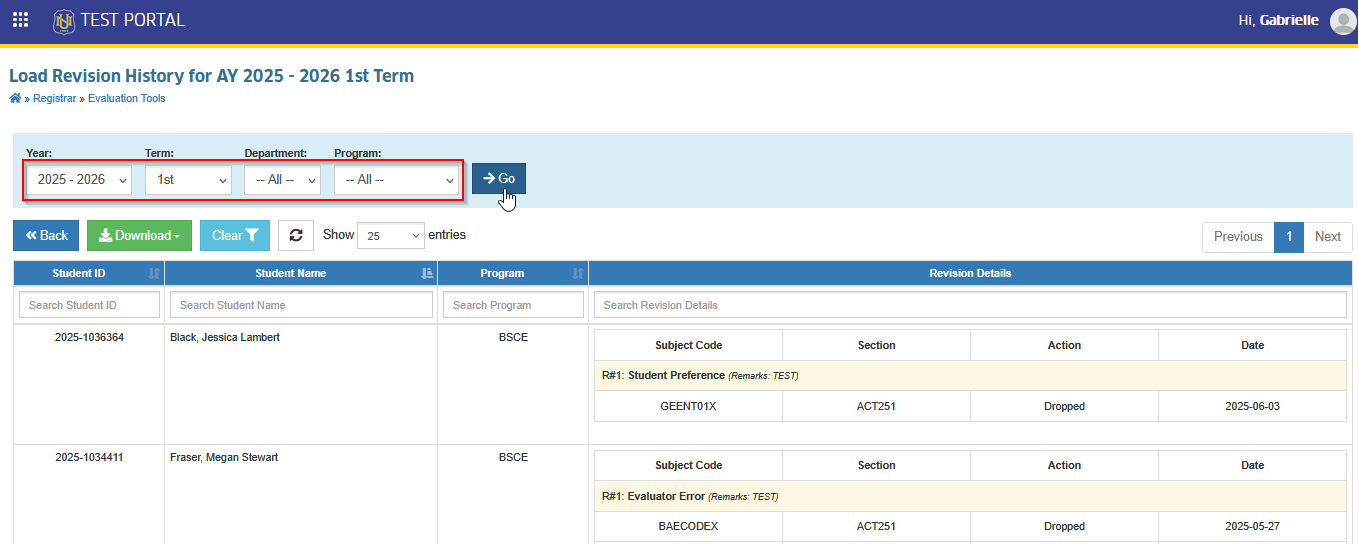
STEP 2. Use the filtering feature to view load revision history records for a specific program and term.
Download Load Revision History
This module also has a download feature that allows the user to download the report in PDF format for printing or documentation.
Follow the steps below to download load revision history report.
STEP 1. On the Load Revision History page, click the button.
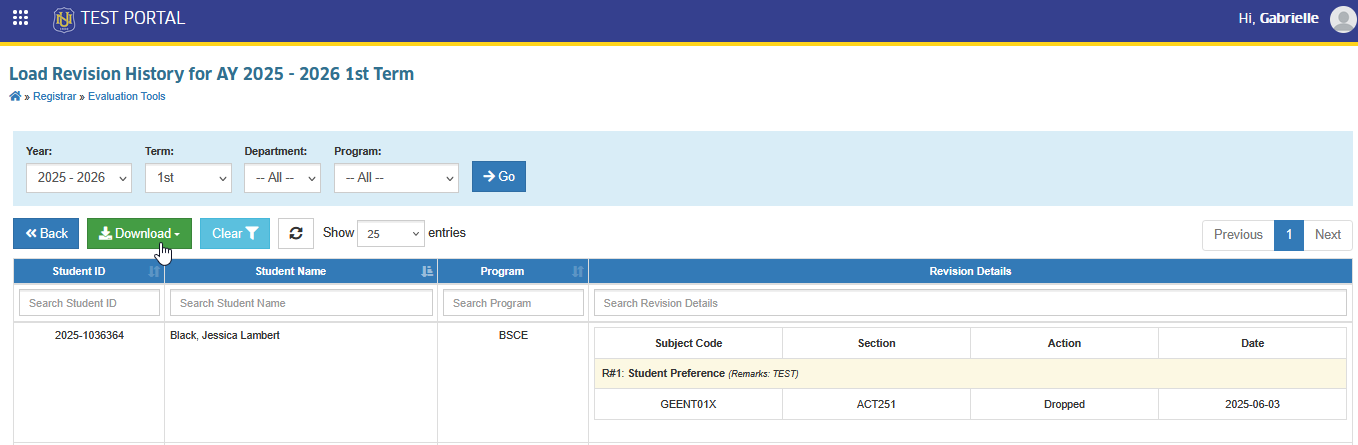
STEP 2. Click the button.
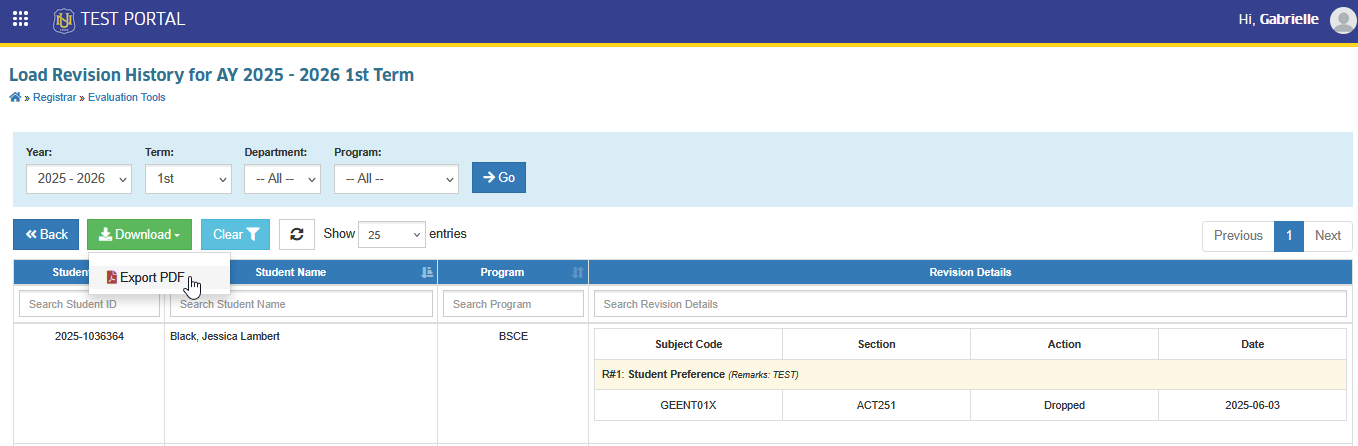
A PDF copy of the report will be downloaded.
For more questions or concerns, email us at nu-desk@national-u.edu.ph