Pending Load Revisions
The Pending Load Revision module lets Registrar Personnel view all unsaved or pending load revision requests submitted by Program Chairs or Deans.
This module does not save or finalize load revisions. It only generates a list of requests. Saving and processing of the requests happen in the Load Revision module under the Registrar group.
Required Permission
- Pending Load Revisions - Allows the user to view all unsaved or pending student load revision requests submitted by Program Chairs or Deans. Does not allow saving or processing; for review only.
How to access the module?
To access the module, make sure you have the Pending Load Revision permission. If it doesn’t appear in your portal, request access from your System Administrator.
In NUIS portal, go to Registrar > Evaluation Tools > Pending Load Revision. Click the module tab to redirect to the Term's Pending Load Revision page.
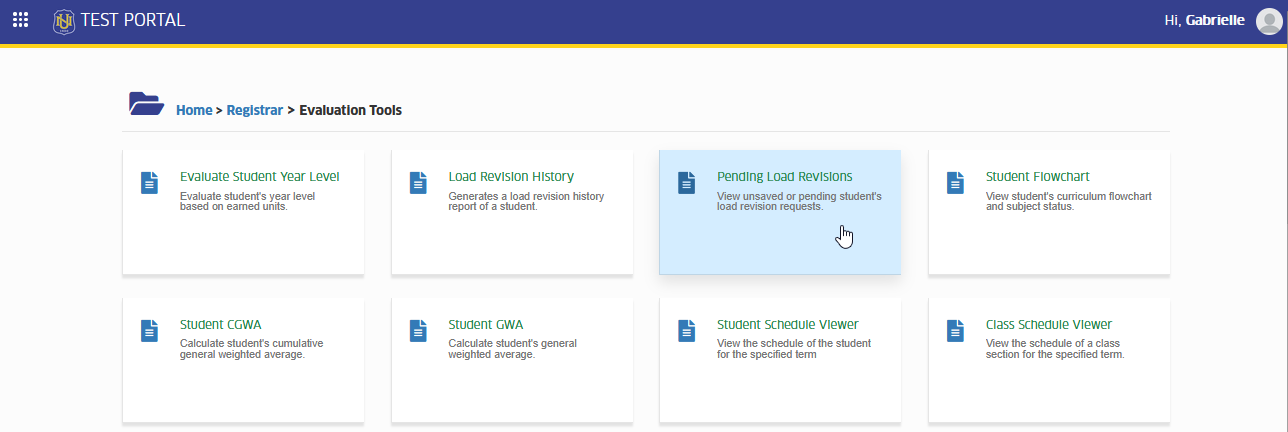
View Pending Load Revisions
This section guides you on how to access and view all unsaved or pending load revision requests submitted by Program Chairs or Deans. Here, you can review each request before processing it in the Load Revision module.
STEP 1. In the term's Pending Load Revision page, you will see active term's load revision request. You may use the filtering feature of the module to search for the specific term you want to view.
STEP 2. After selecting the term, click the button.
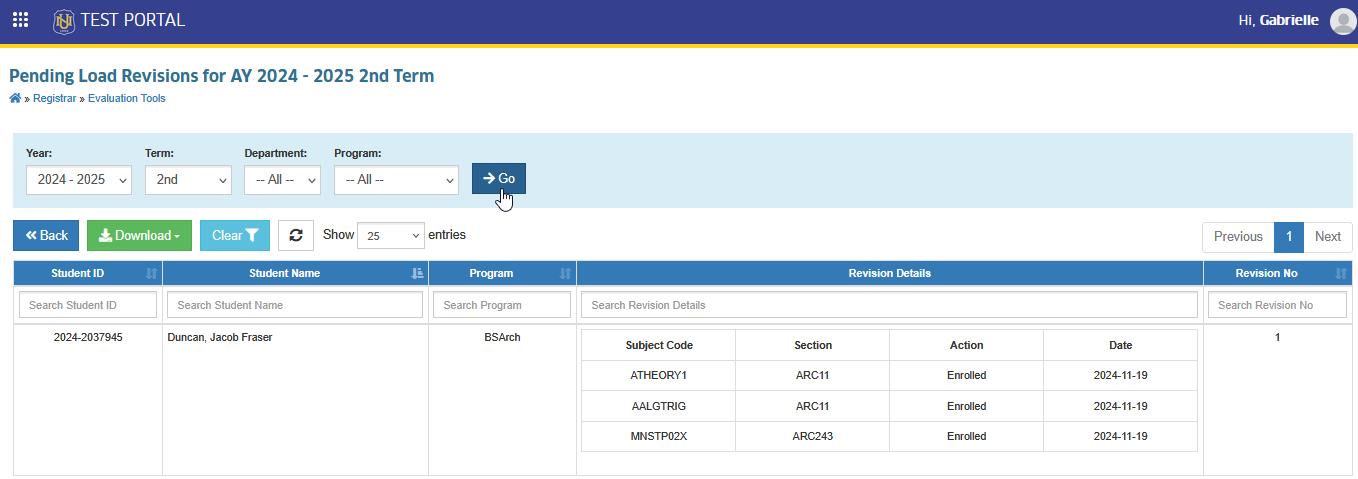
All pending load revisions for the selected term will be displayed.
Download Pending Load Revision Report
This section explains how to download a PDF copy of the pending load revision report. Users can save or print the file for easy reference when reviewing and managing unsaved load revision requests submitted by Program Chairs or Deans.
Follow the steps below on how to download the report.
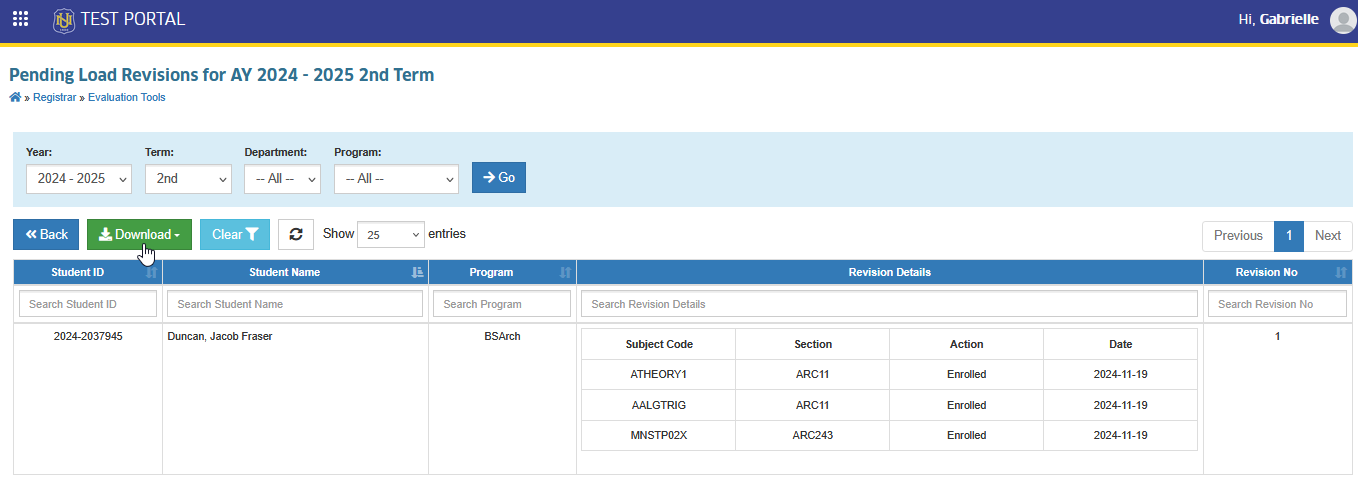
STEP 1. On the Pending Load Revision page, click the button.
STEP 2. Click the button.
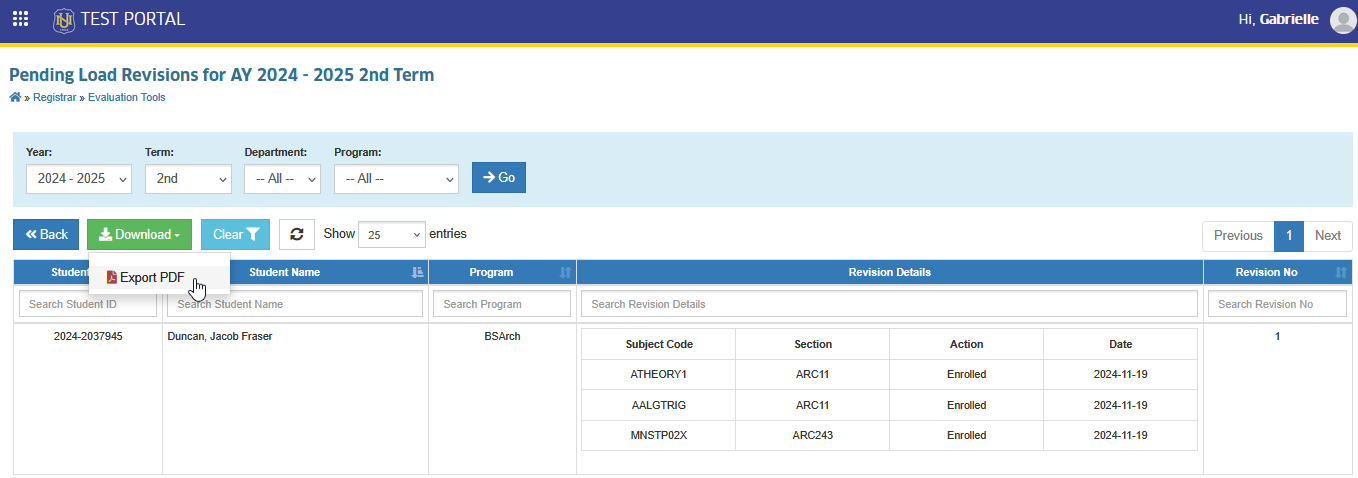
A PDF copy of the report will be downloaded.
For more questions or concerns, email us at nu-desk@national-u.edu.ph