Evaluating Full Time Faculty using Part-Time Matrix

Evaluating a full-time faculty member using the part-time faculty evaluation matrix may be necessary in special cases where standard criteria are not applicable. This approach ensures that the faculty's performance is still assessed fairly and consistently, using available evaluation tools aligned with their current workload or role.
Necessary Permission
To evaluate a full-time faculty member using the part-time matrix, the user must have the following permission:
Admin: View All Evaluation Forms - This access allows the user to view and manage evaluation forms across different faculty types. This permission is typically granted only to Faculty Services Office (FSO) personnel, as they are responsible for overseeing faculty evaluations across the campus or institution.
How to Change Faculty's Performance Matrix
STEP 1. Log in to the system using an account with the required admin permission.
STEP 2. Go to the Faculty Services > Faculty SPES > Evaluation Forms module.
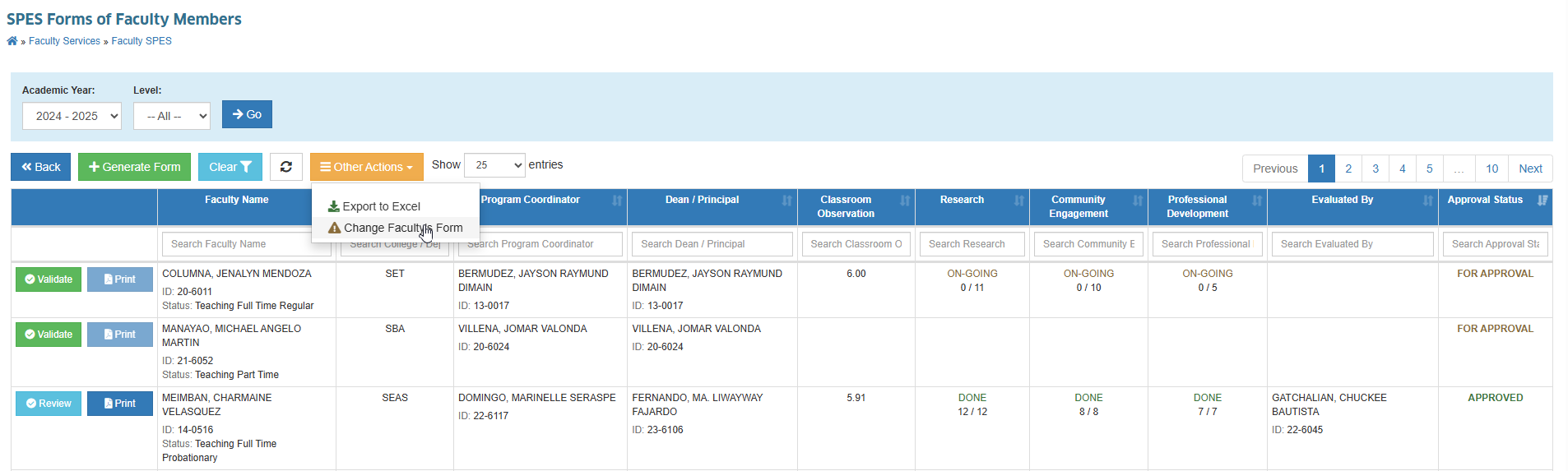
STEP 3. Click the Other Actions dropdown and click Change Faculty's Form.
STEP 4. Specify the following required information:
- Faculty
- Program Chair/Strand Coordinator
- Dean/Principal
- SPES Template to use
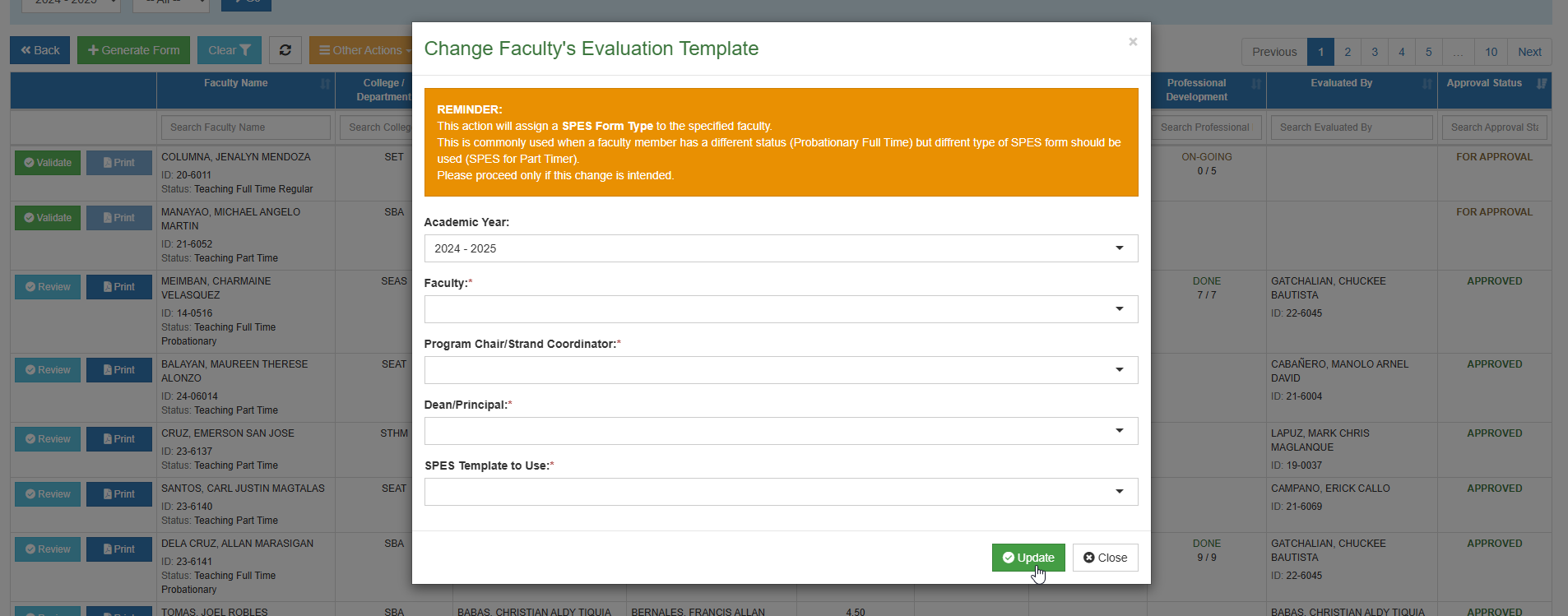
STEP 5. Click Update button to save.
This action will assign a SPES Form Type to the specified faculty.
This is commonly used when a faculty member has a different status (Probationary Full Time) but different type of SPES form should be used (SPES for Part Timer).
Please proceed only if this change is intended.