Athletes Module Improvements

To improve the services to our student athletes, necessary module improvements have been requested by Athletics Office (AO) and Athlete's Academic Development Office (AADO).
Specifying Sports Event During Scholarship Application
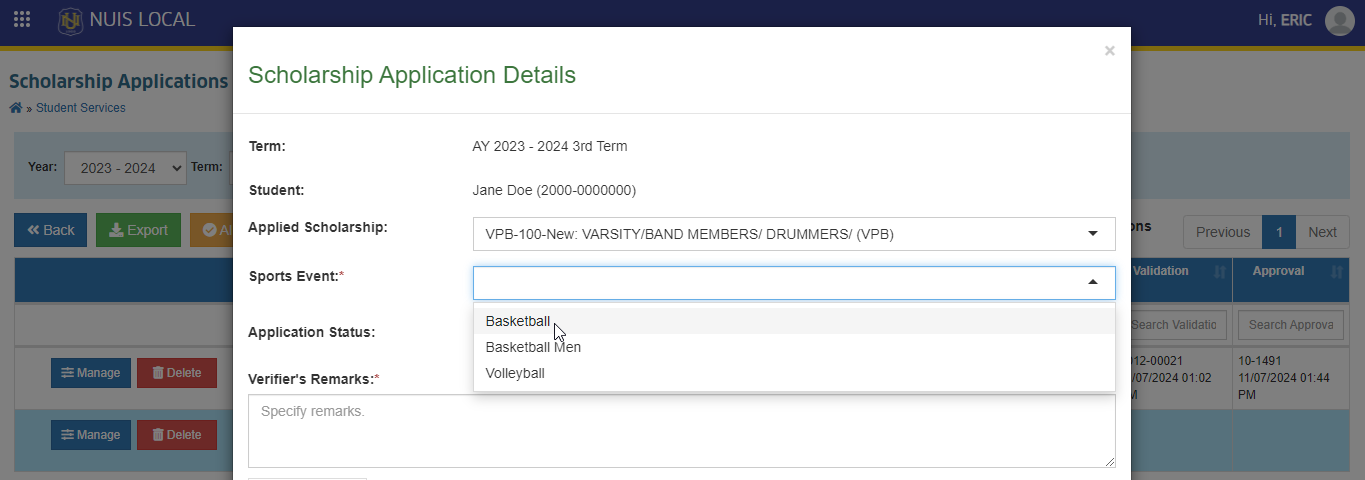
For student athletes applying for a scholarship, the Athletics Office allows them to be able to select their sport event from a list of available options. This will allow the said office to avoid separately and manually encoding their sports event, expediting the management of student athletes.
-
The athlete can select their sport from a dropdown list of available sports.
-
The athlete coordinator can view and modify the specified sport event during the validation of scholarship application.
-
Once application is approved, the athlete’s selected sport event is saved and associated with their scholarship application.
Improvement of Sports Module
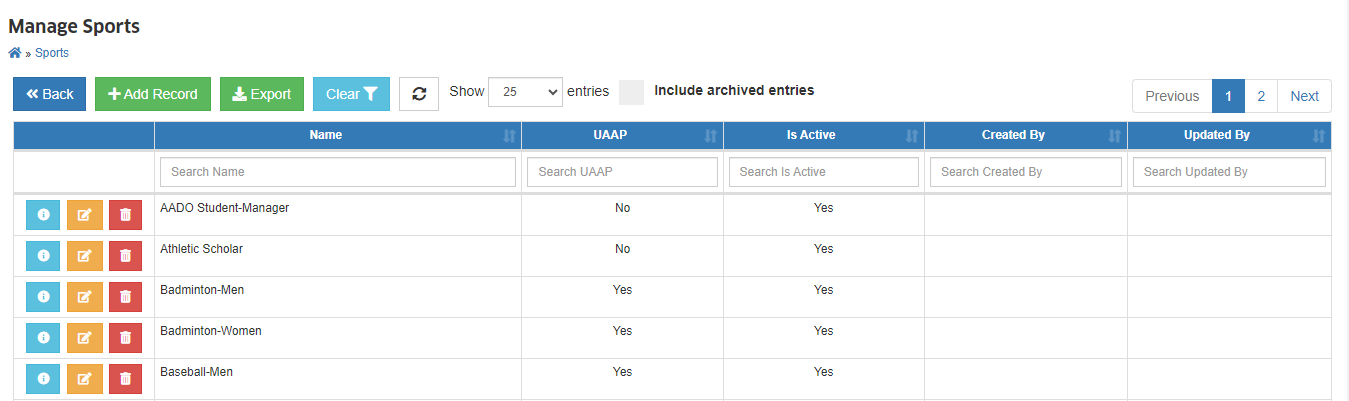 This module displays the list of sport events of the University. With this update, the following improvements have been made:
-
The athlete coordinator can sort the displayed fields in the module’s list view, alphabetically, either in ascending or descending order.
-
The athlete coordinator can set a specific record as disabled or archived.
-
The athlete coordinator can toggle a feature to show or hide the disabled records in the module’s list view.
Improvement of Student Athletes Module
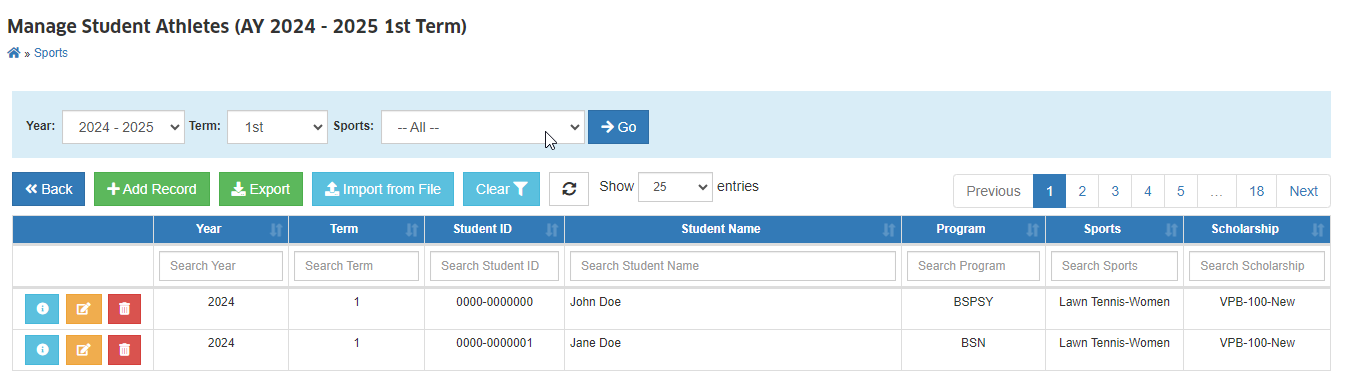
This module allows users to manage the student athlete records for a specific term.
-
The system allows the user to select a specific sports event from a dropdown list or search for an event by name.
-
Upon selecting a sports event, the system displays the list of all student athletes participating in that event.
-
The user can generate a printable or exportable report of the list of student athletes for a specific sports event, including all relevant details.
-
The system ensures that only authorized personnel with the necessary permissions can access and view the list of student athletes for a specific sports event.
View Student Personal Profile of Athletes
View Athlete Profile - this permission must be granted to the user to view the profile of an athlete.
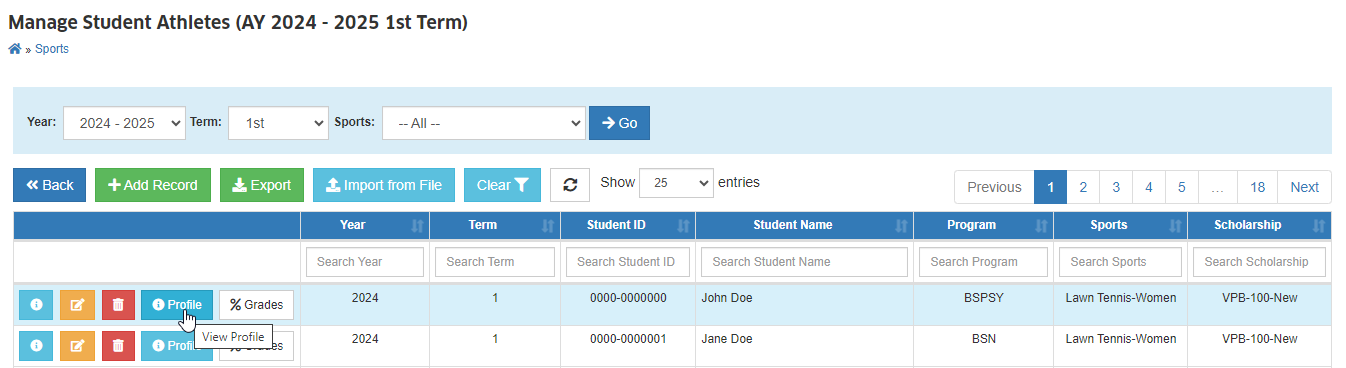
- Through the Student Athletes module, the user granted with access can now view the personal profile of the athlete, including:
-
Contact Information (name, email address, phone number, address)
-
Other relevant personal data (family background, education background)
-
The system only displays the athlete’s personal profile to authorized users such as athlete coordinators, coaches, and trainers.
-
The system ensures the confidentiality and security of the athlete’s personal data, in accordance with relevant laws and regulations.
View Academic Performance of Student Athletes
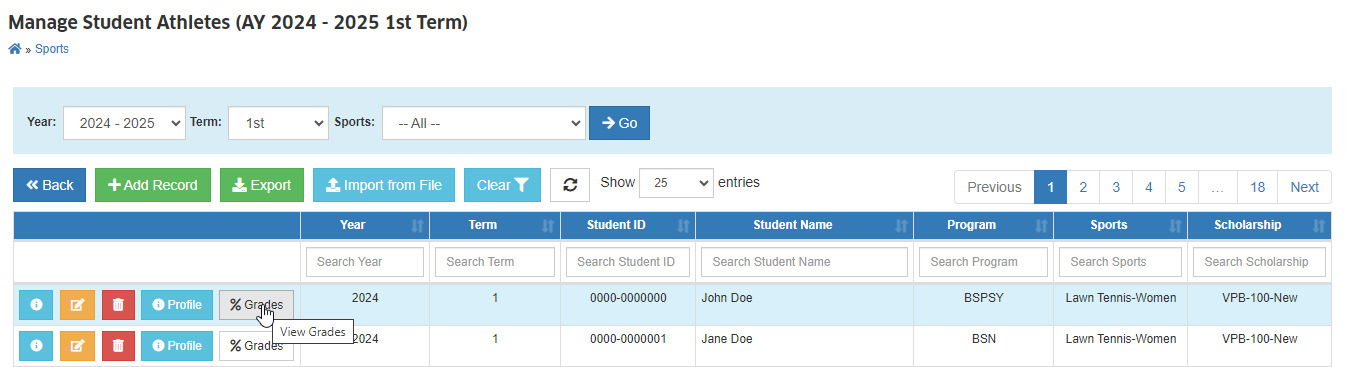
View Academic Performance (Athletes) - this permission must be granted to the user to view the academic performance of athletes.
-
Through the Student Athletes module, the user can view the athlete’s academic performance (Grades per Term, Year Level, GPA).
-
The system allows authorized users only to easily access and view the athlete’s grades.
Monitor Athletes with Failing Grades
This feature is available in Registrar Reports > Grade Reports > Summary of Failing Grades module.
The AADO wants to generate a report of student athletes with failing grades for a specific term to properly monitor and early identify those athletes with academic challenges, providing timely support and resources to ensure their academic success and eligibility to participate in sports.
The following permissions must be granted first to the user to use the module.
- Summary of Failing Grades
- Summary of Failing Grades (Athletes)
This module includes the following features:
-
The report can be generated for a specific term.
-
The report includes the following information for each student athlete:
- Name
- Sport
- Term
- Program
- Subjects with Failing Grade
- Grade
-
The report can be exported to a CSV or Excel file for further analysis and tracking.
-
The report is accessible only to authorized personnel to ensure confidentiality and compliance with data privacy regulations.