Promissory
Make payment for your promissory applications.
The promissory module allows the user to make payment towards their promissory notes. This feature ensures that any outstanding balances are settled according to the agreed terms. Through this module. users can securely process payments for their promissory
-
Promissory Note application is open on or before enrollment period only.
-
Coordinate with the Registrar's Office to include the promissory application periods in the Terms module.
How to Submit Promissory Application ?
This section provides guidance on the process of applying for a promissory note. It outlines the necessary steps applicants must follow to submit their request.
STEP 1. Login to your NU Bills portal using your student account.
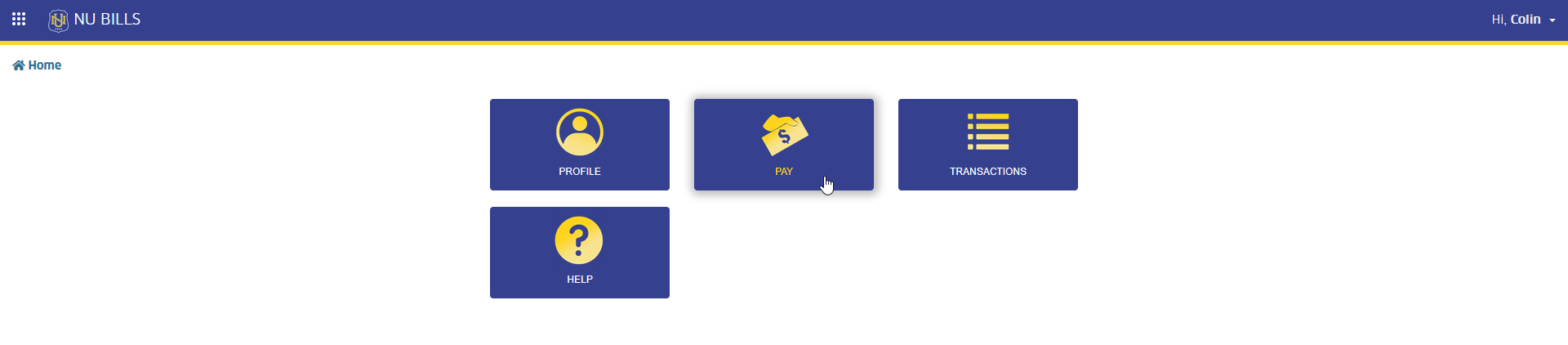
STEP 2. In NU Bills home page, click the Pay module tab. The page will redirect to Make Payment page.
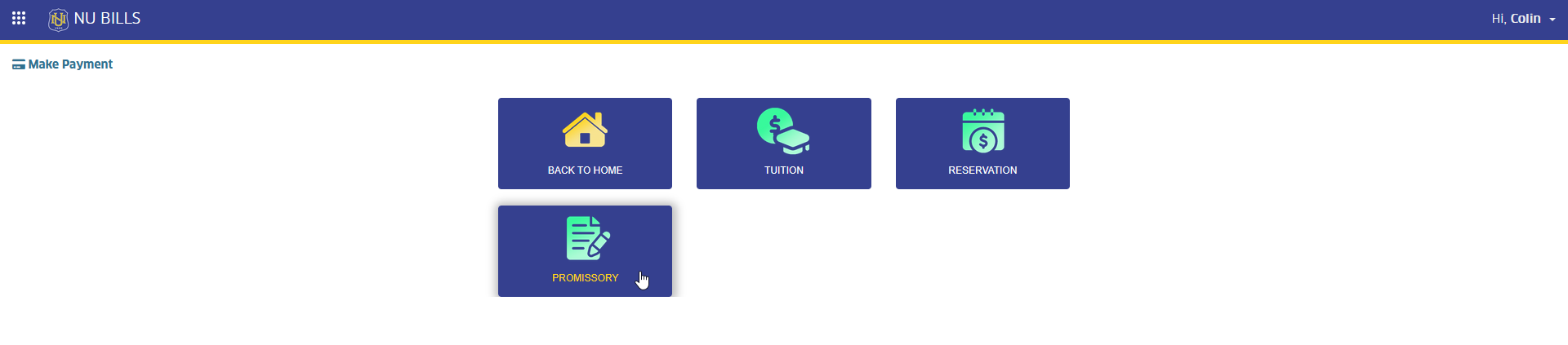
STEP 3. In Make Payment page, select the PROMISSORY module tab. This action will redirect the user to Promissory Note Application page.
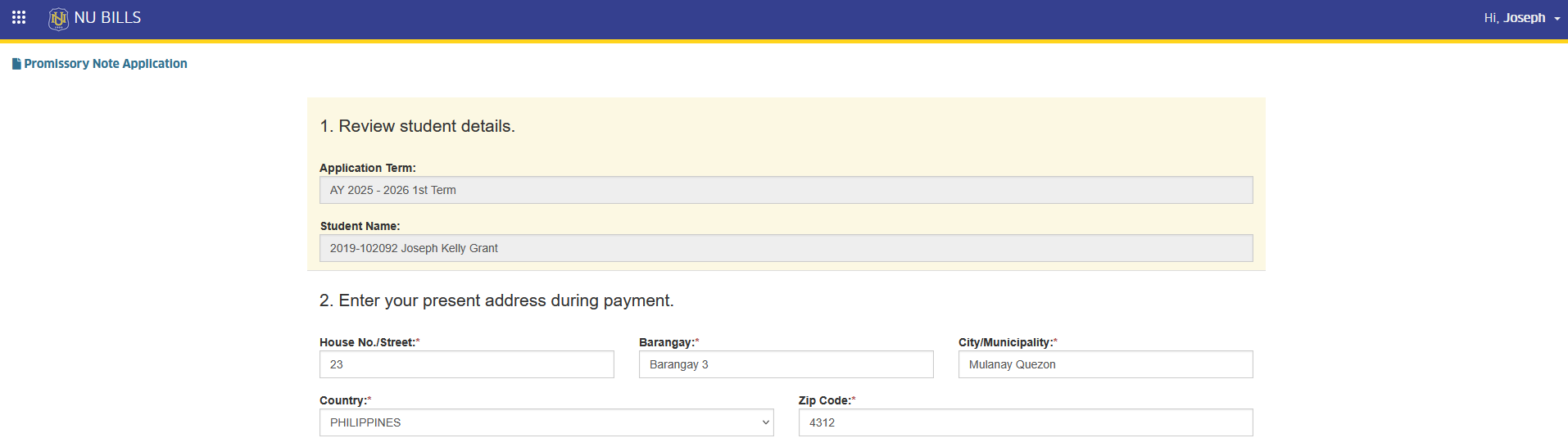
STEP 4. In Promissory Note Application page, read and carefully understand the application instructions.
A. Check your details to ensure that your name and student ID are correctly displayed on the page. B. The address displayed is your current address in your profile. You may modify it during payment and enter the current address during payment.
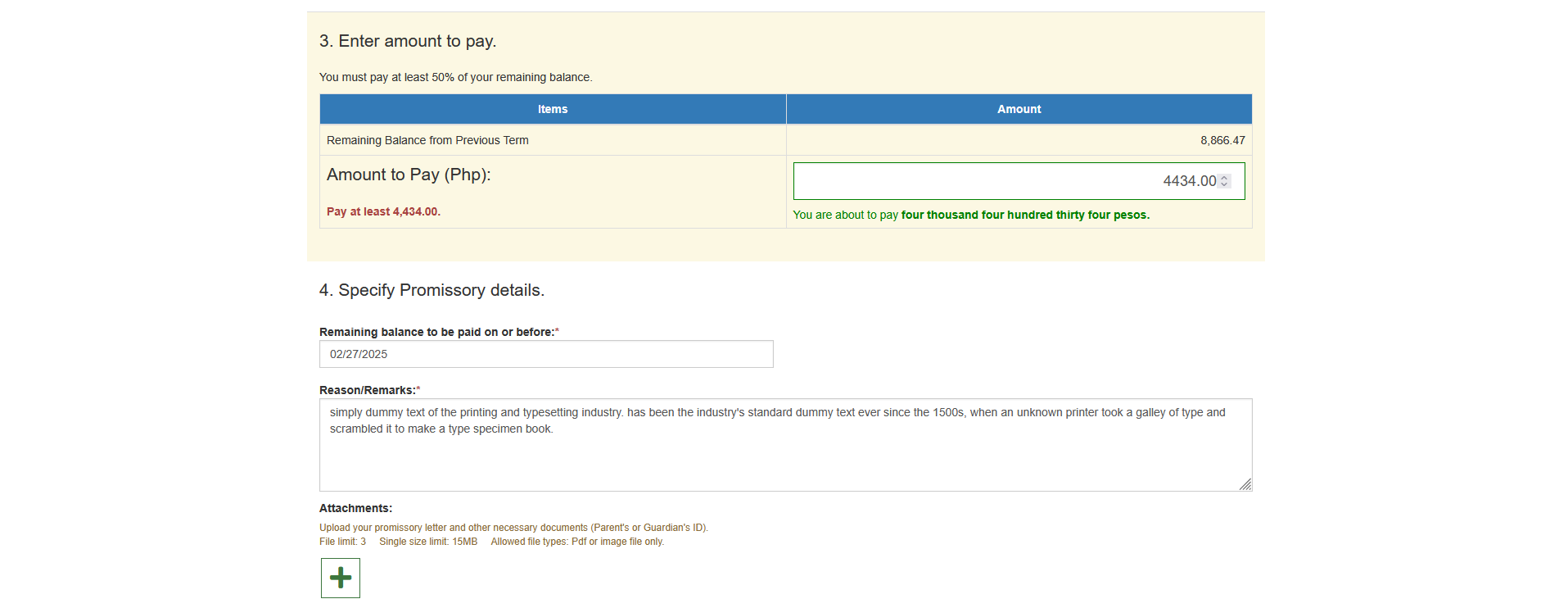
C. Enter the amount to pay in order to apply for promissory note.
-
You should pay at least 50% of your remaining balance.
-
You should pay an amount not exceeding with your remaining balance deducted with the allowed amount threshold (which vary per campus).
D. Specify the following promissory details.
Promised date of payment - Set the date when you will be able to pay the remaining balance.
Reason of Application - State the reason of your application.
Attachments - Upload your promissory letter and other necessary documents which are required for approval of your application.
STEP 5. Review and finalize the details. Click the button to proceed.
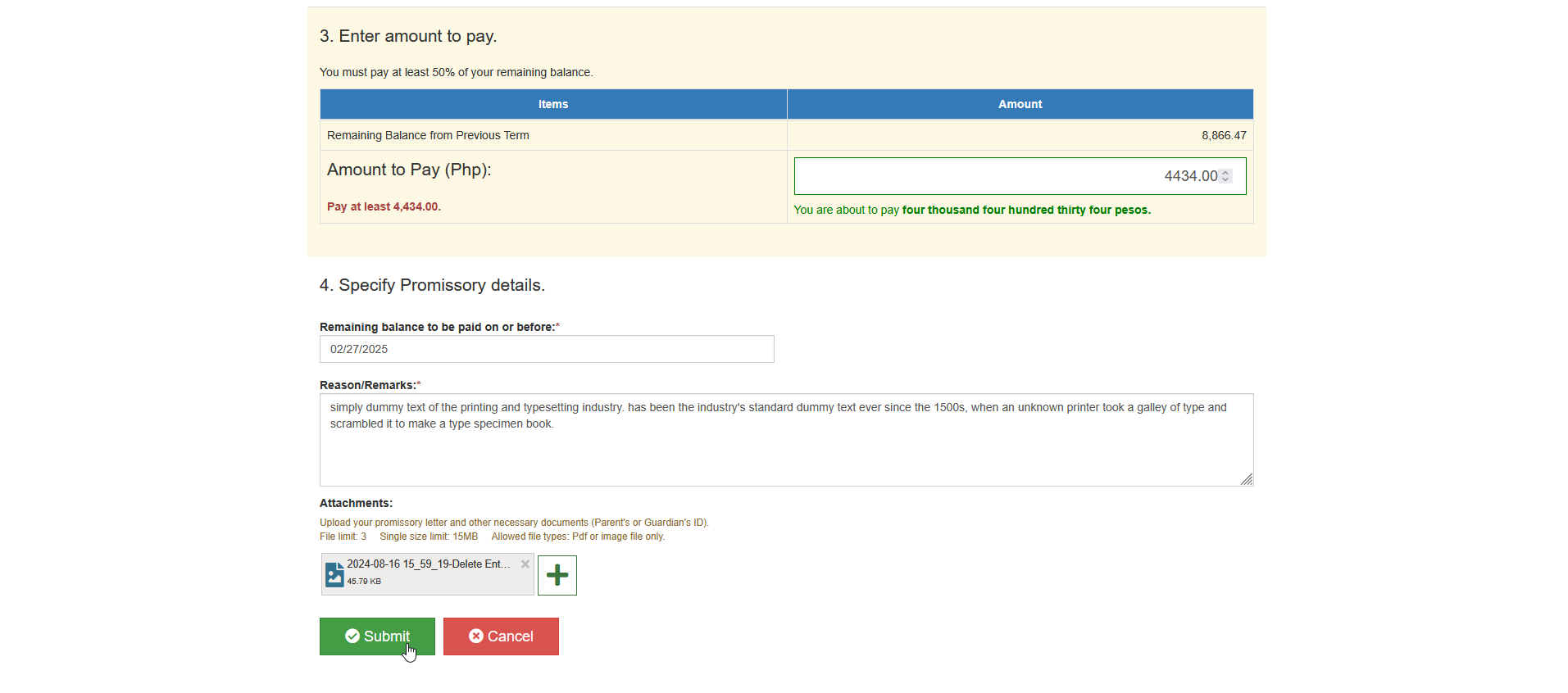
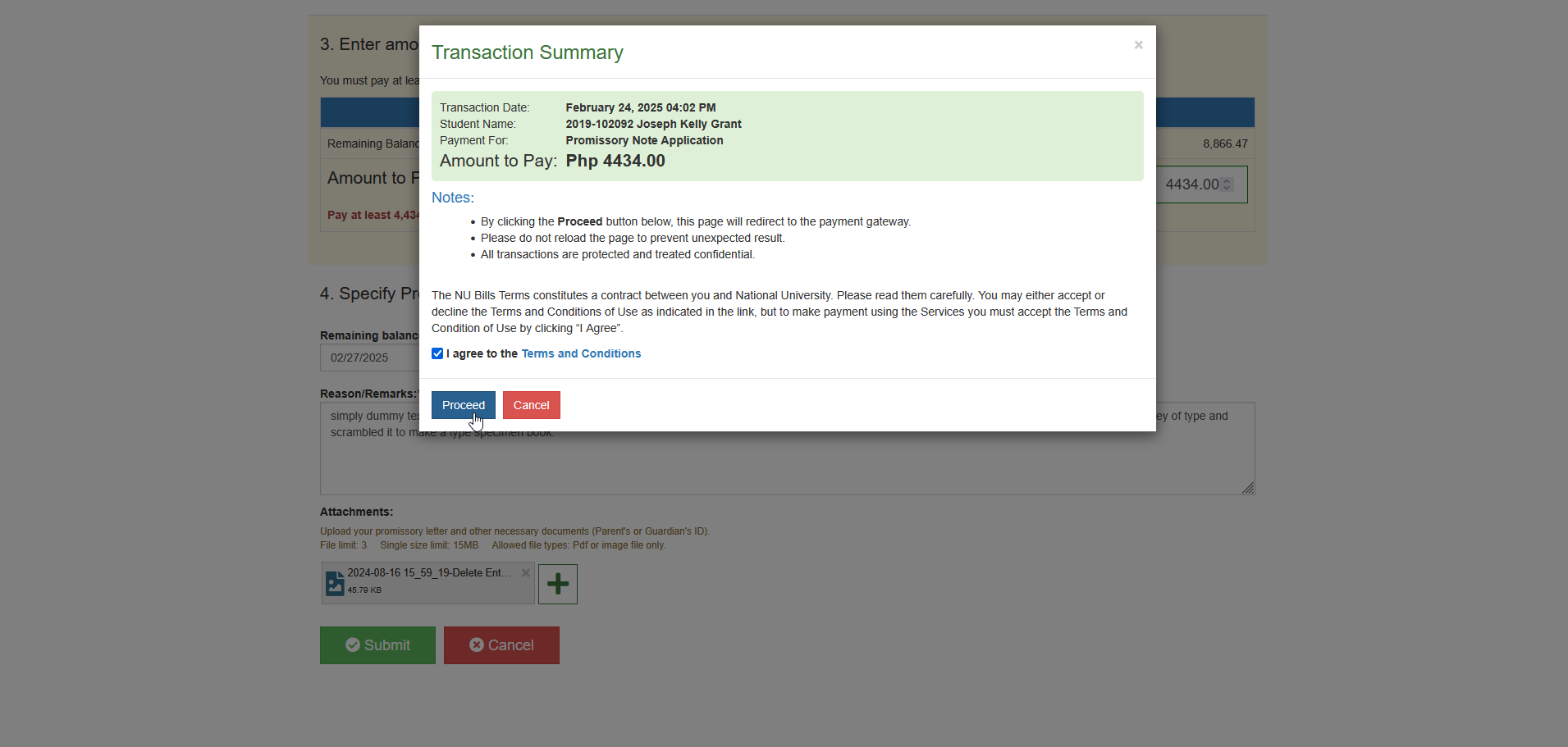
STEP 6. Agree to terms and conditions and click the button. This action will redirect to Select Payment Channel page.
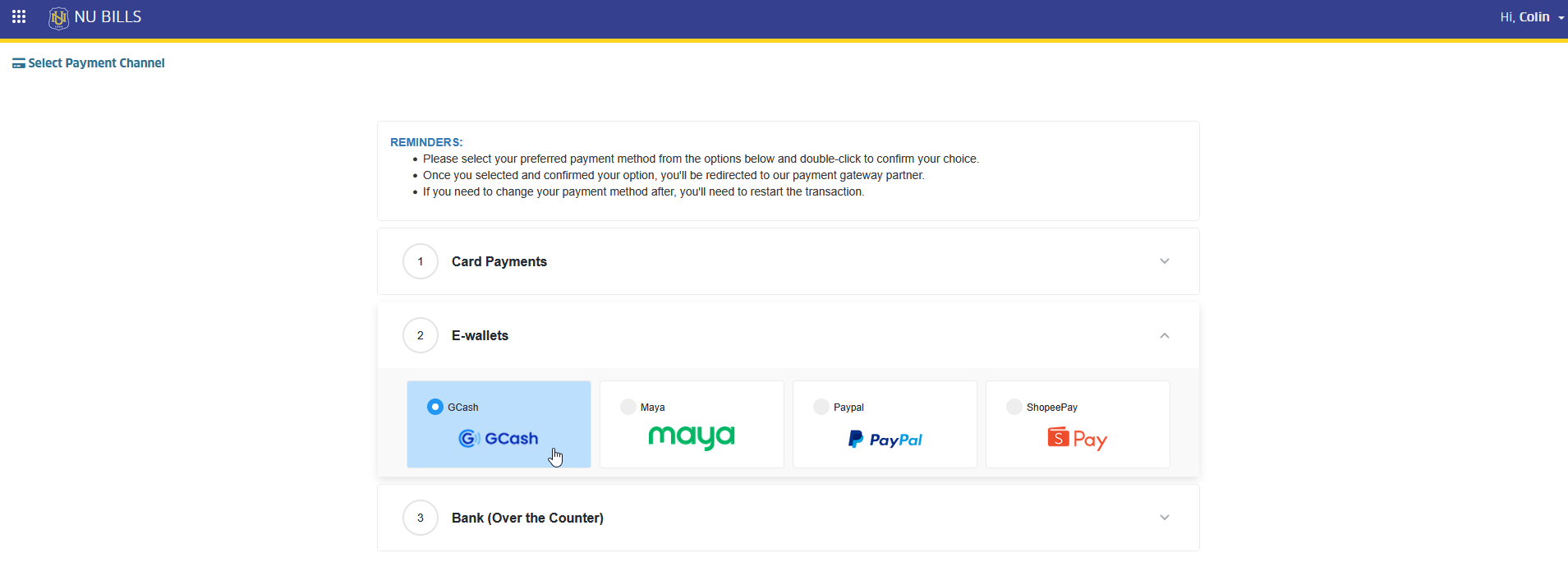
STEP 7. In Select Payment Channel page, read and follow the indicated reminders on the page and select the preferred payment channels.
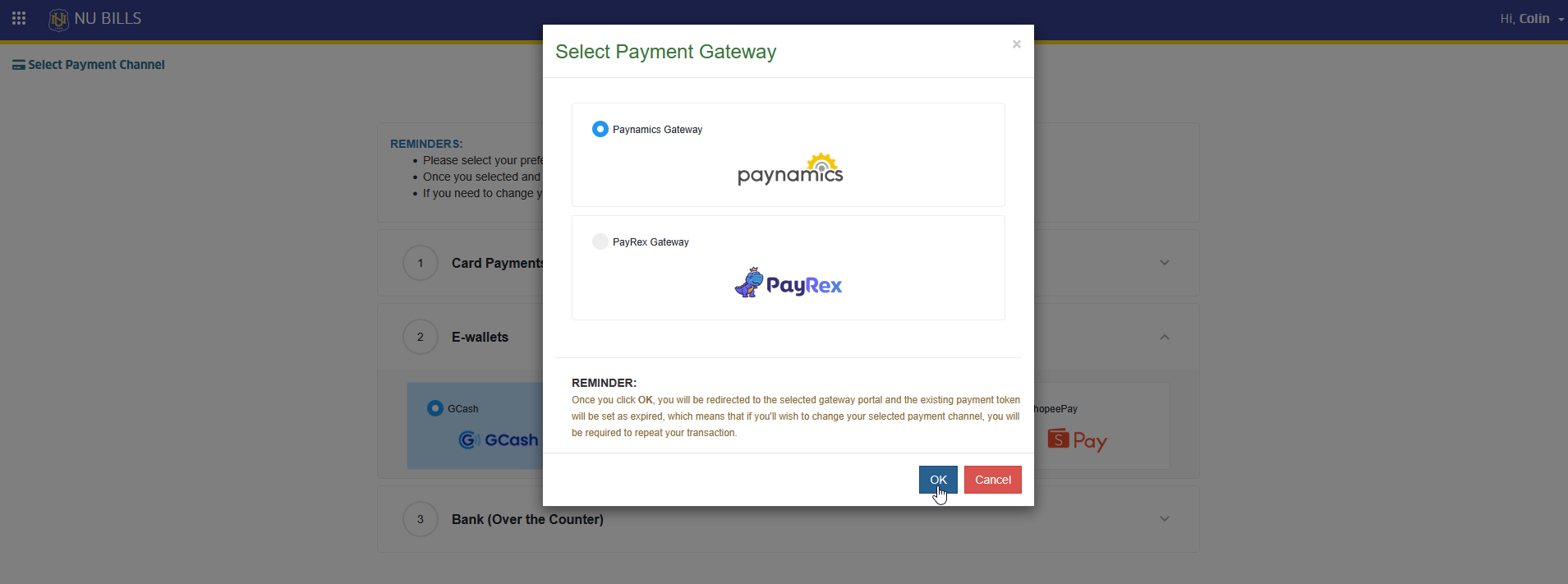
STEP 8. Select payment gateway, and click button. This action will redirect to the selected payment gateway page.
STEP 9. In the selected payment gateway page, make the payment to complete the transaction
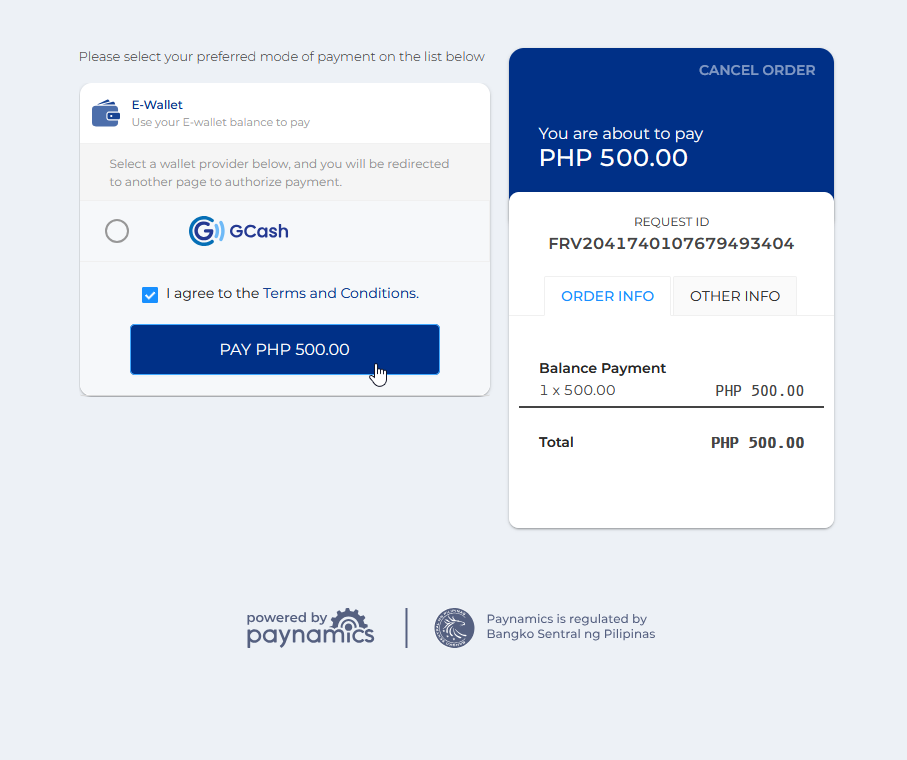
STEP 10. Wait for the approval of the application.
-
You are given only (5) chance to submit or modify your promissory application. Make sure to successfully process your application thru online payment channel you have selected.
-
For credit card, GCash and Bank transactions, your application is automatically subject for approval upon successful transaction.
-
For Over-the-Counter payment options, your application will be automatically subect for approval upon successful verification of payment from your selected payment center.
How to Change Payment Method?
If you have already submitted your application and selected a payment method, but choose to change the payment method, follow the steps below:
STEP 1. Go to your promissory application in your NU Bills portal.
STEP 2. In the page, you can view your previously submitted application along its correspongding payment transaction.
STEP 3. If your previous transaction is in PENDING status, you are allowed to cancel it as long as you are sure of your action. Just click the button.
-
Be careful in canceling your payment transactions. If you proceed, your previous transaction will be considered void and will no longer be associated to your current application. However, you will be given another chance to select and change for another payment method.
-
You are no longer allowed to cancel your application if it already subject for approval or if has already been validated by the Treasury Office.
STEP 4. You may proceed again for application by following the instruction on How to Submit Promissory Application.
Frequently Asked Questions
Approval of application will be in sole discretion of the Treasury Office. Result of application will be sent to student’s email.
All applications with successful payment will most likely be approved as long as student has no more pending accountabilities from the Treasury Office aside from the remaining balance.
If in case application has been disapproved, you may choose to coordinate with the Treasury Office for reconsideration.
For more questions or concerns, email us at nuis@national-u.edu.ph