Room Availability
The Room Availability module lets you check which rooms are available based on the specific time range. This helps make class schedule preparation easier by showing available rooms that can be assigned for classes.
Required Permission
- Room Availability - Allows the user to view and check available rooms within selected date and time range. This permission is essential for users involved in class schedule preparation, as it helps them identify which rooms are free and suitable for use during specific periods.
How to Access the Module
To access the module, make sure you have the Room Availability permission. If it doesn’t appear in your portal, request access from your System Administrator.
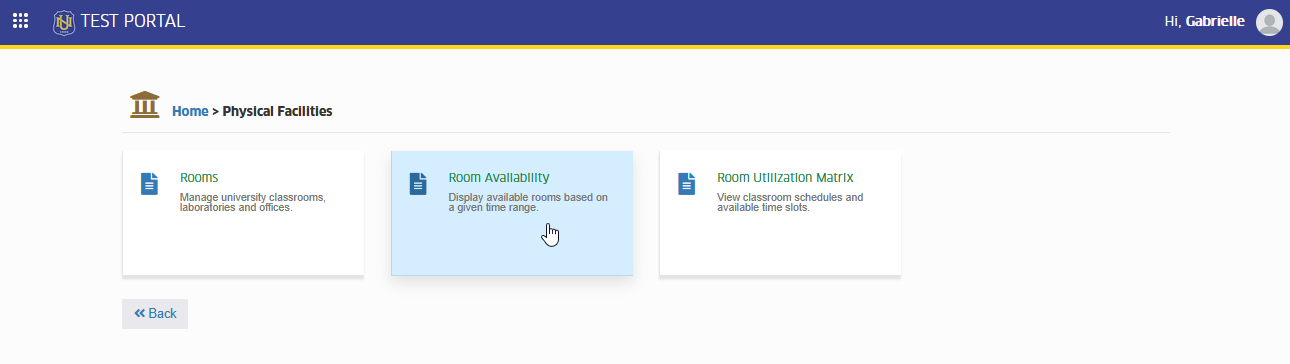
In NUIS portal, go to Physical Facilities > Room Availability. Click the module tab to redirect to the Available Room Viewer page.
How to Use the Module
Follow the steps below to check available rooms for a specific time range.
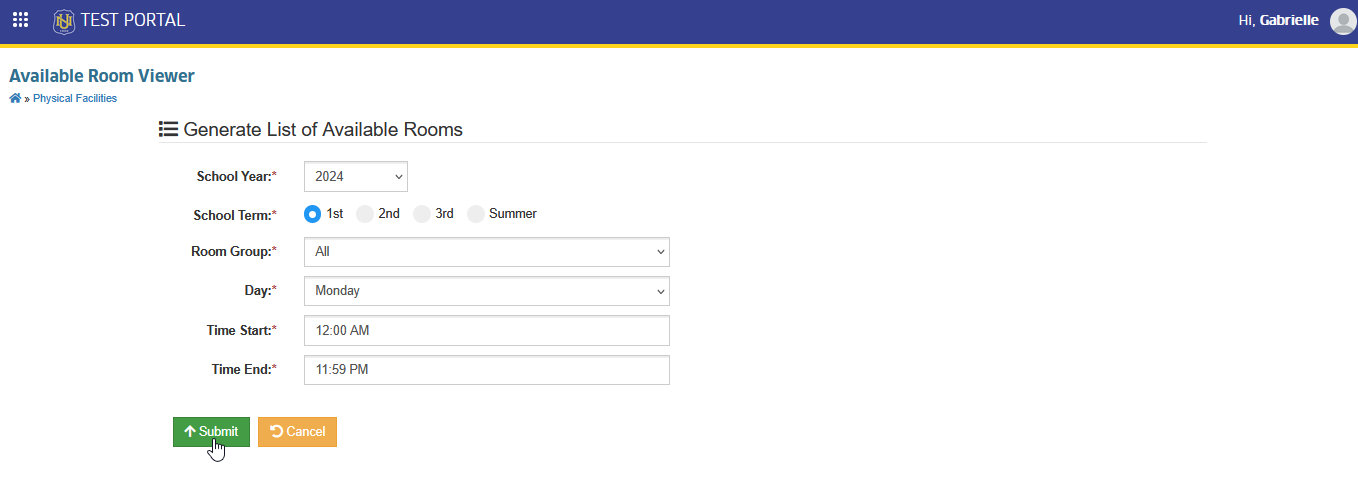
STEP 1. On the Available Room Viewer page, enter the necessary details such as school year, term, room group, day and time range.
STEP 2. Click the button.
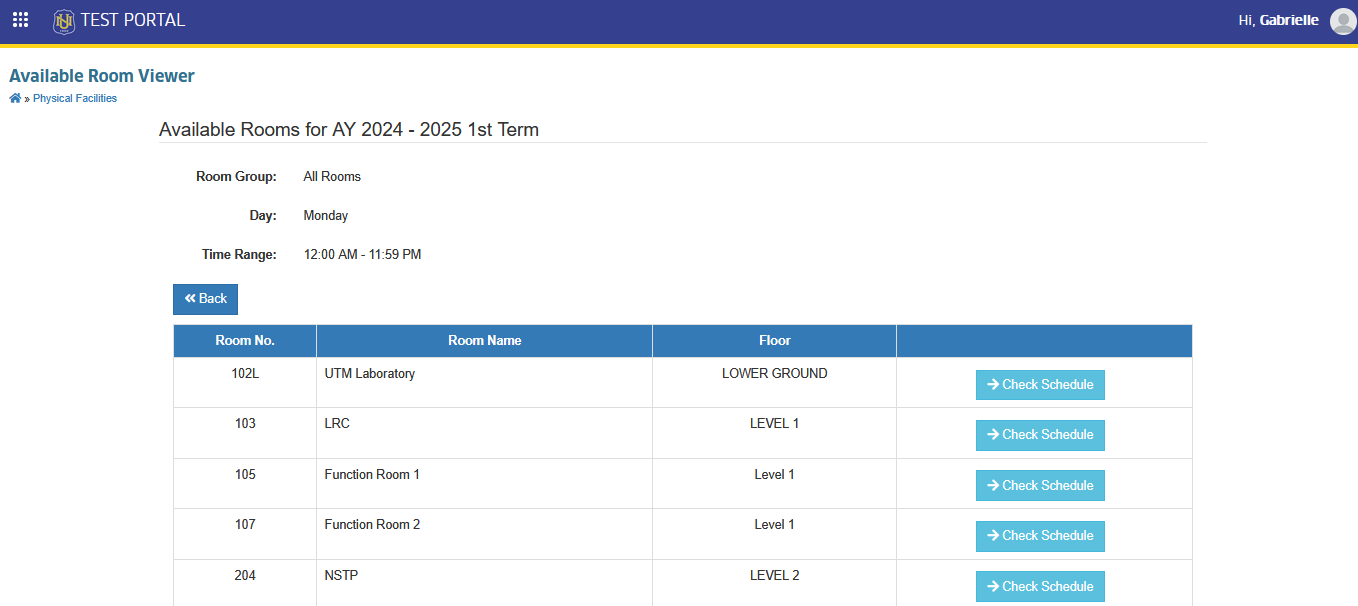
The system will display all available rooms for the time range you have set.
Check Room Schedules
After viewing the list of available rooms, you may also check the schedule of a specific room. Follow the instruction below.
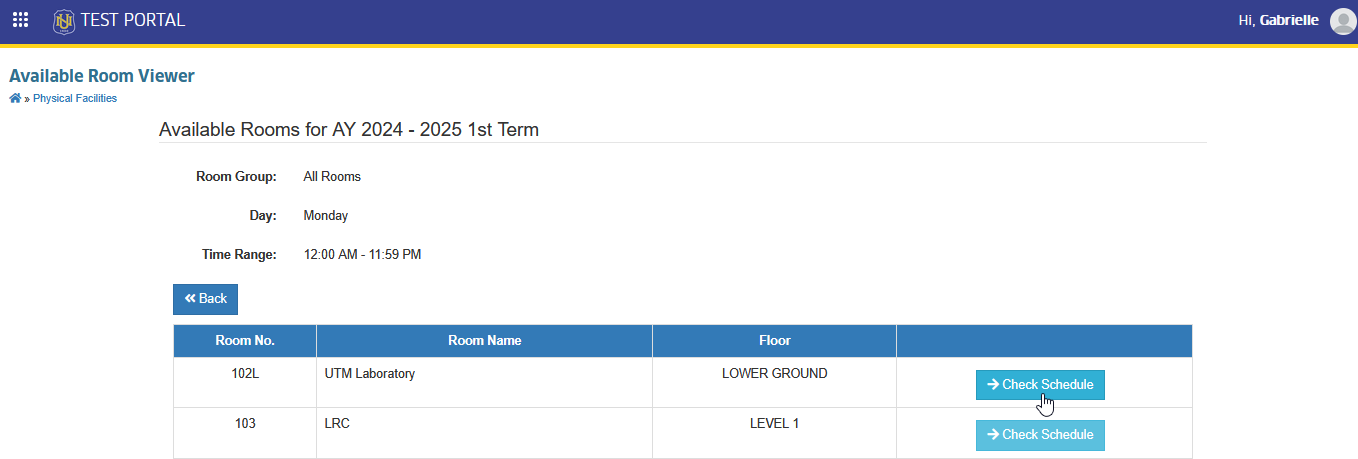
STEP 1. On the Available Room Viewer page, click the button. You will be redirected to Room Utilization Matrix page.
For more questions or concerns, email us at nu-desk@national-u.edu.ph