Room Utilization Matrix
The Room Utilization Matrix module lets you view the schedules of classrooms and check available time slots. It helps you see when rooms are occupied or free, making it easier to plan class schedules or room use. You can also download or print a copy for reference.
Required Permission
- Room Utilization Matrix - Allows the user to access the module and view classroom schedules. The user can also download or print the room utilization matrix for reference.
How to Access the Module
To access the module, make sure you have the Room Utilization Matrix permission. If it doesn’t appear in your portal, request access from your System Administrator.
In NUIS portal, go to Physical Facilities > Room Utilization Matrix. Click the module tab to redirect to the Room Utilization Matrix page.
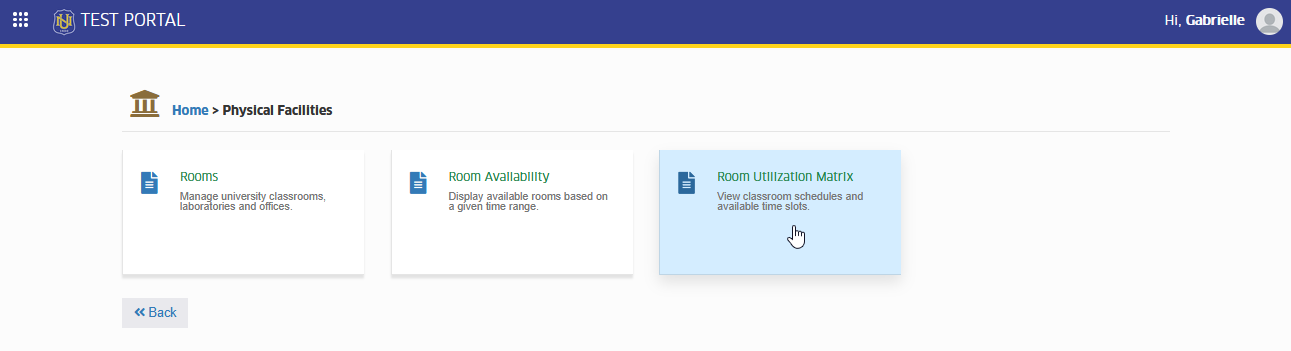
View Room Schedules
Follow the steps below to view room schedules.
STEP 1. On the Room Utilization Matrix page, fill out the required fields to search for a specific room.
STEP 2. After entering all the necessary details, click the button.
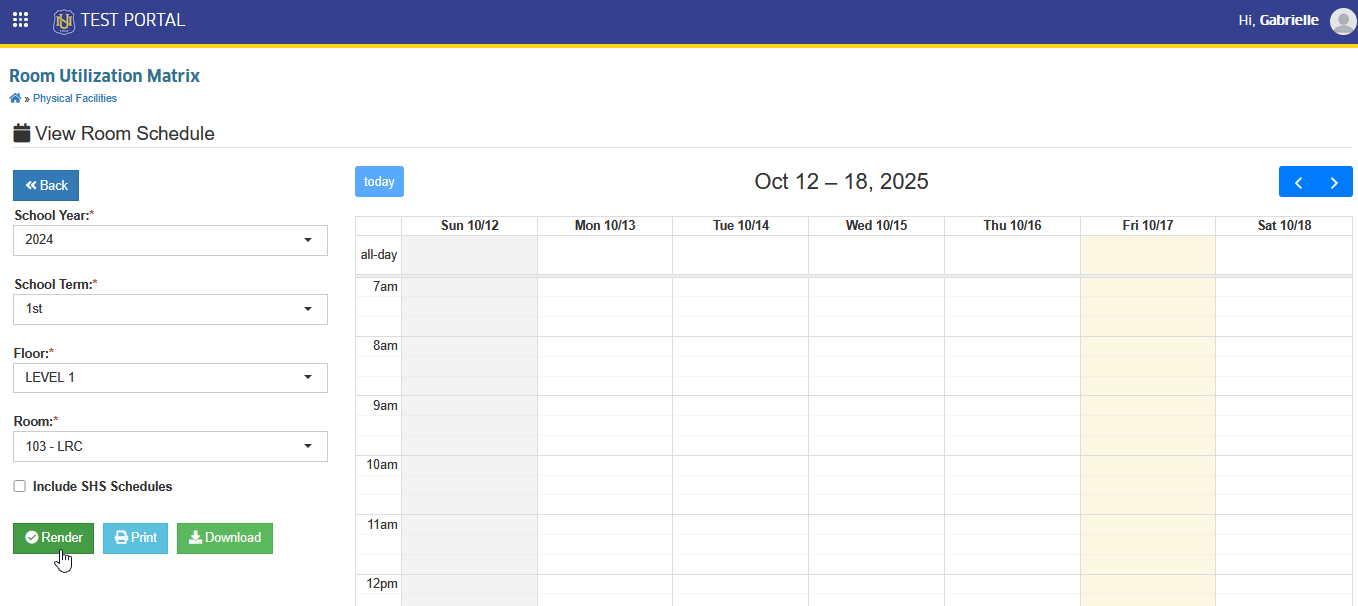
STEP 3. The system will then display the schedule of the selected room based on your search criteria.
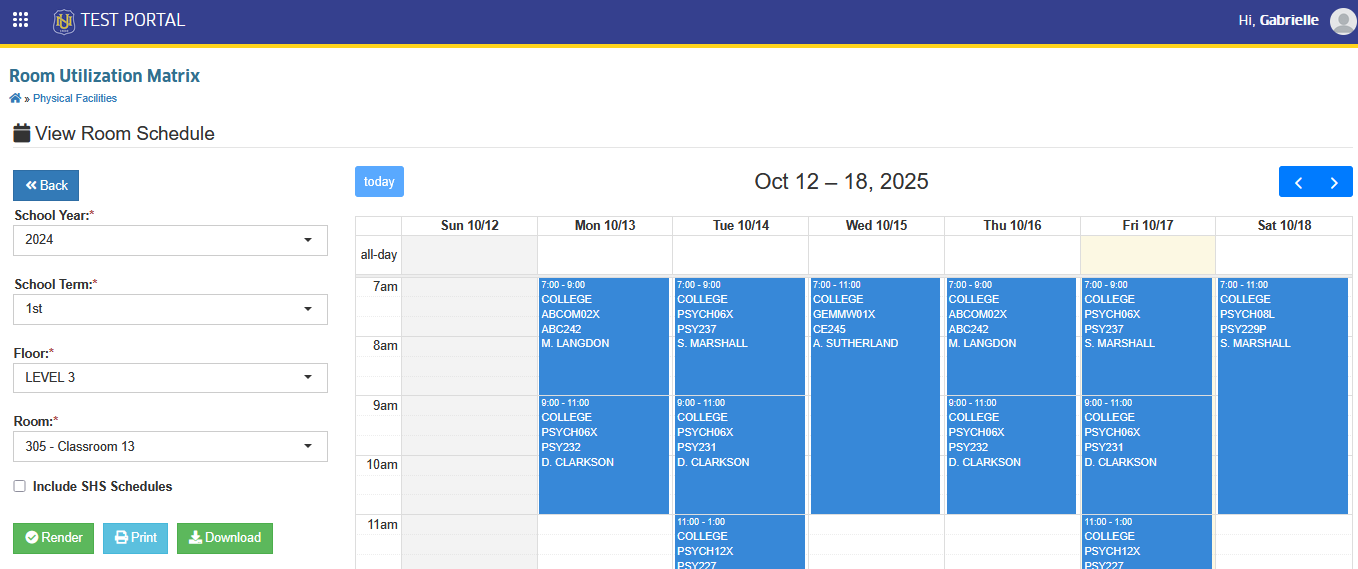
Download Room's Schedule.
This feature allows the user to download a copy of the displayed room schedule. The downloaded file can be used for reference, sharing, or offline viewing.
Follow the instrution below to download a copy.
After rendering the room's schedule, click the button.
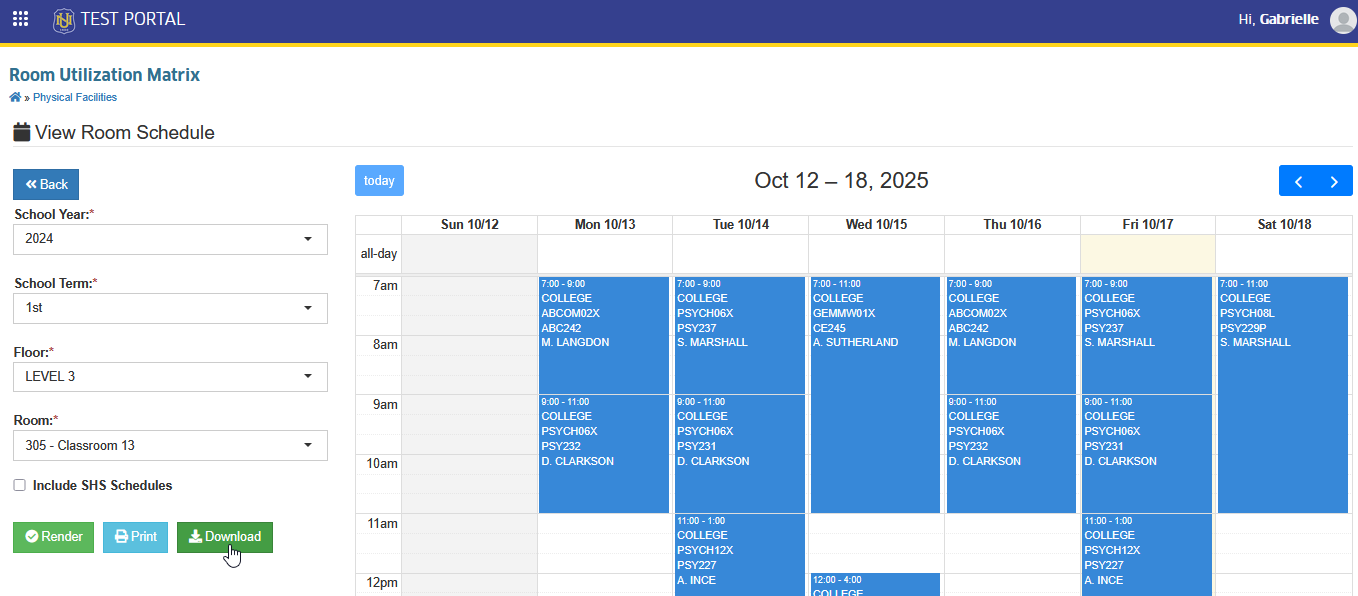
The system will download a copy of the room schedule, which you can save to your device or share with others.
Print Room's Schedule
User can directly print a copy of the room schedule by clicking the button.
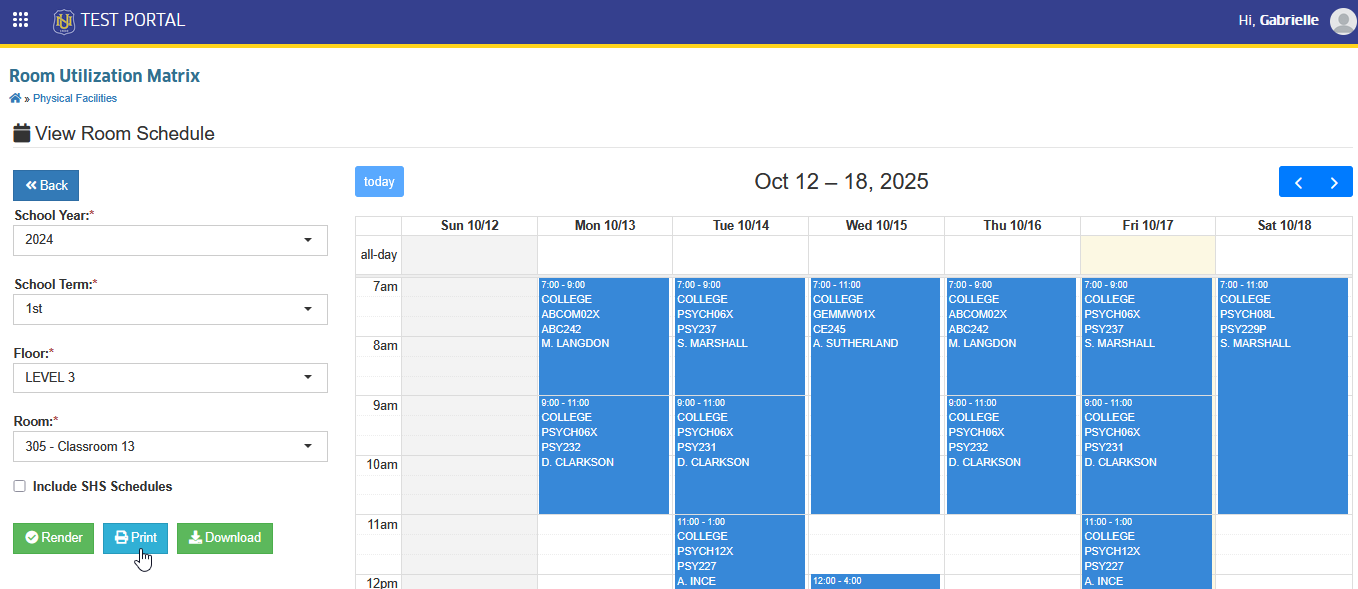
This action will generate a PDF version of the schedule, ready for printing.
For more questions or concerns, email us at nu-desk@national-u.edu.ph