Research Entries
Manage and approve submitted research entries.
The Research Entries module is used by the campus Research Coordinator to validate and approve research entries submitted by faculty members. This is a required step before the faculty's SPES form can be approved.
This is especially important for full-time faculty, who are required to submit research accomplishments or ongoing projects as part of their SPES.
Who Can Access This Module?
Only users assigned as Campus Research Coordinators can access and perform actions in this module.
Required Permissions
-
View Research Entries - Allows the user to access and view the list of research entries submitted by faculty. This includes basic information such as faculty name, research title and current status. No editing or approval actions can be performed with this permission alone.
-
Approve Research Entries - Allows the user to review and approve research entries. Assign this permissions to campus's Research Personnel.
How to Access the Module
To access the module, make sure you have the View Research Entries permission. If it doesn’t appear in your portal, request access from your System Administrator.
Click the module tab to redirect to SPES Research Entries page.
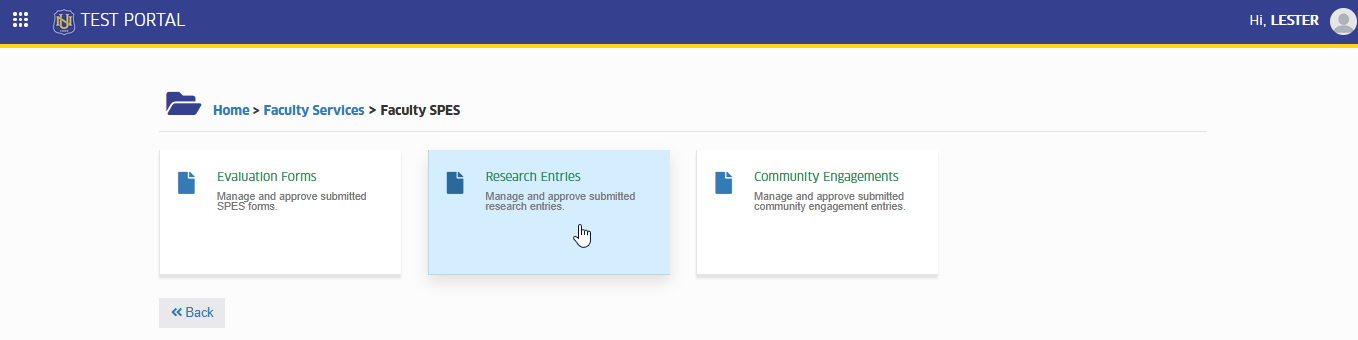
What you can do in this module?
This section outlines the main functions available to users in the Research Entries module. It explains how Campus Research Coordinators can view, review, approve faculty-submitted research entries as part of the SPES validation process.
View Submitted Research Entries
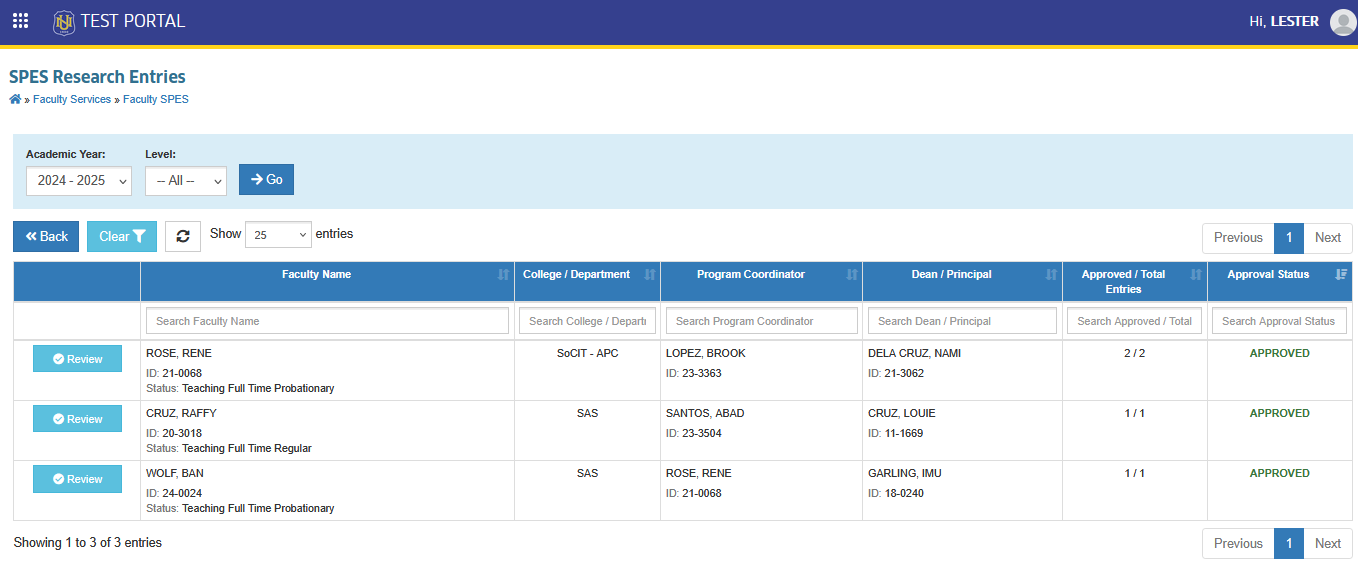
In this module, list of all research entries submitted by faculty will be shown.
Each record includes:
-
Faculty Name
-
College/Department
-
Superiors
-
Approved/Total Entries
-
Approval Status
Review Research Details
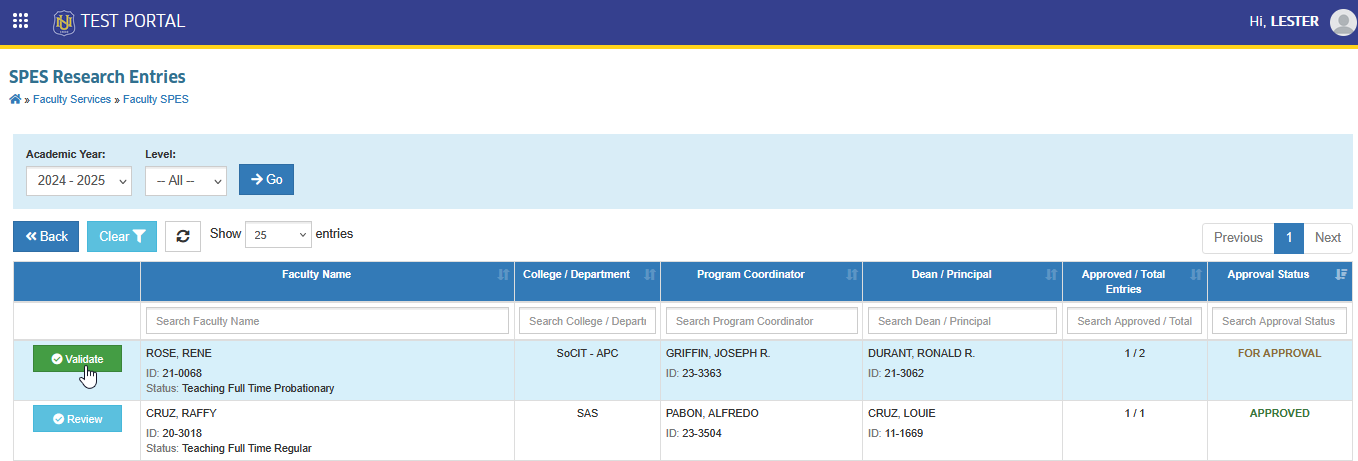
This section gives an overview of the tasks available in the Research Entries module. It guides Campus Research Coordinators on how to view submitted entries, check research details, and take action by approving or returning entries as part of the faculty SPES form validation process.
Click the button beside an entry to open its full information.
Edit Research Entries
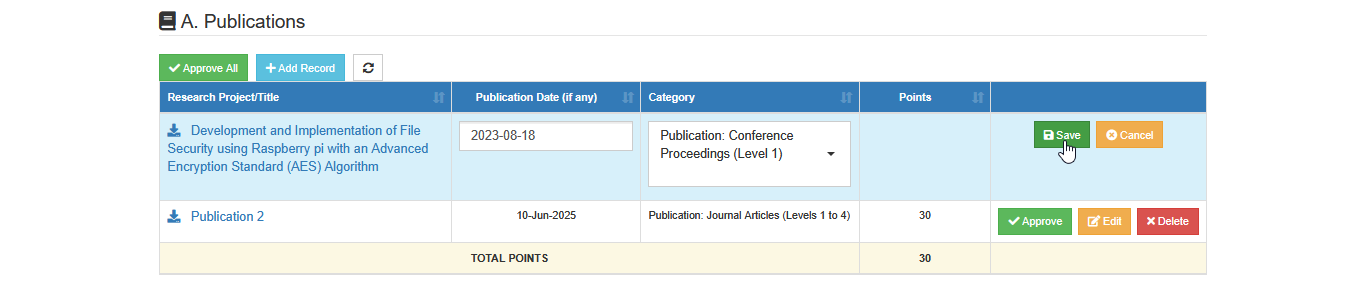
This section explains how to update or correct submitted research entries. Editing may be necessary if there are minor errors, or missing information. Only entries that are still subject for approval can be editted
Follow the steps below to edit an entry.
STEP 1. In the Validate Faculty's Research Entries page, click the corresponding button of specific entry to be updated.
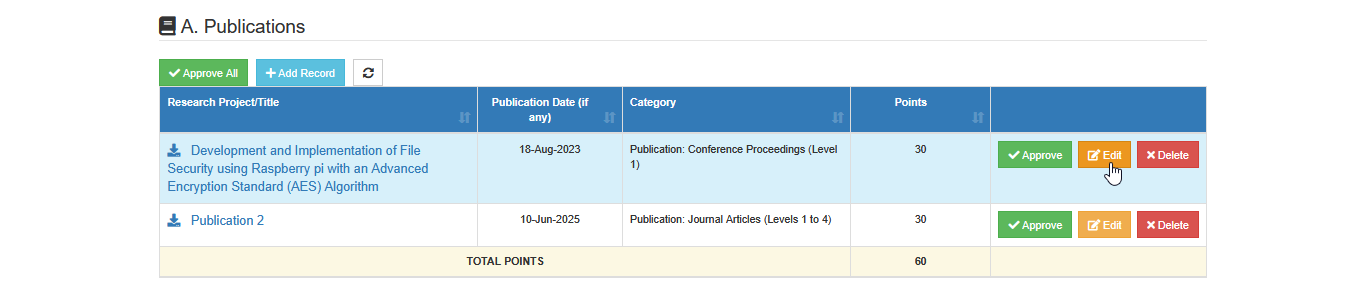
STEP 2. Make the necessary changes to the entry fields.
STEP 3. After editing, click the button to apply the updates.
Approve Research Entries
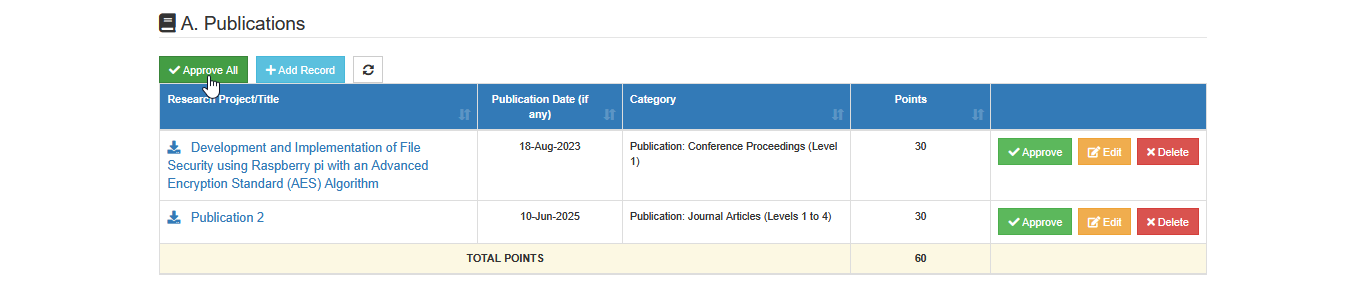
This part of the module allows the Campus Research Coordinators to validate and take action on research entries submitted by faculty. Each entry must be reviewed and either approved or returned for correction.
Follow the steps to validate research entries.
STEP 1. In the Validate Faculty's Research Entries page, check if the research work is relevant to defined categories.
STEP 2. Research entries can be approved by two ways:
-
Approve each entry
-
Approve all entries per category
To approve an entry, click the button beside the entry then confirm the approval when promted.

To approve all entries per category, click the button located at the top of the table of entries, then confirm the approval when prompted.
Undo Approval of Research Entries
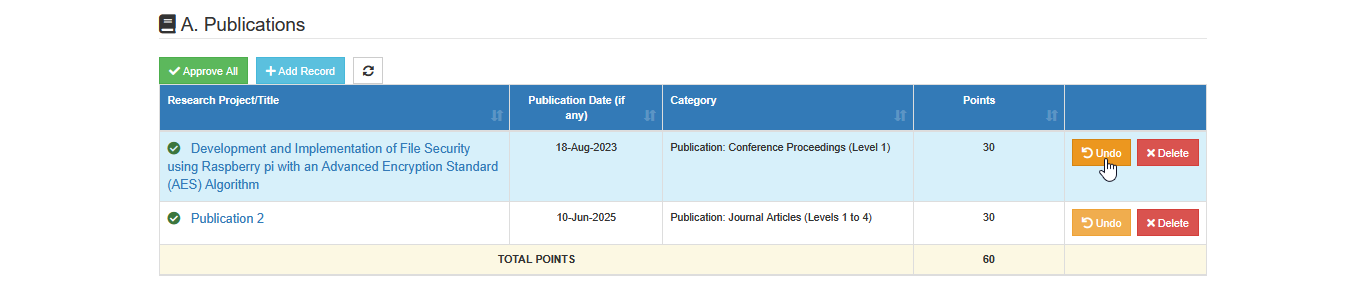
This feature allows Campus Research Coordinators to undo a previously approved research entry in case there was an error or if the entry needs further revision.
To undo an approved entry, click the corresponding button beside the entry, then confirm the action to revert the approval of the selected entry.
Disapprove (Delete) Research Entry?
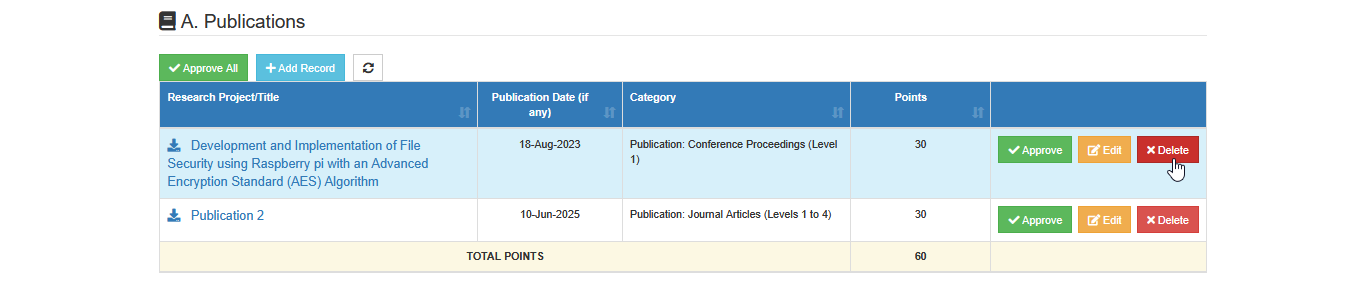
This section explains how to delete research entries that do not qualify under specific category. This action is used to clean up invalid or irrelevant entries.
In the faculty research entries, click the button beside the entry you want to remove, then confirm the action to permanently delete the record from the form.
Validators may use the comment section on the page to provide updates or follow up with the faculty regarding concerns about their entries.
For more questions or concerns, email us at nu-desk@national-u.edu.ph