Faculty Ranking Application
The Faculty Ranking Application module is used by faculty members to apply for promotion or ranking within the institution. This process allows users to submit their application online and track their application status.
Required Permission
- Faculty Ranking Application - This permission allows the user to access and use the Faculty Ranking Application module. Users with this permission can create, submit and track their faculty ranking applications, including uploading required documents and viewing application status.
How to access the module?
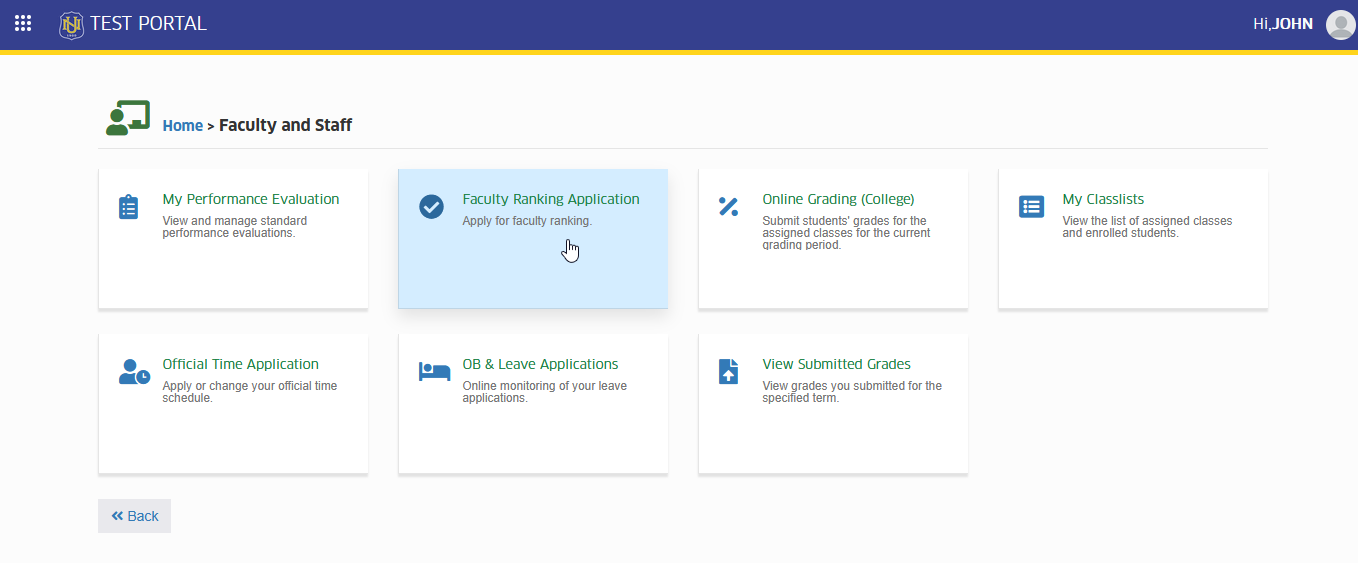
To access the module, make sure you have the Faculty Ranking Application permission. If it doesn’t appear in your portal, request access from your System Administrator.
To access the module go to Faculty and Staff > Faculty Ranking Application
Click the module tab to access the page.
How to use the module
Start New Application
In this section, the process of creating a new faculty ranking application is outlined. Follow the steps below on how to start new application.
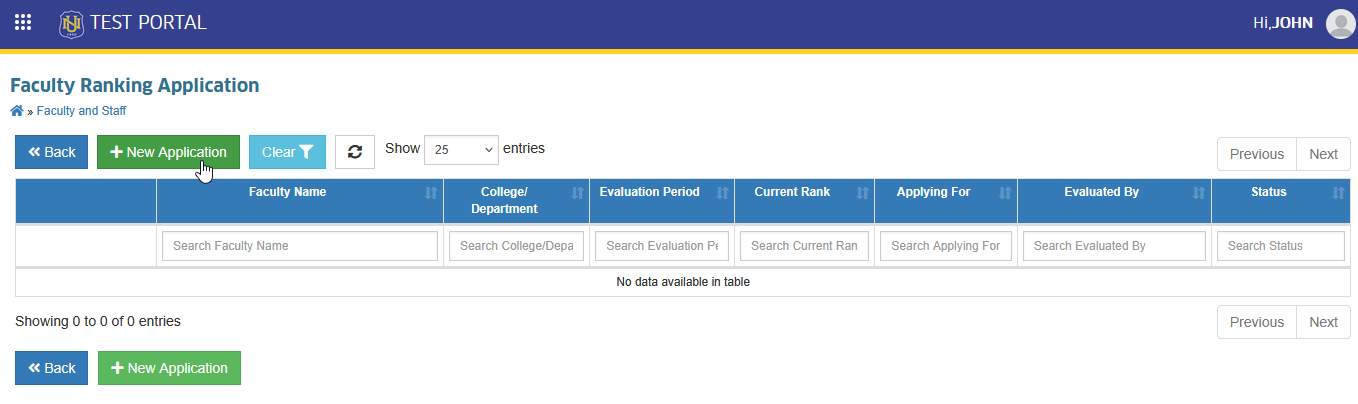
STEP 1. In Faculty Ranking Application list view page, locate and click button. This action will redirect to Apply for Faculty Ranking page.
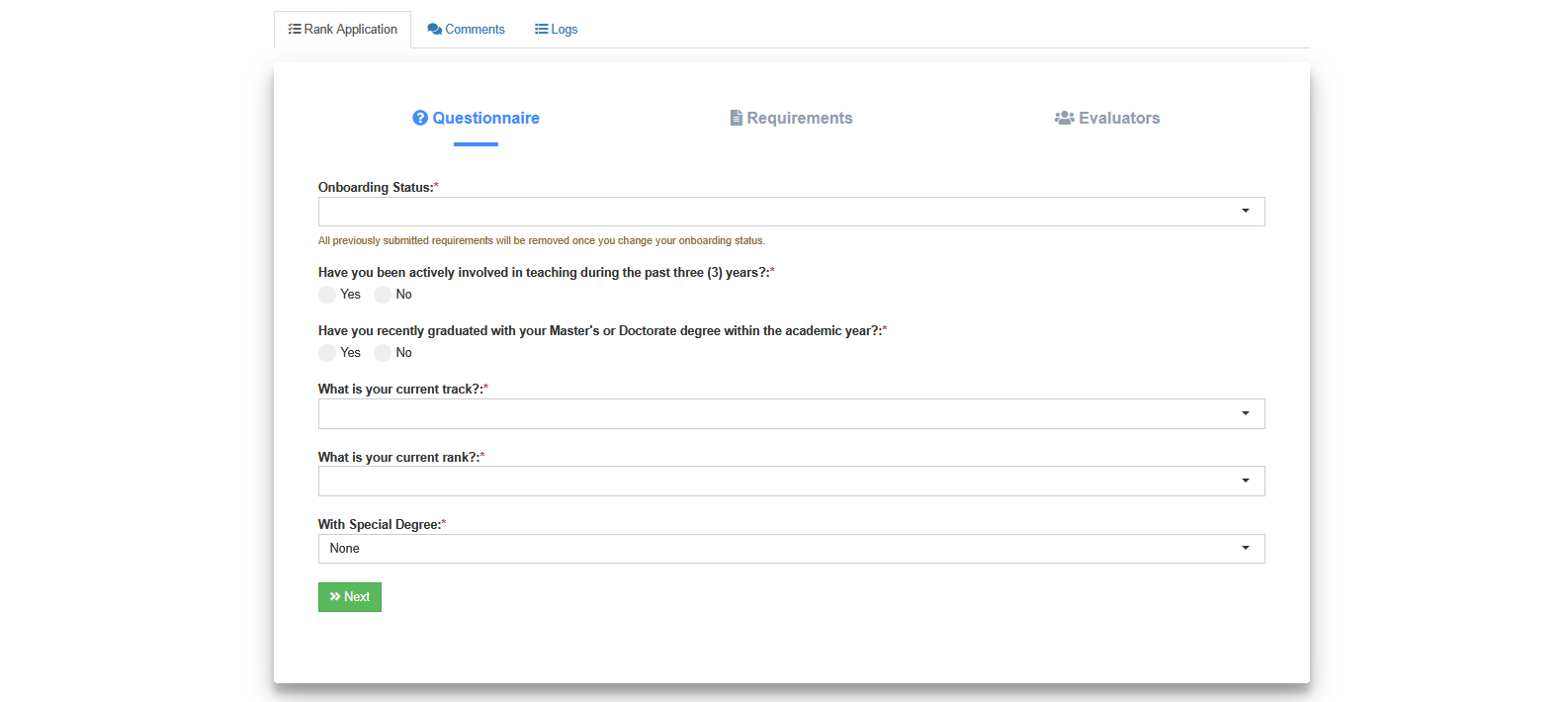
STEP 2. In Apply for Faculty Ranking page, go to Rank Application tab. Answer the questionnaire and click button.
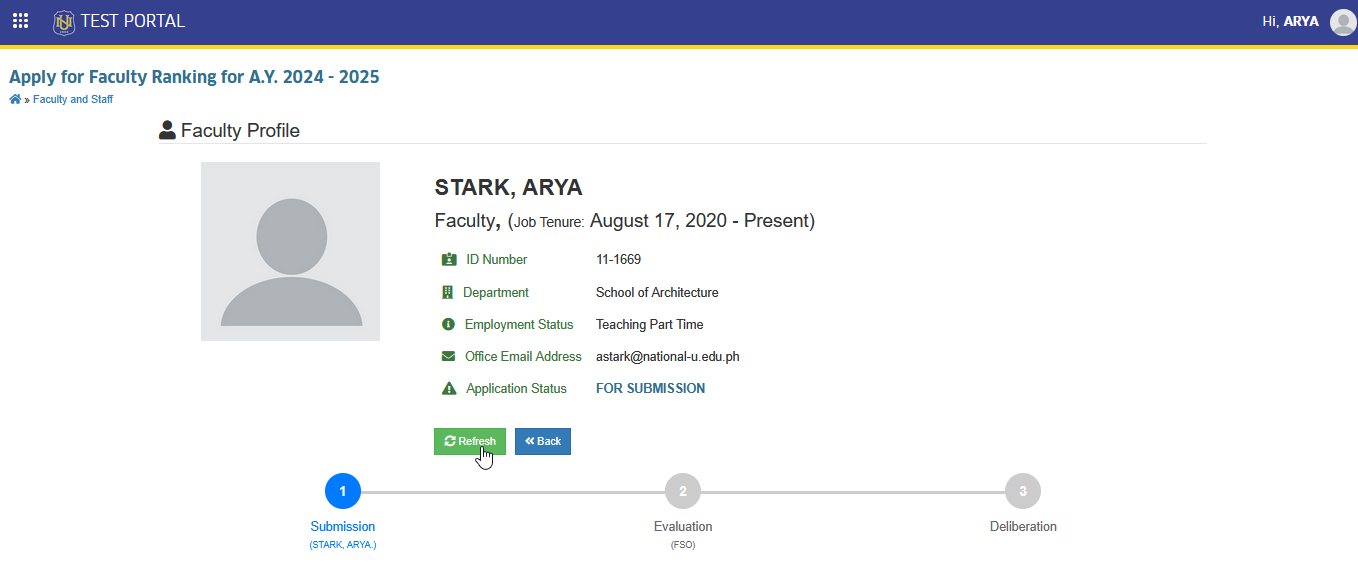
In Faculty Profile section, check if the details are correct. Coordinate with the HR Office if any information is incorrect or outdated, and click the button to update the profile.
Upload Requirements
In this section, the rank being applied for must be selected, and the required documents for the application must be uploaded. Each file should be clear and complete. The uploaded documents will be reviewed as part of the evaluation process.
STEP 1. After the questionaire is completed, the completion of the requirements should be proceeded with. The rank to be applied for must be selected.
STEP 2. Once the rank to be applied for is selected, all the requirements will be displayed by the system. Each requirement must be completed, and the correspondiing supporting document should be uploaded.
STEP 3. The button should be clicked, followed by the button to upload the file.
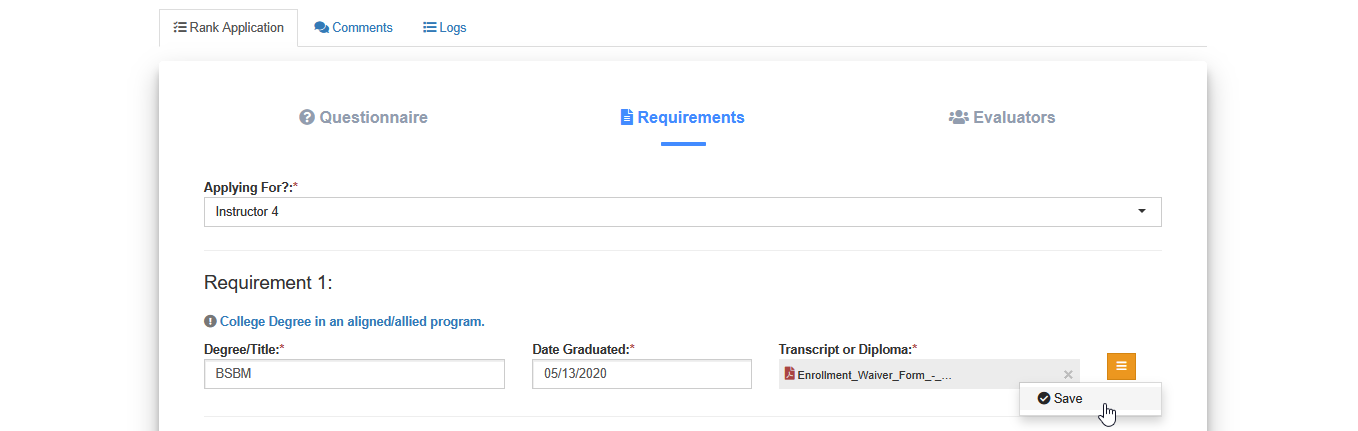
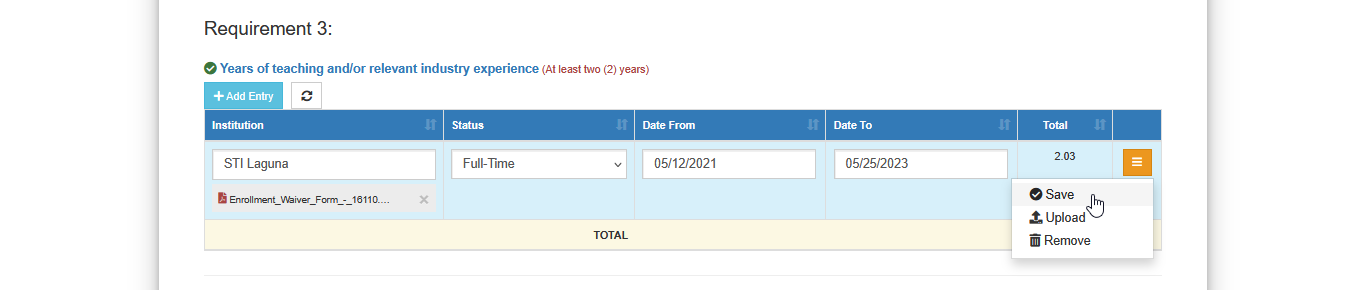
Some requirements have different type of uploading feature. The button should be clicked, and the required fields for the entry must be completed. Then, the button should be clicked, and the button must be selected.

The file to be uploaded should be selected, then the button should be clicked, followed by clicking the button to submit the requirement.
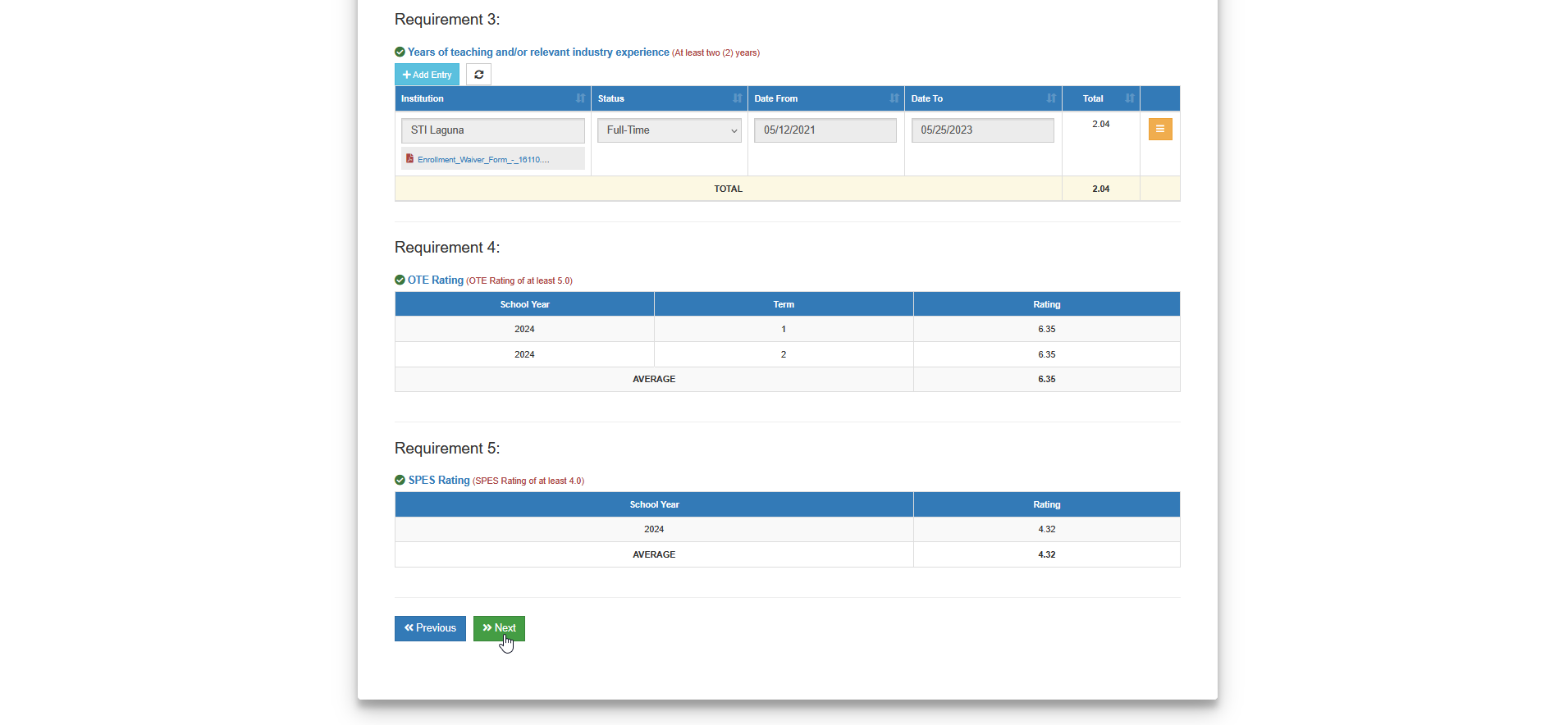
STEP 4. Once all the requirements have been completed, click the button to proceed with the submission.
Submit Application
In this section, the completed faculty ranking application is reviewed and submitted for processing. Make sure all required information and documents have been provided. Once submitted, the application will be forwarded for evaluation and cannot be modified.
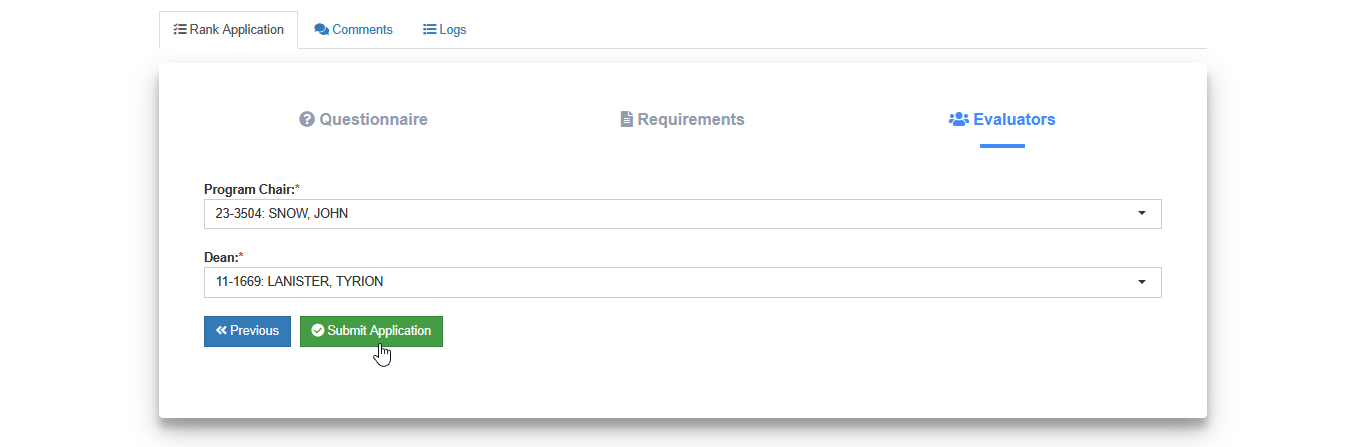
Specify the evaluators before submission, then click the button.
Who are the evaluators?
-
For College - Program Chairs & Deans
-
For SHS - Strand Coordinators & Principal
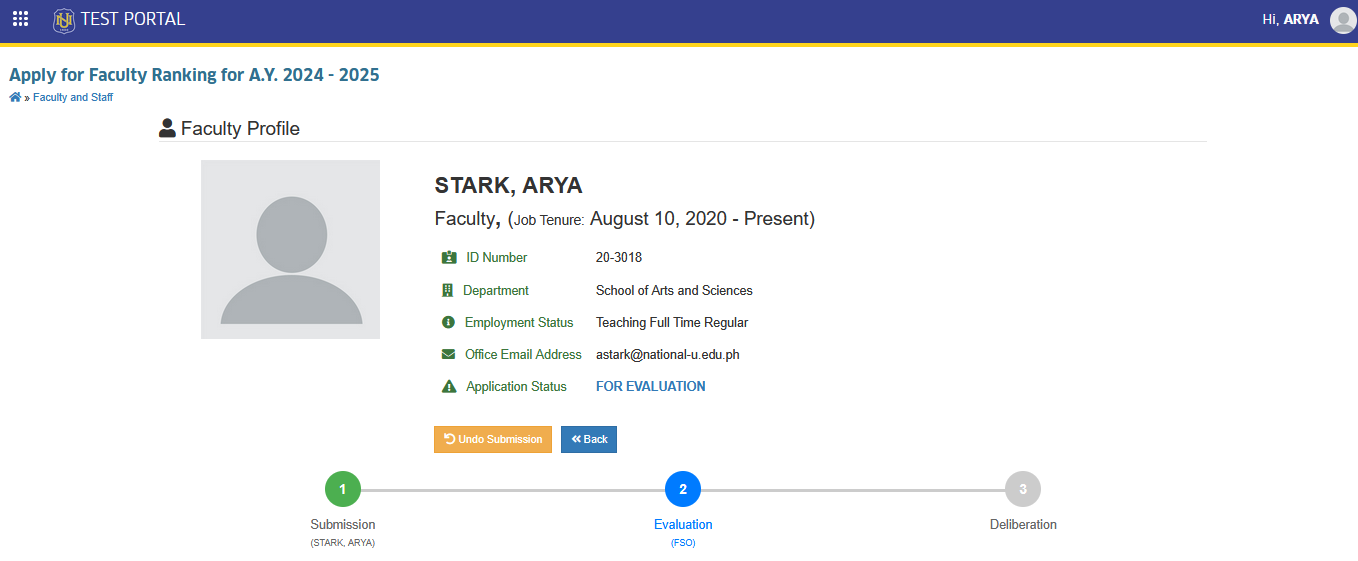
Notice that the Submission stage of the process is highlighted in green. This indicates that it is currently in the evaluation stage.
Track Application Status
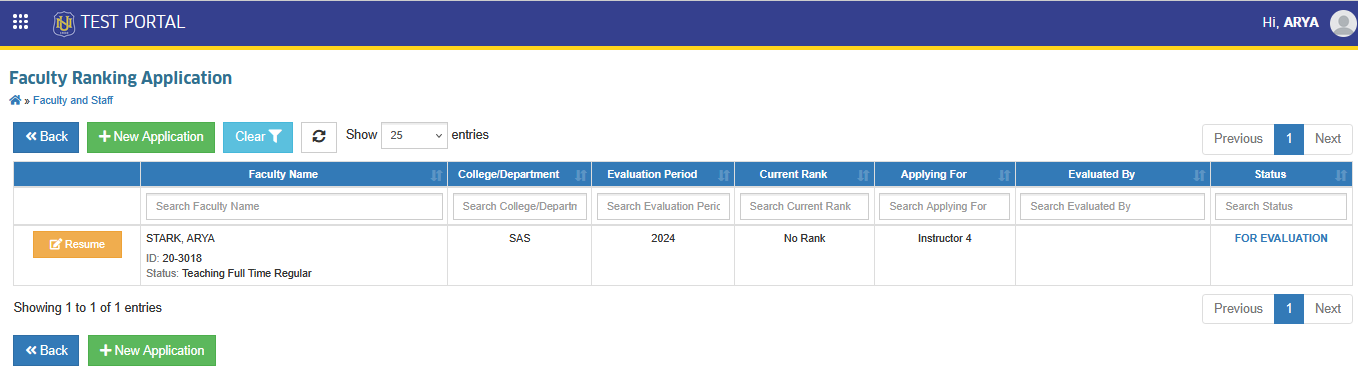
Faculty members can view the status of their application by checking the Status column on the Faculty Ranking Application list view page. The comment section on the application page may also be used to follow up with the evaluators.
How to Reapply for Ranking?
-
Faculty members who want to modify their entries may do so by clicking the button, as long as the application has not yet been evaluated and endorsed by the FSO personnel for deliberation.
-
Faculty members may resume and continue their application as long as the faculty ranking period is still open.
-
All application will be evaluated by campus FSO personnel before the approval of the deliberators.
-
Faculty rank periods must be open before faculty members can submit their ranking applications.
For more questions or concerns, email us at nu-desk@national-u.edu.ph