My Classlists
View the list of assigned classes and enrolled students.
Purpose of the module
The My Classlist module is used to provide faculty's with access to the classlists of their assigned classes for specific school year and term.
Who should use this module?
This module is intended to be used by all faculty members in both College and Senior High School levels.
Required Permissions
- My Classlists - This permission allows the user to view classlists for their assigned classes for the currents term. User with this access may also view classes asssigned to them for the previous school year and term.
How to access the module?
To access the module, make sure you have the My Classlists permission. If it doesn’t appear in your portal, request access from your System Administrator.
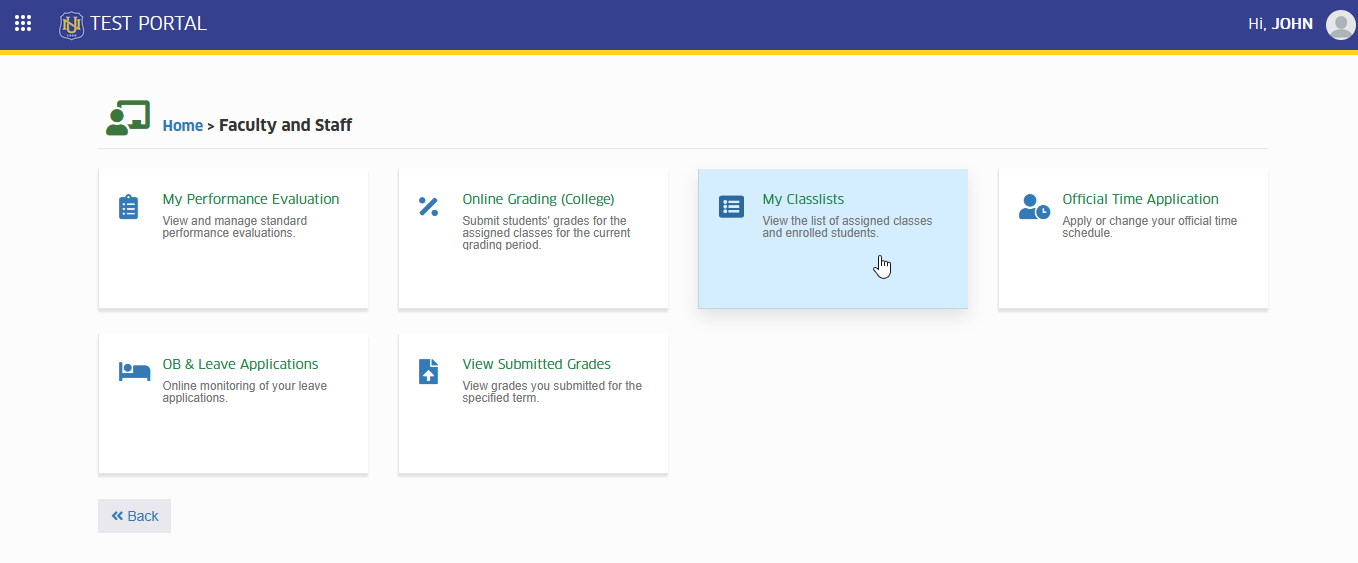
To access the module go to Faculty and Staff > My Classlists
Click the module tab to redirect to My Classlists page.
How to use the module?
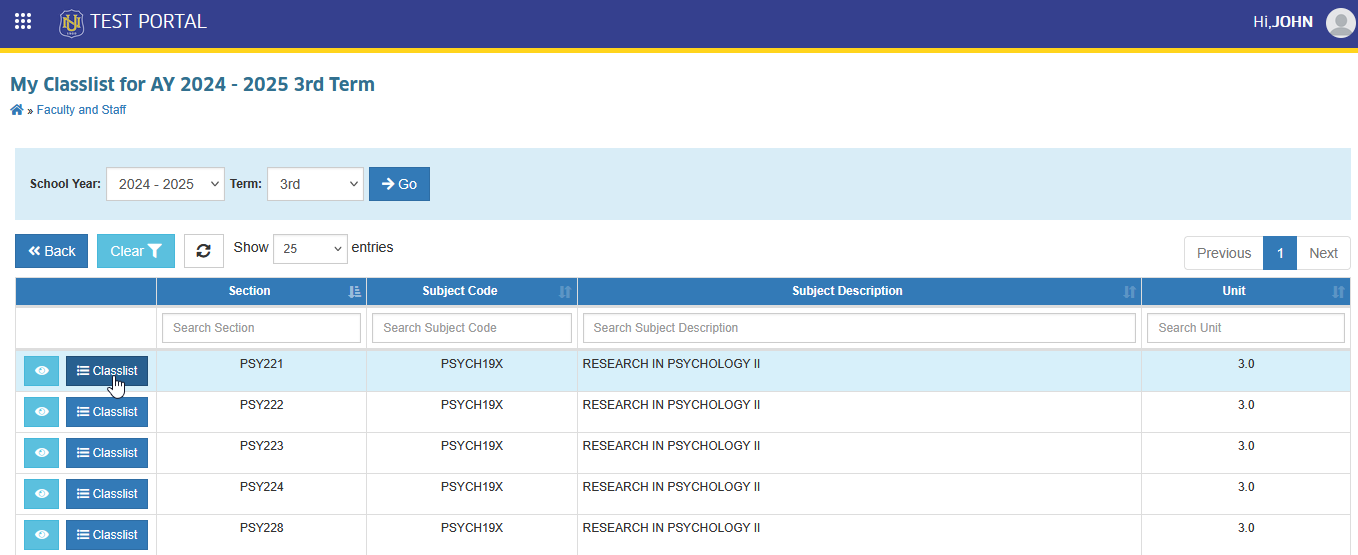
By default, this module displays all assigned classes for the faculty member’s current term. Users may also view classlists from previous terms by using the module’s filtering feature.
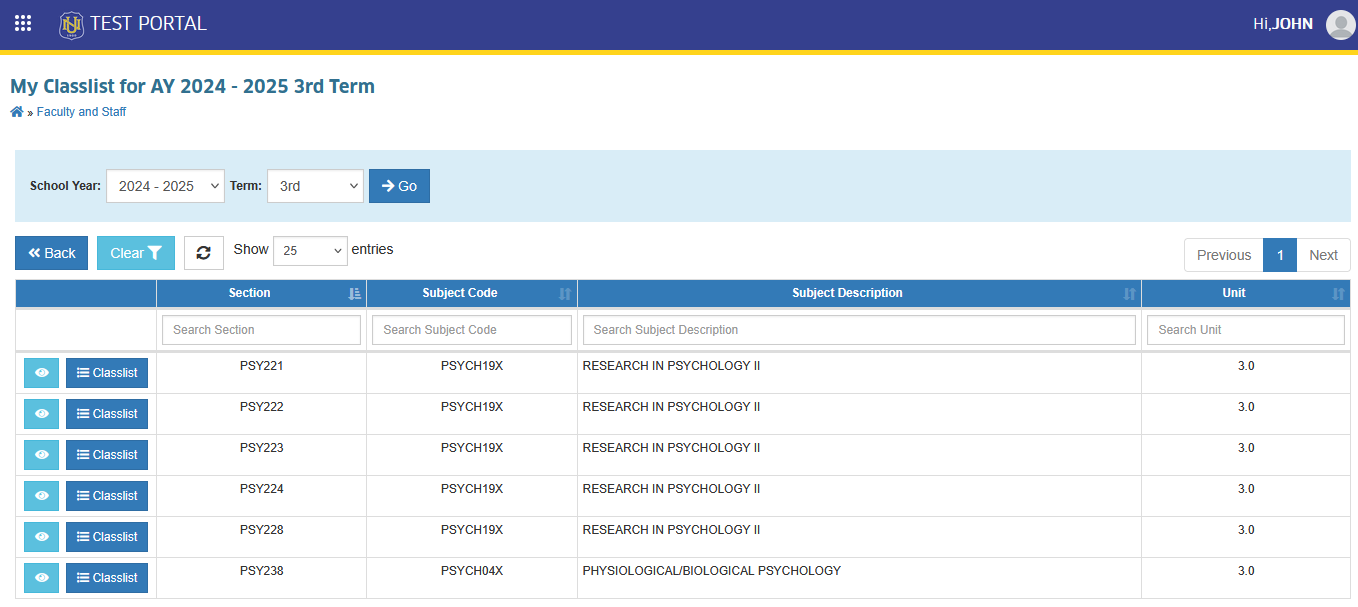
If the classlist is not accurate, coordinate with your Program Chair/Principal for class assignment, or contact the Registrar's Office.
View class information
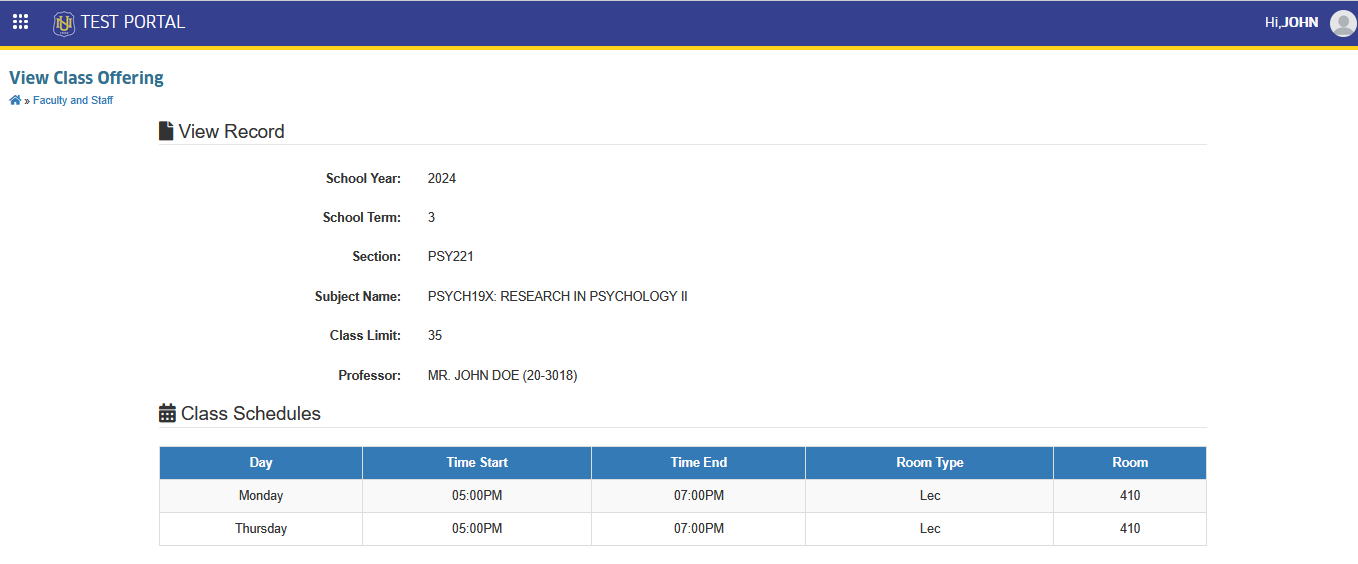
To view detailed information about each assigned class, such as subject code, section, class limit, schedule/s, follow the step below.
STEP 1. In My Classlists page, locate and click for button.
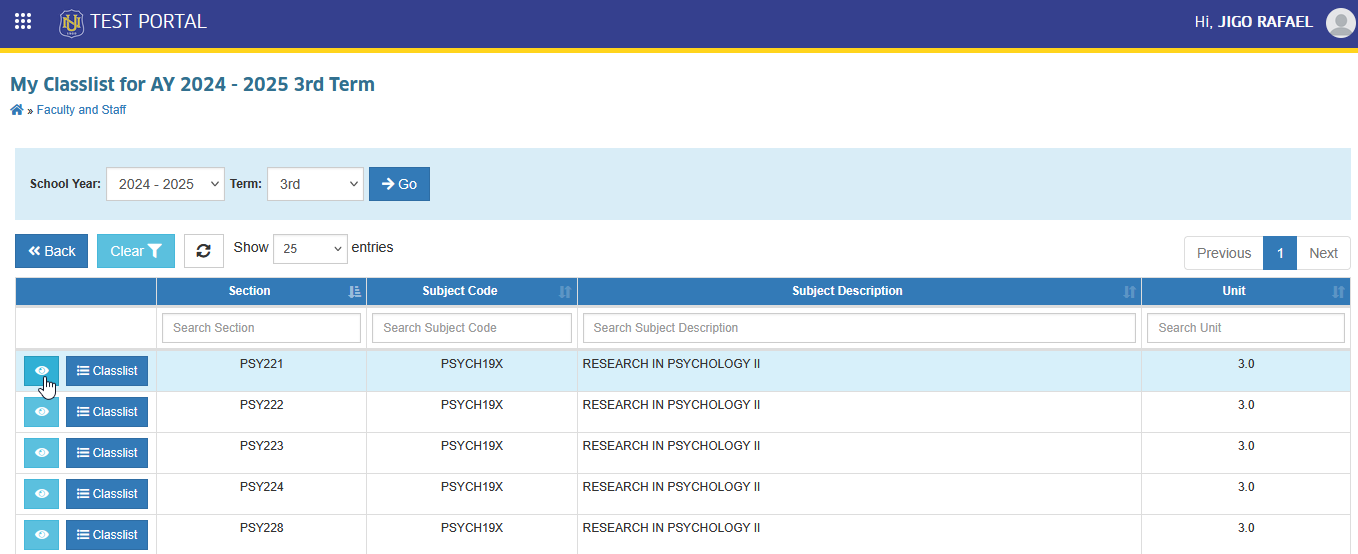
This action will redirect to View Class Offering page, displaying detailed information about the class that was assigned to the user.
View Classlists
In this section, users will be guided on how to view the full list of students enrolled in each assigned class for the selected school year and term. Follow this guide to access the classlist.
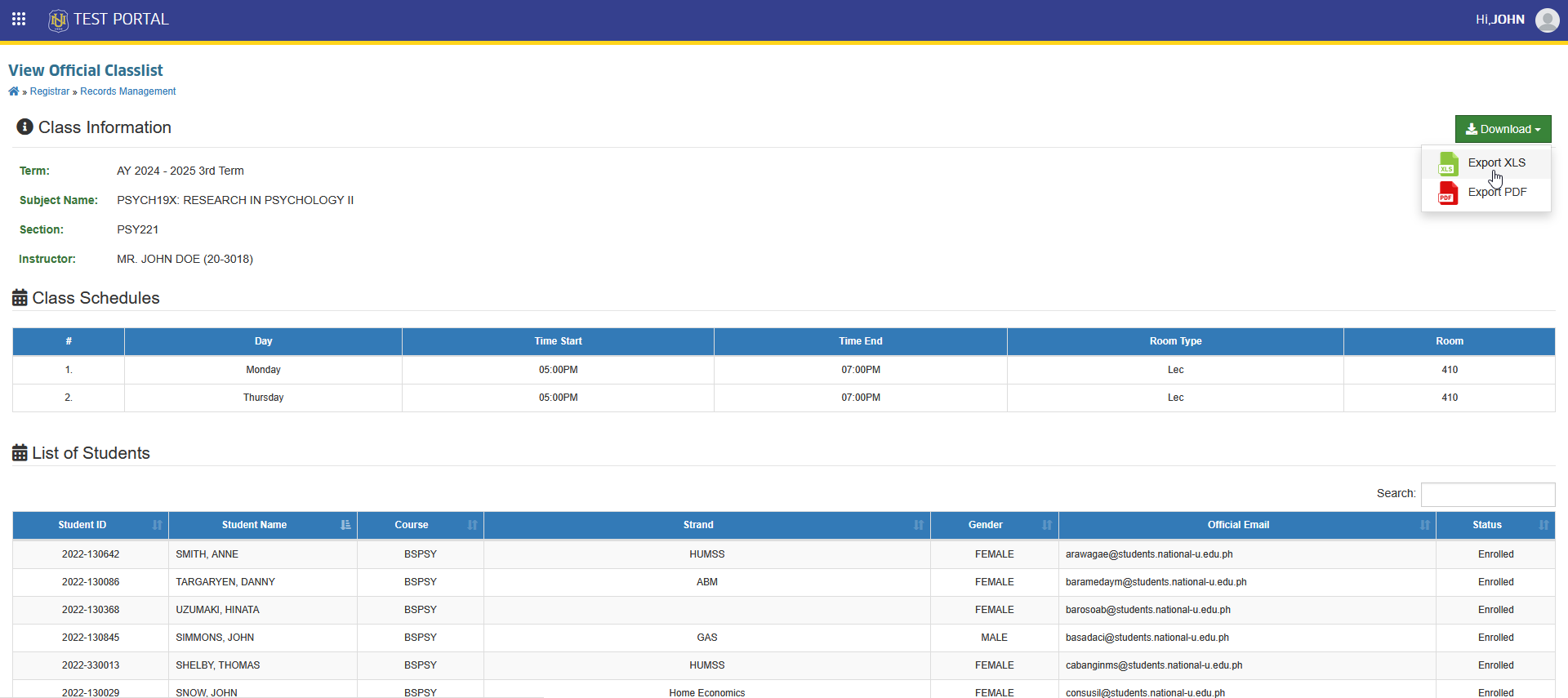
On the My Classlists page, locate and click on button to view the classlist. Clicking this button will redirect the user to the View Official Classlists page, where the subject information, class schedules, and list of enrolled students can be viewed.
This page also includes a button which allows the user to download the classlist file for offline records.
For more questions or concerns, email us at nu-desk@national-u.edu.ph