OTE Late Evaluators
This module displays the list of students who failed to conduct OTE for a specific term period. It also allows unblocking and exempting students in conducting late evaluation.
Required Permissions
- OTE Late Evaluators - Permission to access the module and to unblock students who failed to conduct OTE in accessing their portal.
How to access the module?
To access the module, make sure you have the required permission. If it doesn't appear in your portal, request access from your System Administrator.
Click the module tab to redirect to its main page.
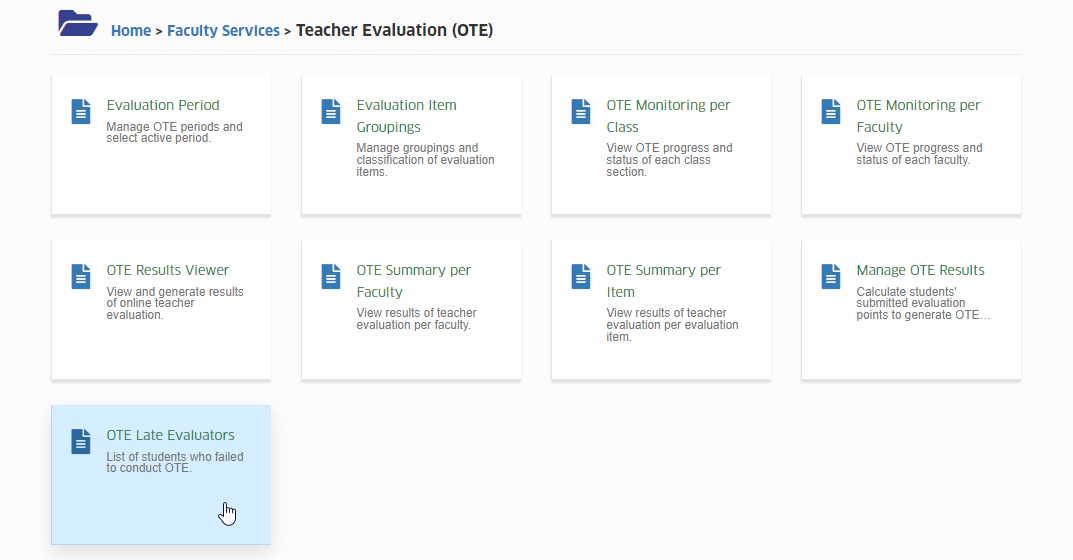
The main page displays the list of students with their specific loads where they failed to conduct OTE.
Only list of students with non-evaluated classes is displayed in this module.
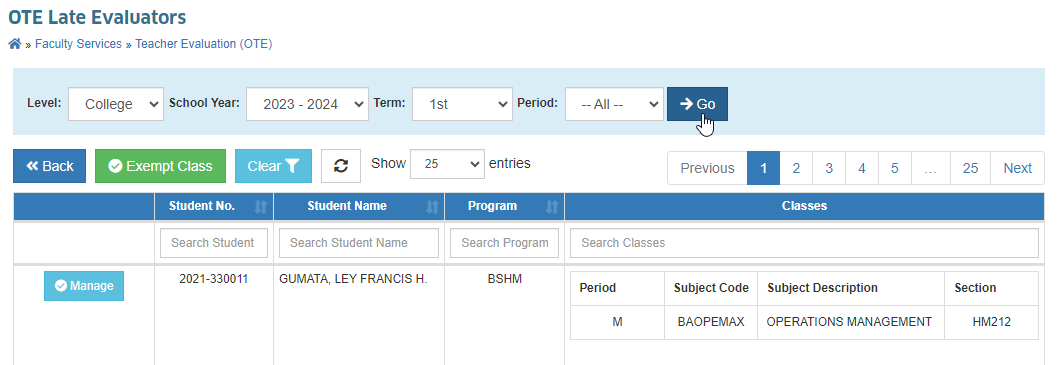
How to filter the data in the list?
To filter the data, use the filtering options above the table.
You may specify any of the following fields:
- Level - to filter whether College or SHS
- School Year - to filter the specific academic year
- Term - to filter which specific term of the selected school year
- Period - to filter whether Midterm or Final Term (default is All which filters all period of the specified term)
Do not forget to click the button if any of the filtering fields have been changed.
Module Features
-
Exempt a Student
This feature allows the user to exempt a specific student in conducting late evaluations for a specific term period. -
Exempt a Class
This feature allows the user to exempt the whole class of students in conducting late evaluations for a specific term period.
How to exempt a student?
Follow the steps below on how to exempt the student.
STEP 1. Identify the specific term or period in which the student has records for late evaluations. This information appears in the student's portal.
STEP 2. Specify the term or period in the filtering options. Use the filtering fields of the Student No. or Student Name column to search the specific student.
STEP 3. Click the button to view the list of student's unevaluated classes.
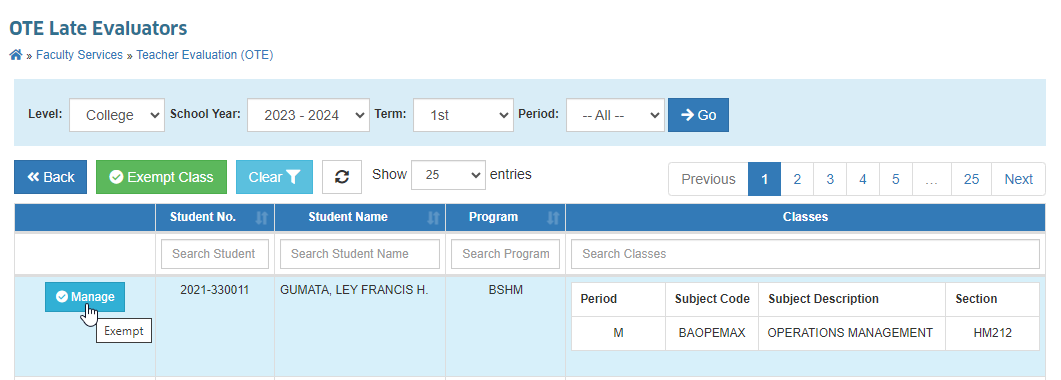
STEP 4. Select the specific class or classes from the list to be exempted.
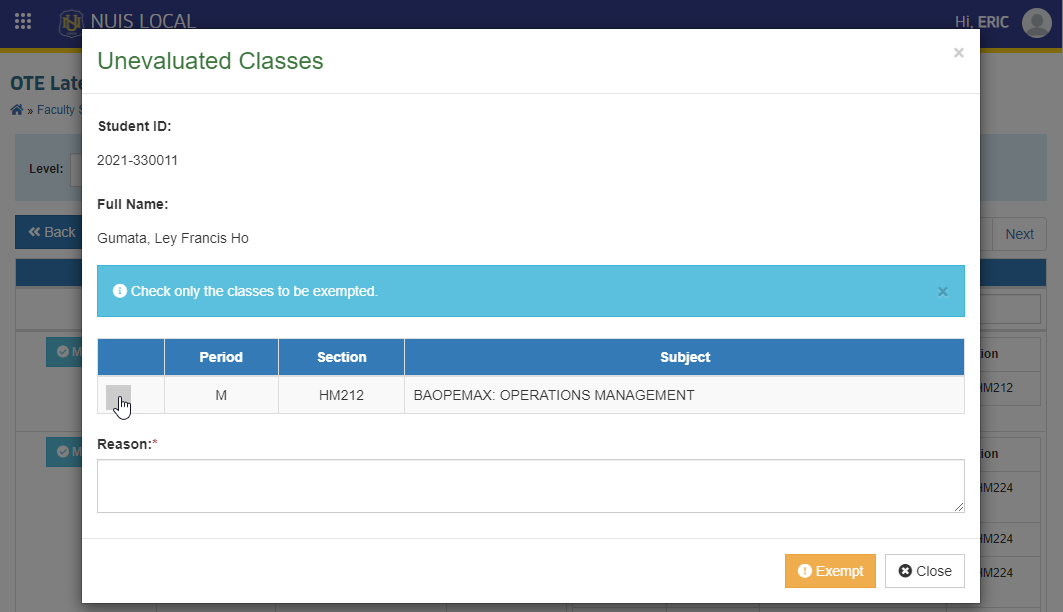
STEP 5. Specify the reason of exemption.
STEP 6. Click the button to finalize and exempt the student to selected class.
STEP 7. Advise the student to view and check in his/her portal if the exemption take effect. Relogging-in to their portal may be required.
If the student has multiple term or period subject for exemption, filter each period and process the exemption.
How to exempt a class?
Follow the steps below on how to exempt the class of students with non-evaluated classes.
STEP 1. Specify the term or period in the filtering options.
STEP 2. Click the button to look for the specific class to be exempted.
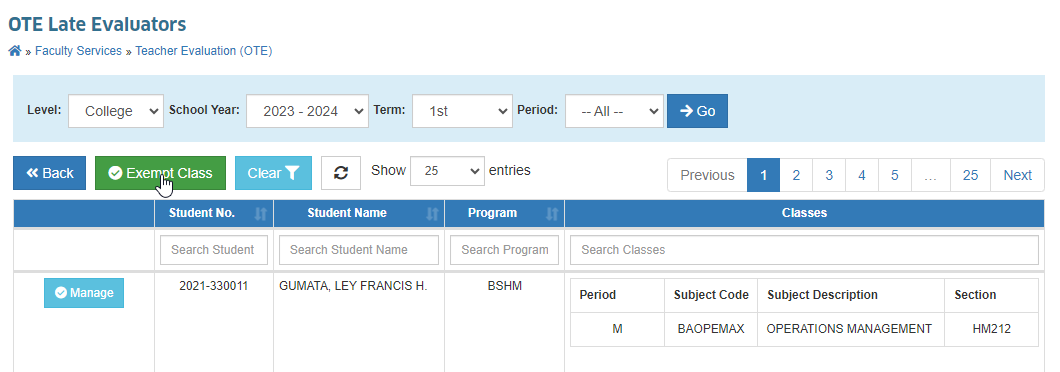
STEP 3. Specify the class' course name and section to view the list of students with non-evaluated classes.
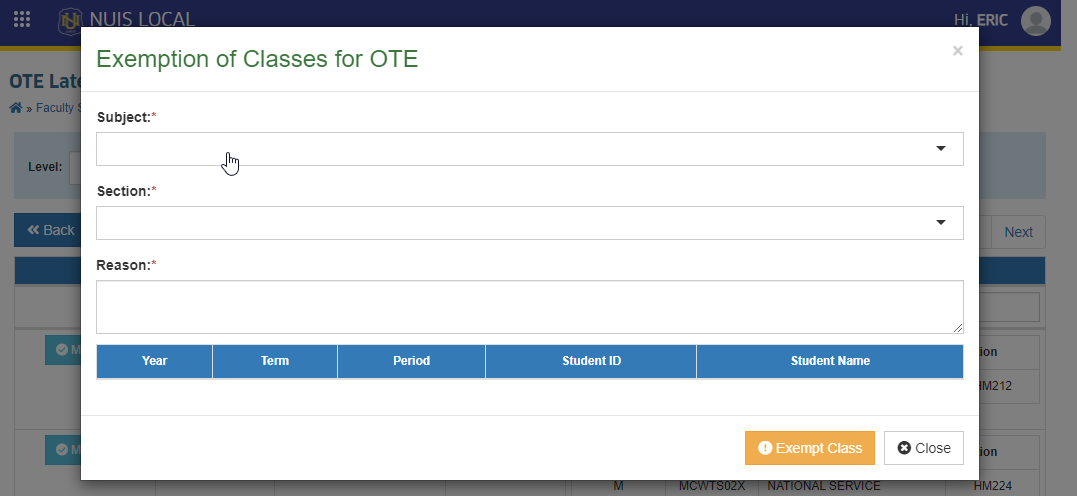
STEP 4. Specify the reason of exemption.
STEP 5. Review the list of students to be exempted.
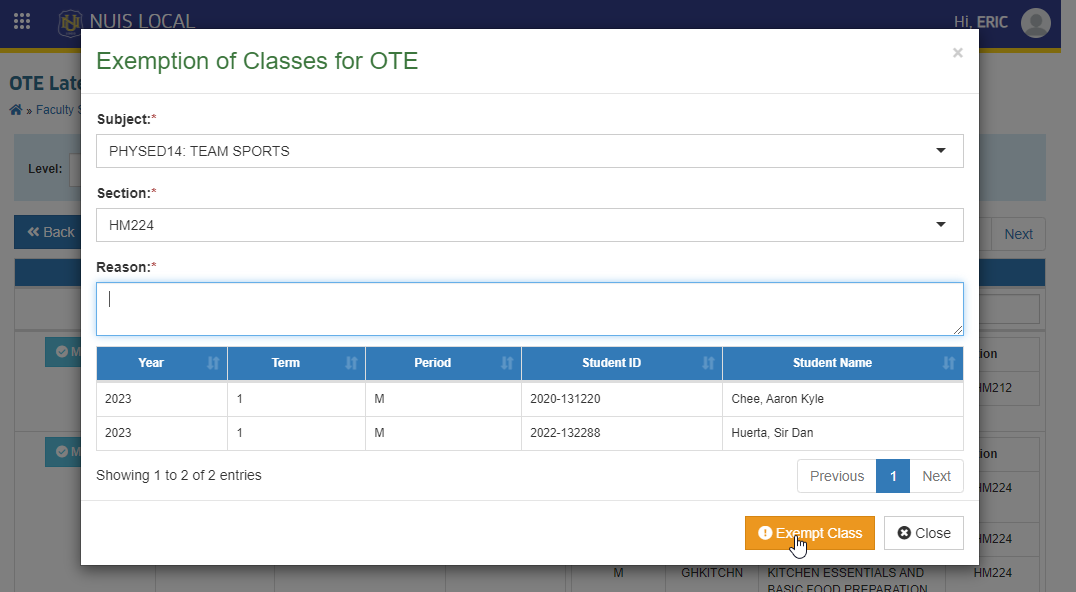
STEP 6. Then, click the button to finalize and exempt the students under the specified class.
Frequently Asked Questions
No, you cannot exempt a student or the whole class for the current active evaluation period using this module. To exempt the student or the whole class, he/she must be tagged as late first, which happens after the evaluation period.
Based on the gathered cases, following reasons why students fail to conduct OTE are:
-
The class has no assigned faculty.
Since there is no assigned faculty, student cannot evaluate their class and it will be automatically added to their non-evaluated classes at the end of evaluation period. -
There has been a recent change in the assigned faculty of the class.
Assigned faculty of some classes may be updated anytime by the Program Chairs, Coordinators, or Dean. If student may have successfully evaluated the first assigned faculty, and failed to evaluate the other, the system will include the student to the list of students with non-evaluated classes.
- NOTE: This case no longer applies since 2024 1st term Final period. The system will no longer tag the student as late evaluator if he/she evaluated the class, no matter who the assigned faculty will be.
- When the student's class schedules have been updated after midterm.
This should not be tolerated since student's classes must be finalized during enrollment period. But if it happens, student will be considered a late evaluator for the class that has been recently added.
If you have any questions or concerns not included in this manual, feel free to reach us out at nu-desk@national-u.edu.ph.