OTE Monitoring per Faculty
This module lets you check the progress and status of the Online Teachers Evaluation (OTE) for each faculty member. It helps you see who has already been evaluated, how many students have completed their evaluations, and which faculty still need more submissions.
Required Permissions
- OTE Monitoring per Faculty - Gives the user access to view the Online Teachers Evaluation (OTE) progress and status per faculty, including evaluation counts and completion percentages.
What You Can Do in This Module
-
Check each faculty member's OTE Progress.
-
Use the search and filters to quickly find the faculty you need.
-
Get a quick overview of your departments overall evaluation progress.
How to Access the Module
To access the module, make sure you have the OTE Monitoring per Faculty permission. If it doesn’t appear in your portal, request access from your System Administrator.
In NUIS portal, go to Faculty Services > Teacher Evaluation (OTE) > OTE Monitoring per Faculty. Click the module tab to redirect to the OTE Monitoring per Faculty page.
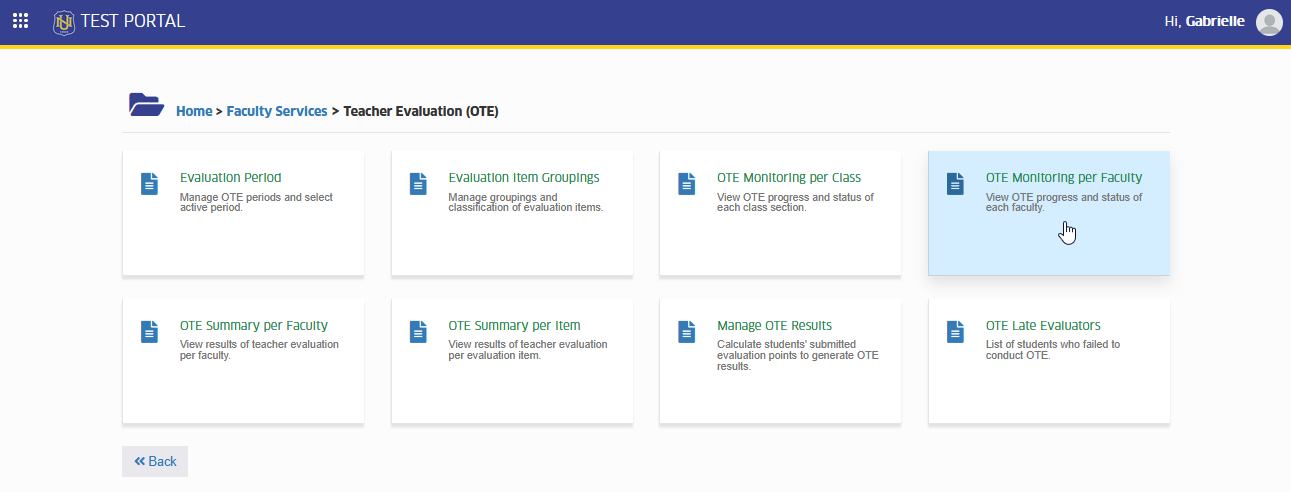
Your department and program access is managed by your Campus IT Administrator. If you can’t view certain programs or faculty members, you may contact your IT Admin for access assistance.
View OTE Progress per Faculty
This section lets you check the Online Teachers Evaluation (OTE) progress of each faculty member. You can see how many students have completed the evaluation, the completion percentage, and the current status of each faculty's OTE for the selected term.
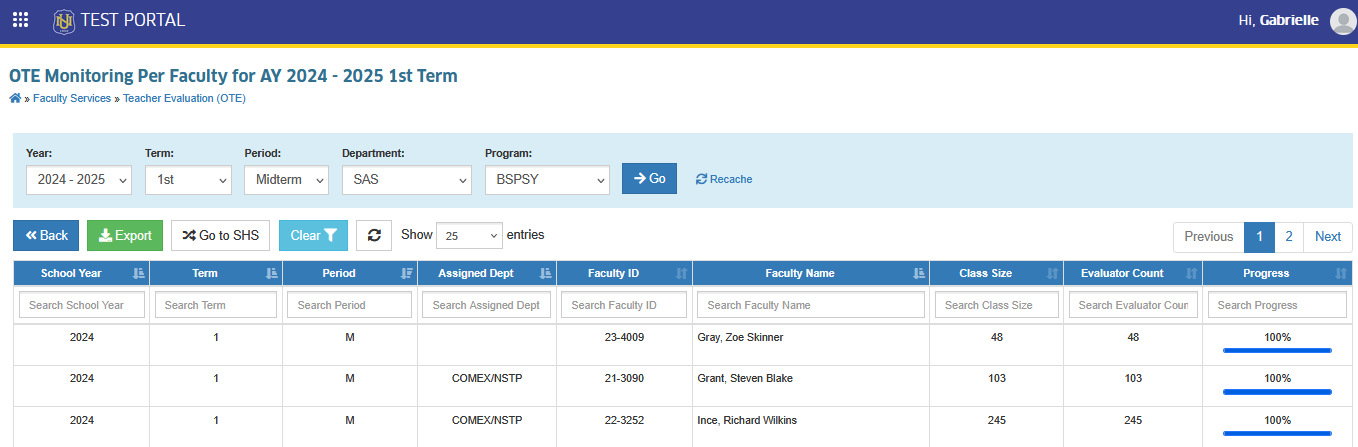
STEP 1. In OTE Monitoring per Faculty page, select the Year, Term, Period, Department, and Program you want to view from the dropdown menus. Then, click button to display the list of faculty members.

You will be able to view all faculty's OTE result under the selected program.
Export OTE Monitoring Report
This section lets you download a copy of the OTE Monitoring results. You can export the list of faculty members along with their OTE progress, completion counts and status. This is useful for reporting, documentation, or sharing the evaluation progress with your department.
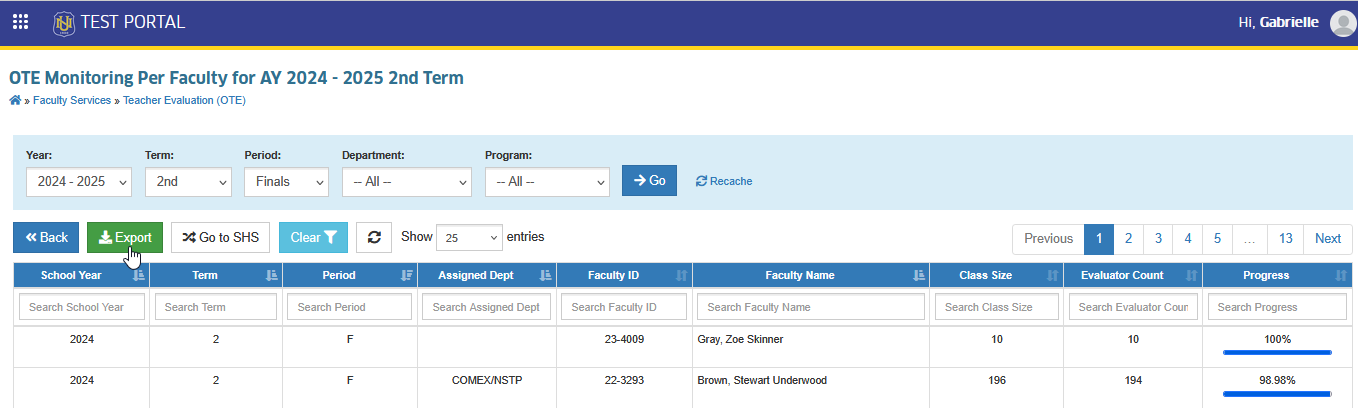
In the OTE Monitoring per Faculty page, click the button. This will download an excel file.
-
If a faculty member does not appear on the list, check the faculty’s assigned department or verify if the subjects and sections they handle belong to a different department.
-
Only Deans can view a faculty member’s OTE results if that faculty is teaching a subject or section owned by another department.
-
Click the button to refresh and update the report.
For more questions or concerns, email us at nu-desk@national-u.edu.ph