OTE Summary per Faculty
The OTE Summary per Faculty module displays all faculty members with their corresponding OTE ratings for a selected term and period. The summary can also be downloaded in PDF format for record-keeping or review purposes.
This module allows Program Chair Deans and FSO personnel to view and download a summary of faculty OTE ratings for a selected term and period. It provides a complete overview of faculty performance while ensuring that only students who completed the OTE within the official period are included.
Required Permission
- OTE Summary per Faculty - grants the user to access the OTE Summary per Faculty module, allowing them to view and download ote ratings per faculty for a selected term and period.
How to Access the Module
To access the module, make sure you have the OTE Summary per Faculty permission. If it doesn’t appear in your portal, request access from your System Administrator.
In NUIS portal, go to Faculty Services > Teacher Evaluation (OTE) > OTE Summary per Faculty. Click the module tab to redirect to the Faculty Evaluation Results page.
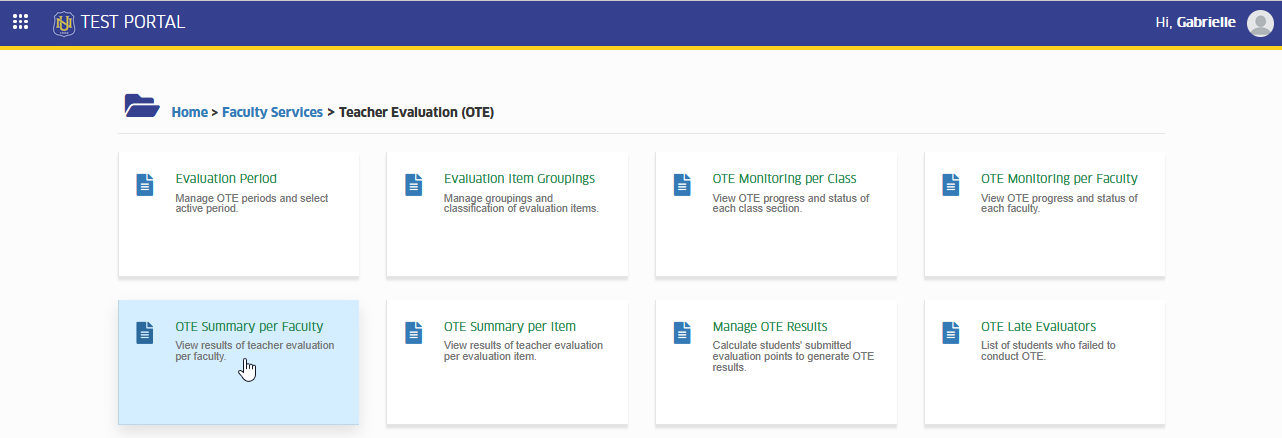
Your department and program access is managed by your Campus IT Administrator. If you can’t view certain programs or faculty members, you may contact your IT Admin for access assistance.
Viewing OTE Results
STEP 1. On the Faculty Evaluation Results page, select the Year, Term, Term Period, Department and Program you want to view from the dropdown menus.
STEP 2. Click the button to display the list of faculty members.
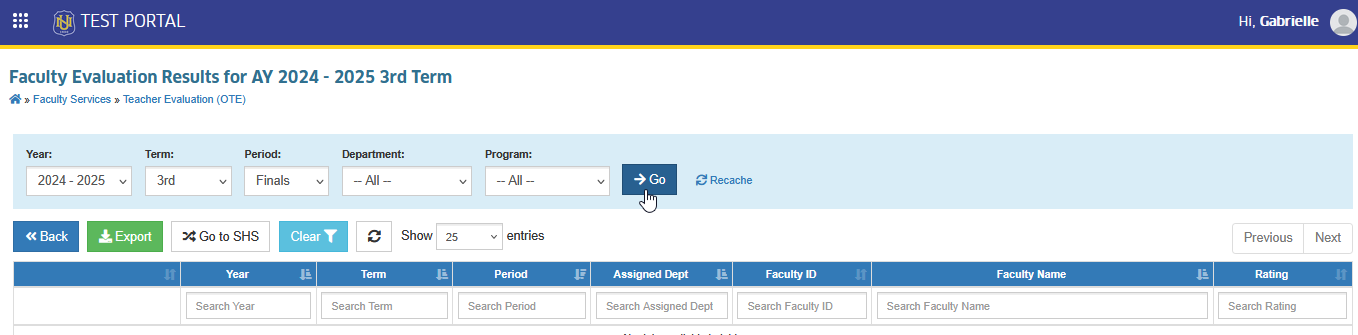
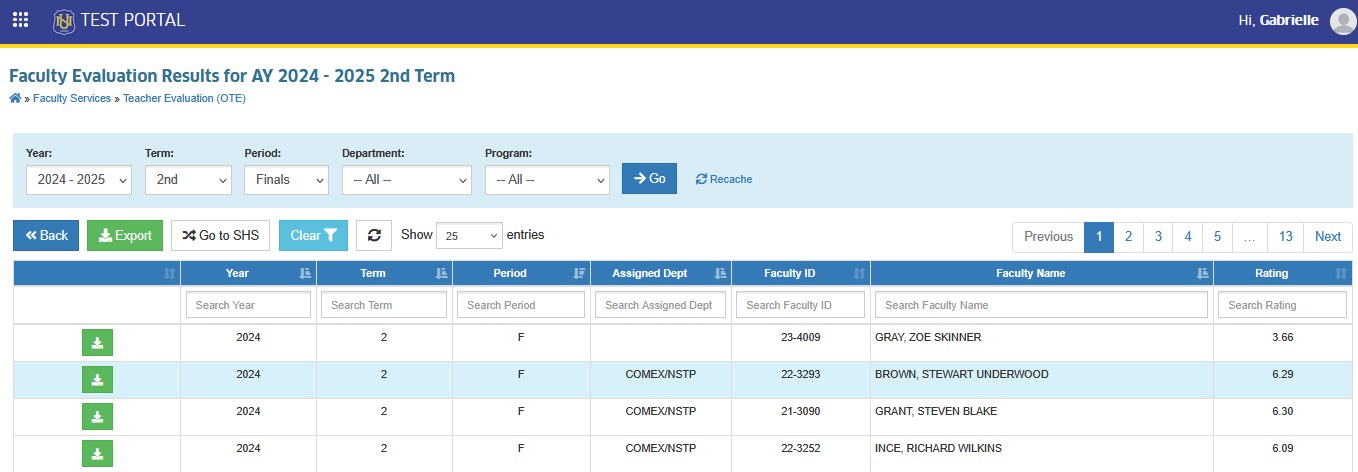
STEP 3. The list will show each faculty member's name, department, and OTE rating for the selected term.
-
If a faculty member is missing from the list, check if you have access to the owner department of the subject and the section assigned to that faculty. Access to these is managed by your Campus IT Administrator.
-
As for the Deans, if the faculty was assigned to subjects or sections under another department, use the College OTE Results module under the Director group module to view their OTE results.
Export OTE Summary per Faculty Report
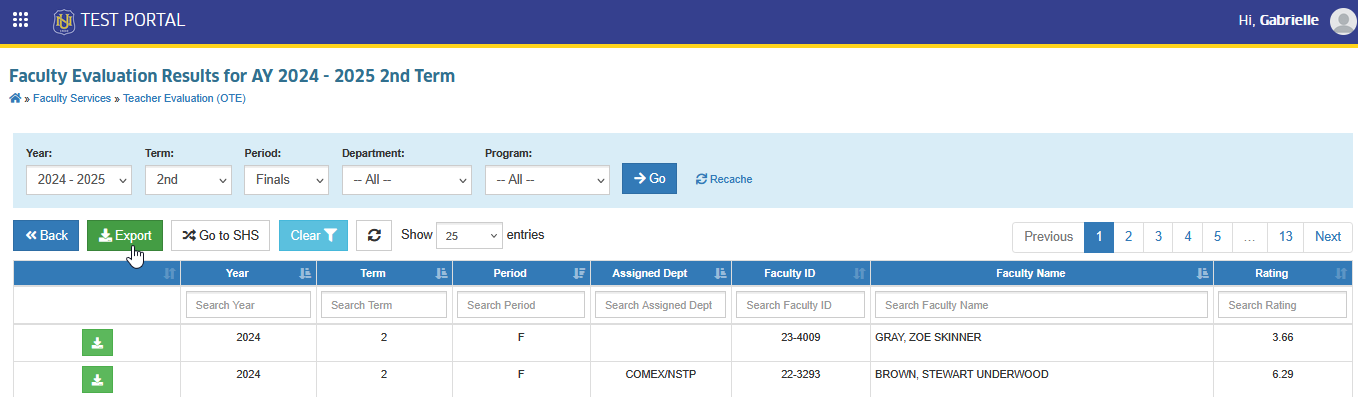
This section allows you to export the complete OTE Summary per Faculty for the selected term and period in Excel format. The exported file includes all faculty members within your access, along wiht their OTE ratings.
In the Faculty Evaluation Results page, click the button. This will download an excel file.
Download OTE Result per Faculty
To download the OTE Result for a specific faculty, click the button next to that faculty’s information.
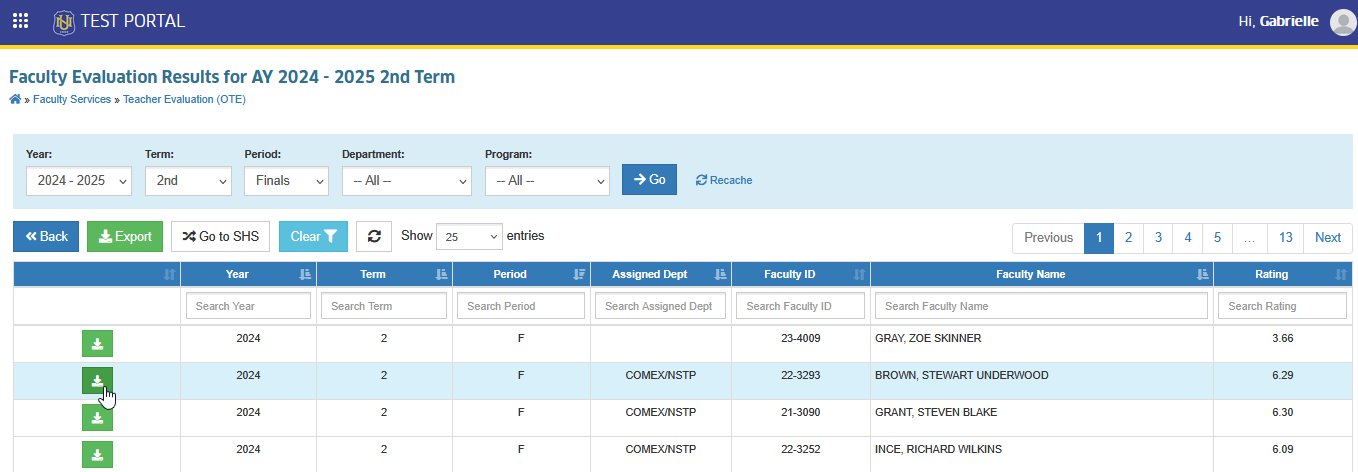
The system will generate a PDF file containing the OTE result of the specific faculty. Save or print the file as needed.
-
The number of students shown in the OTE rating represents only those who completed the OTE within the official OTE period.
-
Any late evaluators (students who accomplished the OTE after the period) are not included in the displayed results or in the downloaded document.
For more questions or concerns, email us at nu-desk@national-u.edu.ph