Scholarship Application for New Students
View and manage scholarship applications for specific term.
Required Permissions
-
Approve Scholarship Applications - This permission allows the user to approve scholarship application of new students.
-
Delete Scholarship Applications - This permission allows the user to delete scholarship application of new student and revoke the approve scholarship per scholarship offerings.
-
View All Scholarship Applications of New Students - This permission allows the user to view scholarship applications managed by other departments.
-
View Scholarship Applications of New Students - This permission allows the user to access the module and view the scholarship applications of new students.
How to access the module?
To access the module, make sure you have the View Scholarship Applications of New Students permission. If it doesn’t appear in your portal, request access from your System Administrator.
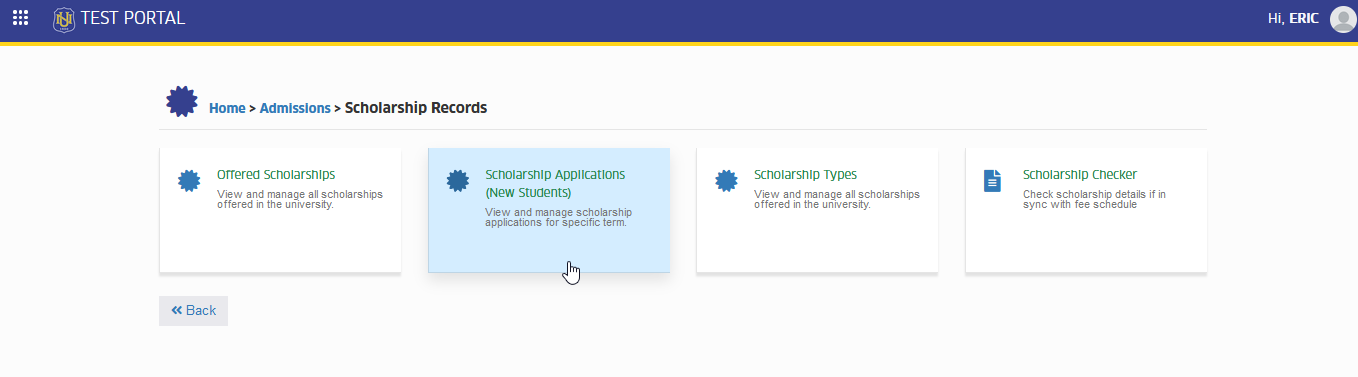
To access the module go to Admissions > Scholarship Records > Scholarship Applications of New Students
Click the module tab to redirect to Scholarship Applications for New Students.
Scholarship Enrollment Status
- students who are enrolled and applied for the scholarship.
- applicants who applied for the scholarship that are not yet a student (no student ID).
- students who applied for the scholarship and has already registered subjects.
- students who have already registered for classes and submitted their scholarship applications.
Scholarship Application Status
- submission of the scholarship application is successful. This is for office validation of the scholarship assigned.
- scholarship assigned office validated the application. This is for Admissions office endorsement to approvers.
- Admission office already endorsed the application for scholarship application approval.
- this scholarship applications status indicates that the application is approved by the approver.
- this scholarship applications status indicates the application has been disapproved.
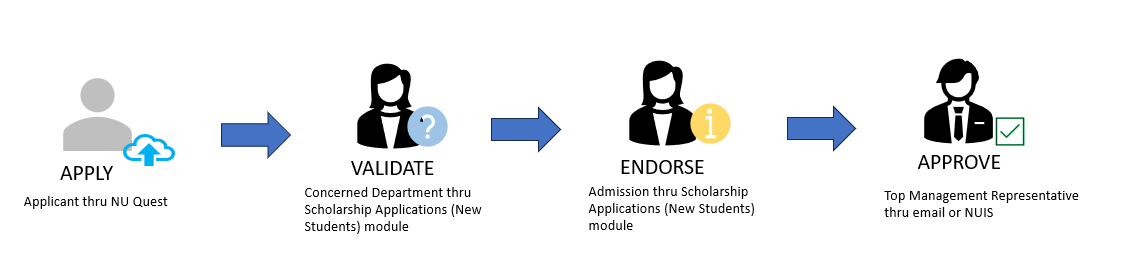
Process Flow
The general process flow of scholarship application is shown in the image below.
How to Validate Scholarship Application of New Student
Validation of scholarship application is being taken care of the assigned office of the scholarship. Follow the steps below on how to validate scholarship application.
STEP 1. After receiving an email notification for scholarship application validation, go to Admissions > Scholarship Records > Scholarship Applications (New Student).
STEP 2. Look for the specific application to validate. User may use the filtering feature of the module for easier searching of the application. Click the corresponding button.
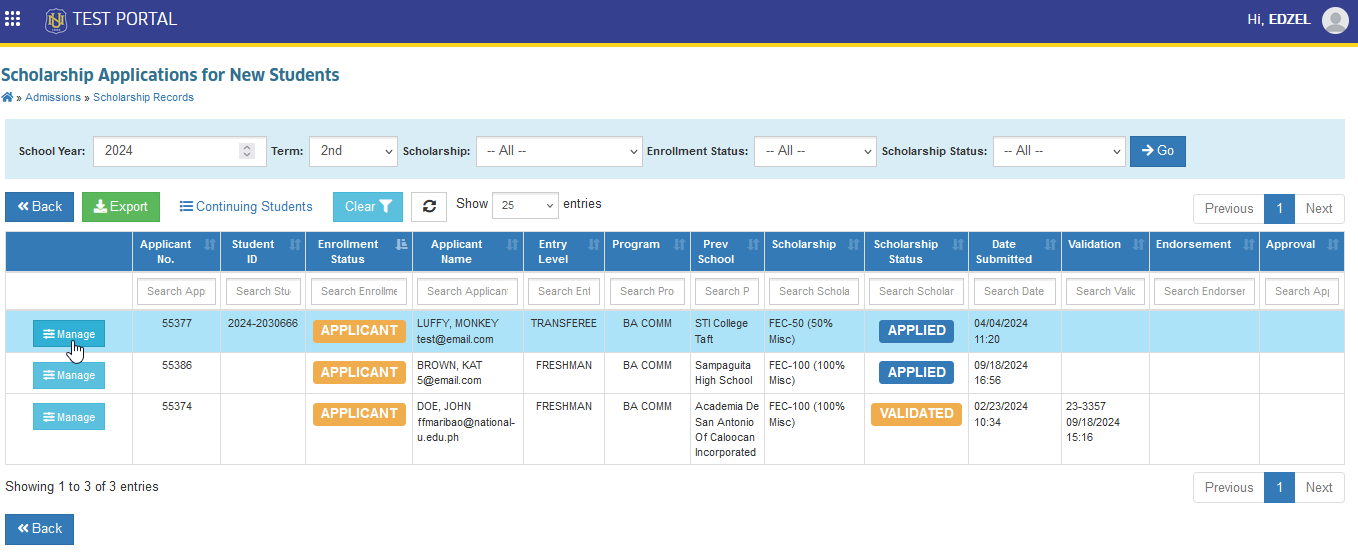
STEP 3. Validate the uploaded requirements.
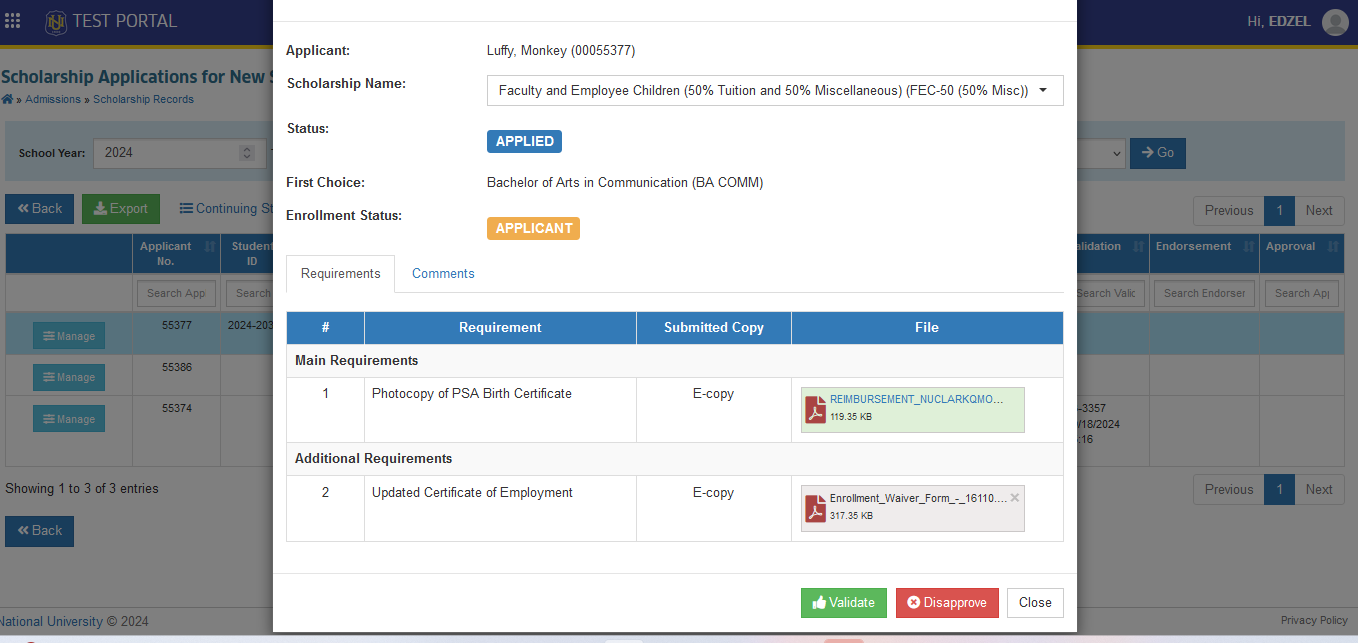
STEP 4. Click the button to tagged as .
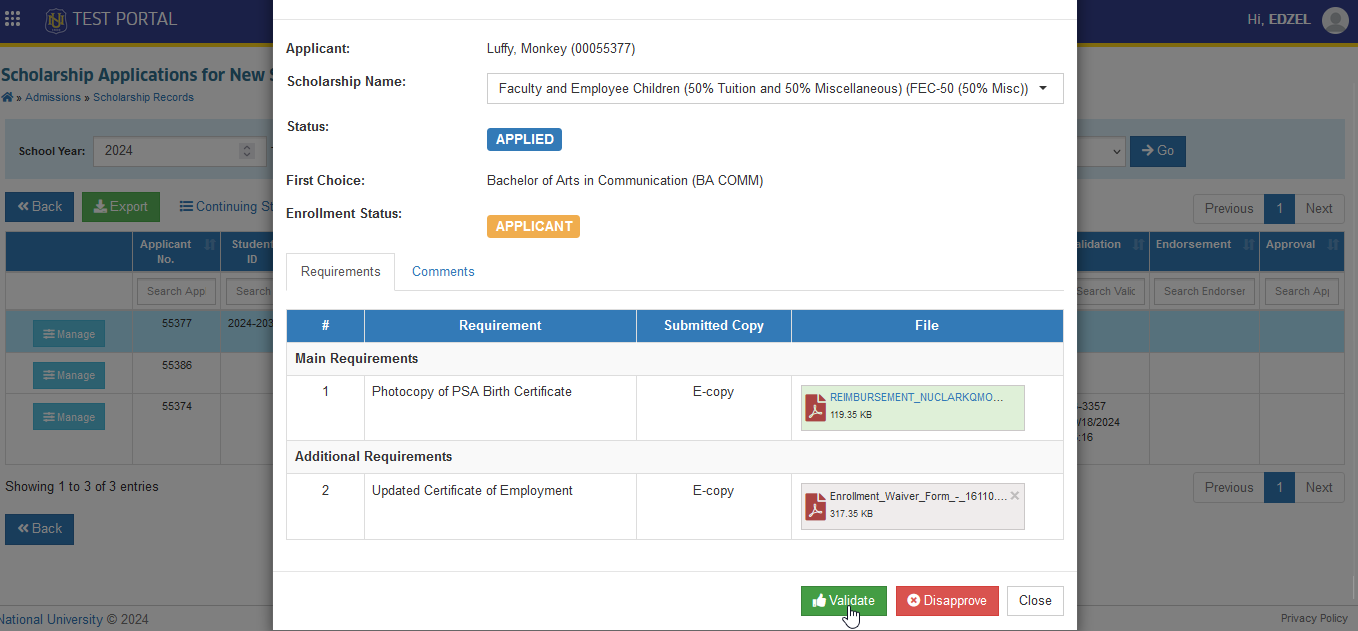
-
If the validator requires to submit the original copy of the required documents, follow up the applicant thru comment section.
-
If necessary, the designated office validators are able to change or update the scholarship that the applicants are applying for.
-
Validators cannot assign other scholarships manage by other departments.
After validation, the Admission office will be notified thru email that the application is subject for Endorsement.
How to Endorse Scholarship Application of New Student
The Admission office is in charge in endorsing scholarship applications of new students. Follow the steps below on how to endorse scholarship application.
STEP 1. After receiving an email notification for scholarship application endorsement, go to Admissions > Scholarship Records > Scholarship Applications (New Student).
STEP 2. Look for the specific application to endorse. User may use the filtering feature of the module for easier searching of the application. Click the corresponding button.
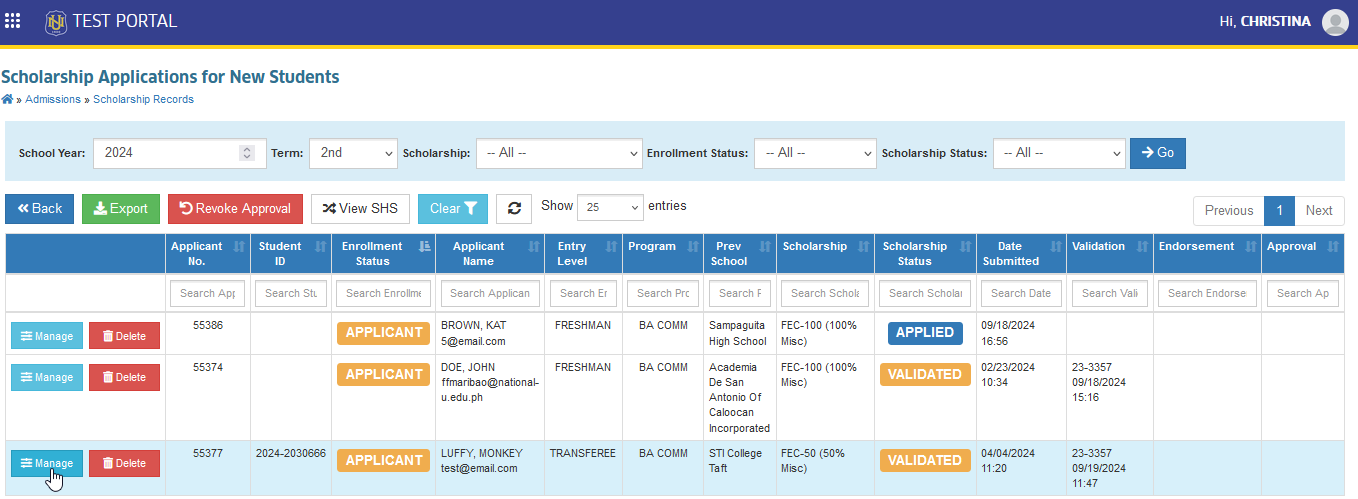
STEP 3. Click the button to endorse the application for approval. Email notification will then be sent to the scholarship approver.
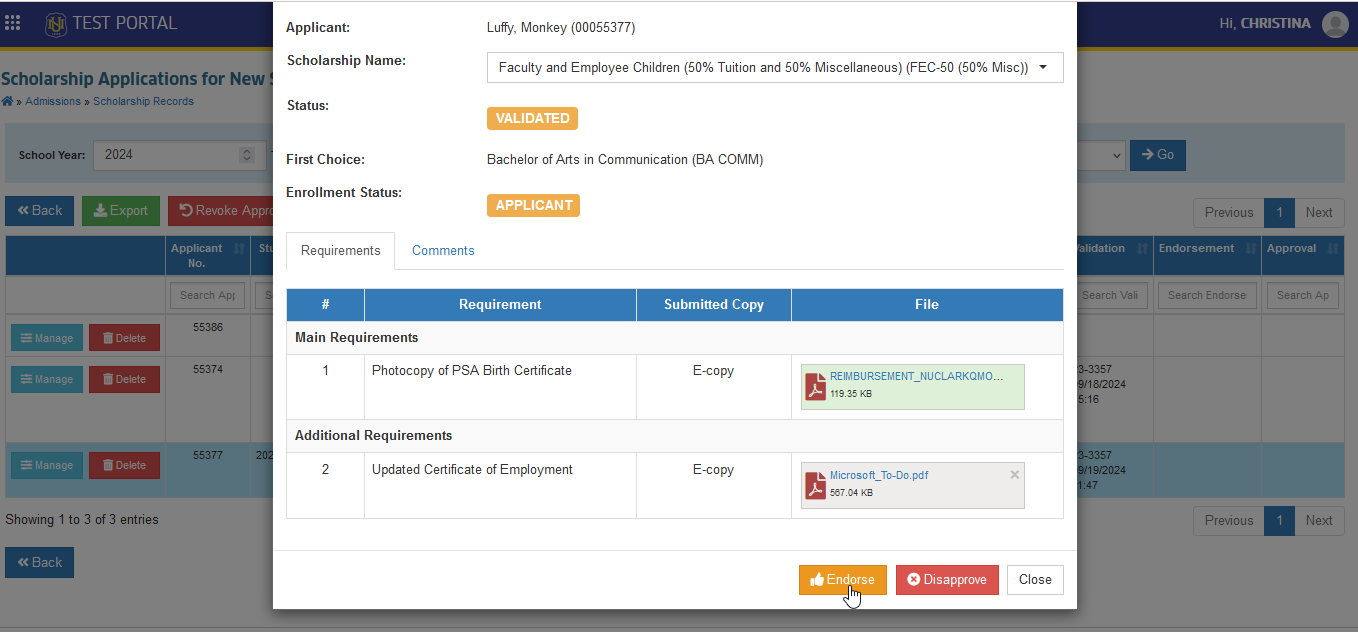
The Admissions Office can simultaneously Validate and Endorse the application if
[1] the scholarship has No assigned department;
[2] the scholarship application has been personally endorsed by the personnel or concerned department.
How to Approve Scholarship Applications of New Student
There are two ways to approve scholarship applications.
-
Thru Email
-
Thru NUIS
Follow the steps below on how to approve scholarship thru NUIS.
STEP 1. After receiving an email notification for scholarship application approval, go to Admissions > Scholarship Records > Scholarship Applications (New Student).
STEP 2. Look for the specific application to approve. User may use the filtering feature of the module for easier searching of the application. Click the corresponding button.
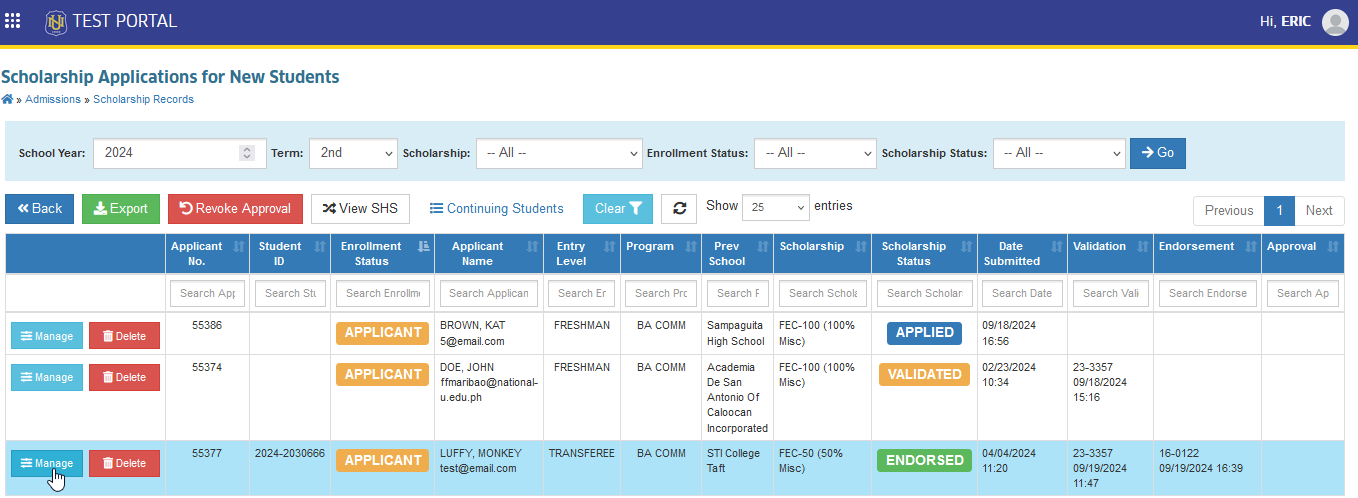
STEP 3. Click the button to endorse the application for approval.
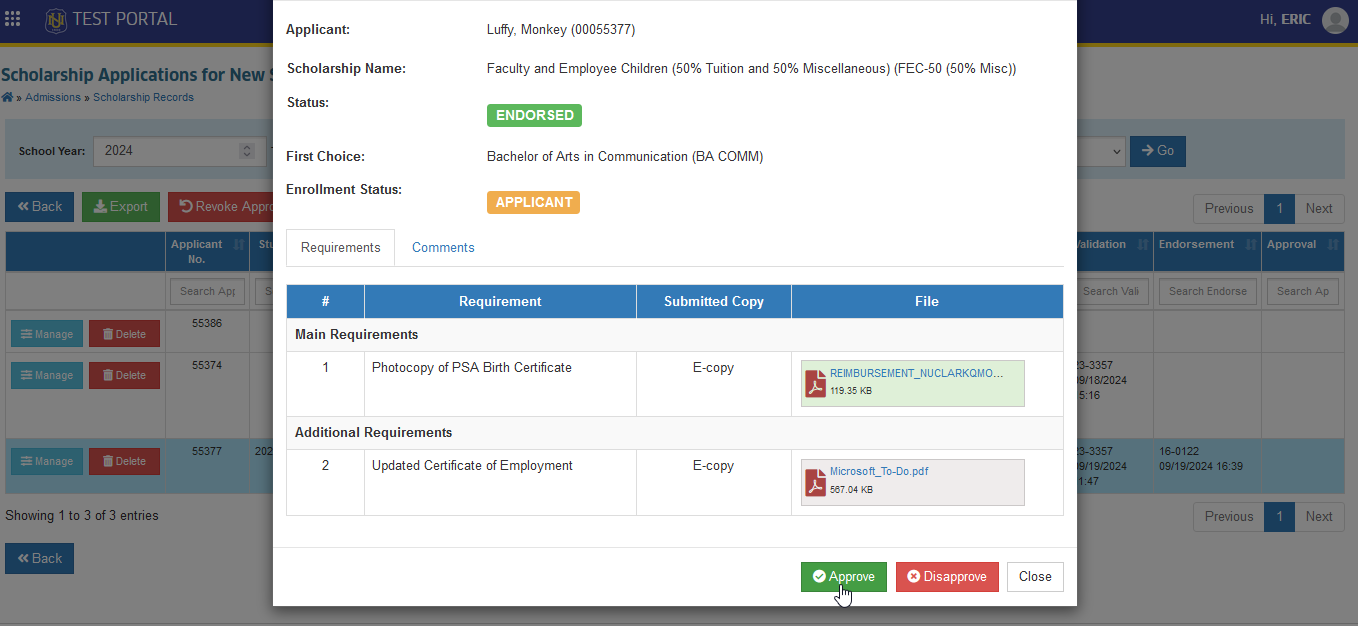
Upon approval of the scholarship application, the applicant will be notified thru email. If the applicant has already been assigned with Student ID, his/her Assessment Form will then be reassessed in the system, reflecting the approved discounts.
Endorse the applicant to Accounting/Treasury Office for reassessment in GL Windows.
How to Disapprove the Scholarship Application of New Students?
The assigned office scholarsip validators can disapprove a scholarship application if it deemed necessary.
STEP 1. After receiving an email notification for scholarship application validation, go to Admissions > Scholarship Records > Scholarship Applications (New Student).
STEP 2. Look for the specific application to validate. User may use the filtering feature of the module for easier searching of the application. Click the corresponding button.
STEP 3. Click the button.
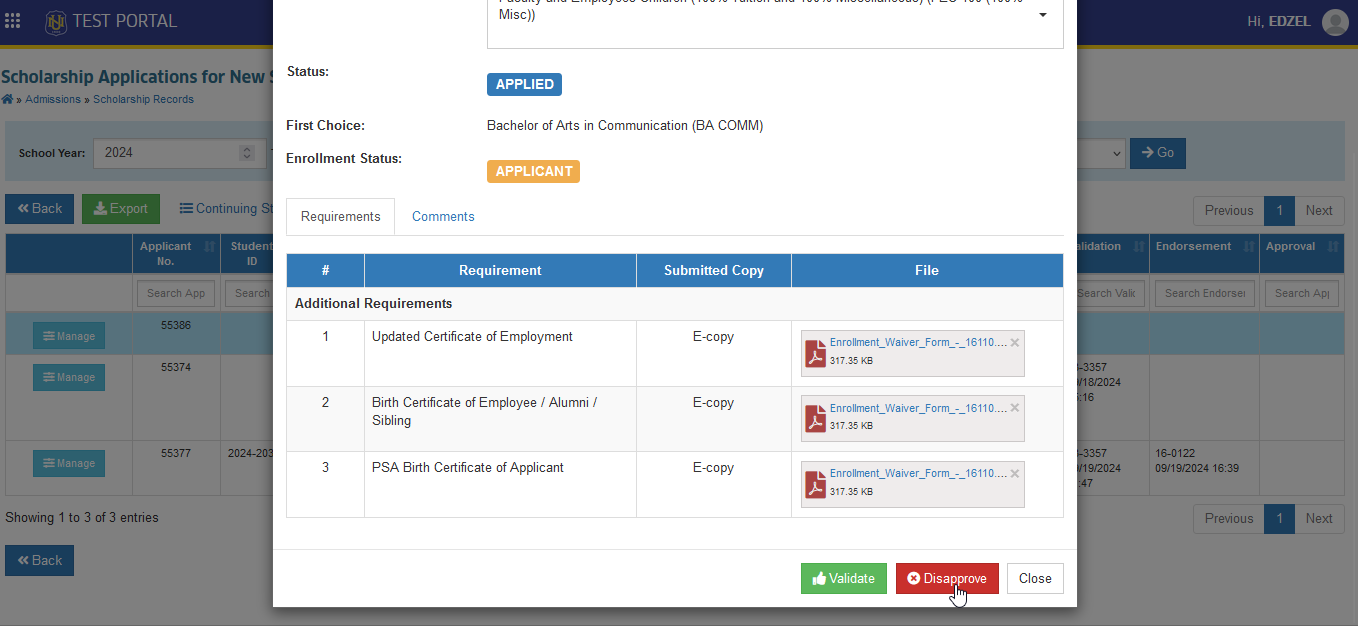
How to Undo Disapproval of Scholarship Application
The Admissions Office (Endorser) and the Approvers have the necessary module permission to undo a disapproved application if needed. Follow the steps below to undo a disapproved application.
STEP 1. In Scholarship Application for New Students page, look for the specific application to undo the disapproval. User may use the filtering feature of the module for easier searching of the application. Click the corresponding button.
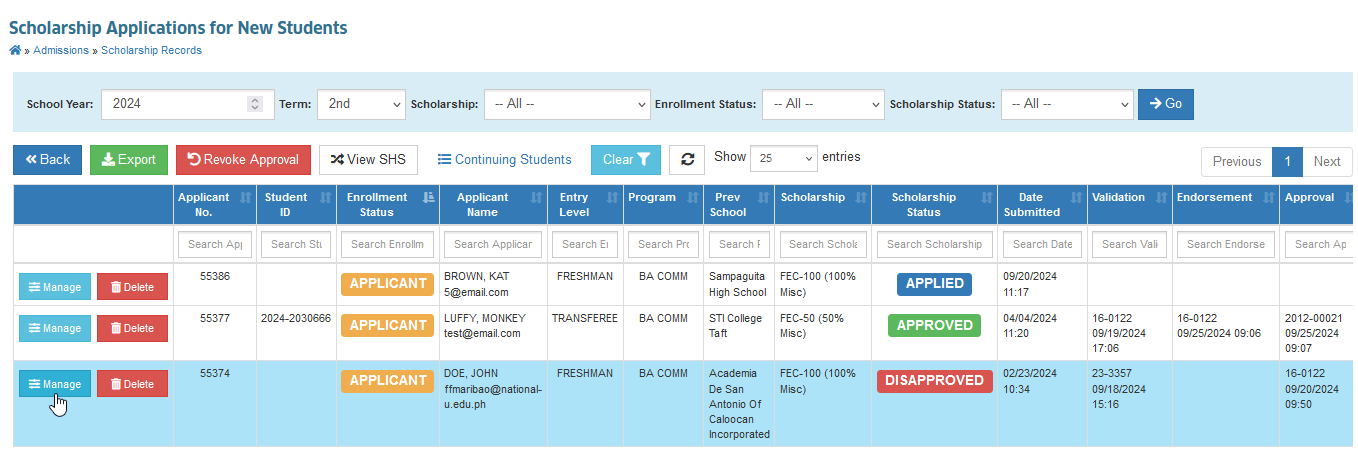
STEP 2. Click the button.
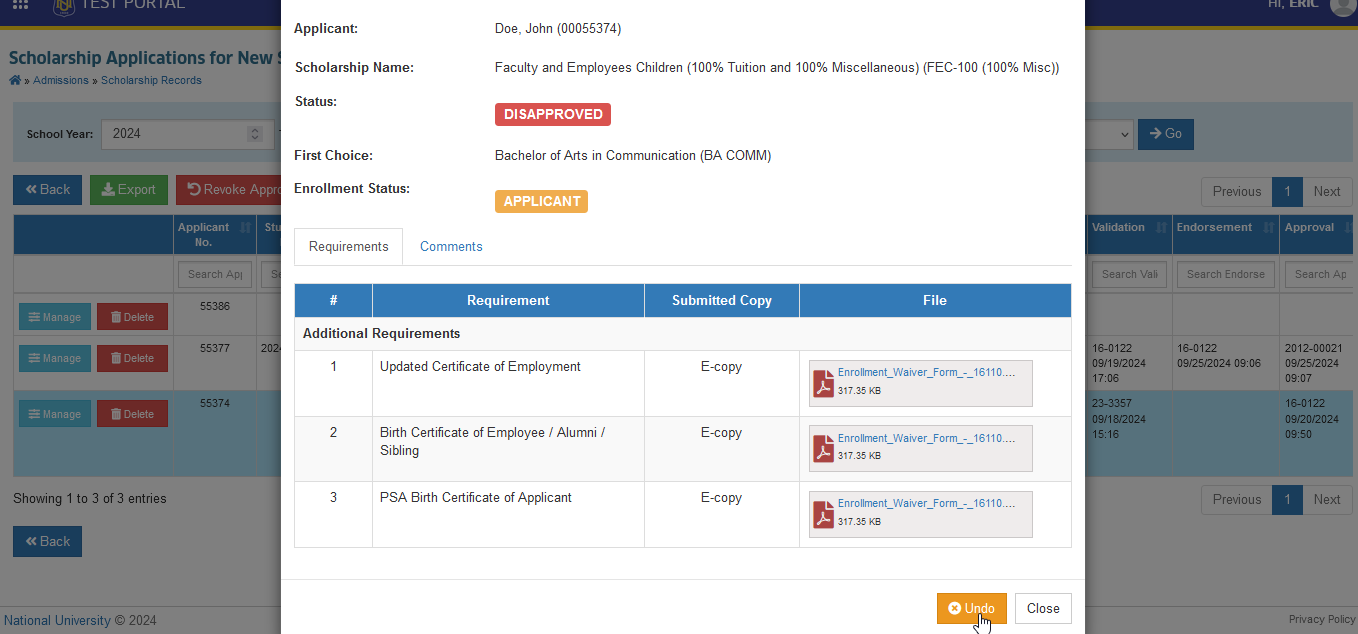
STEP 3. Click the button to confirm.
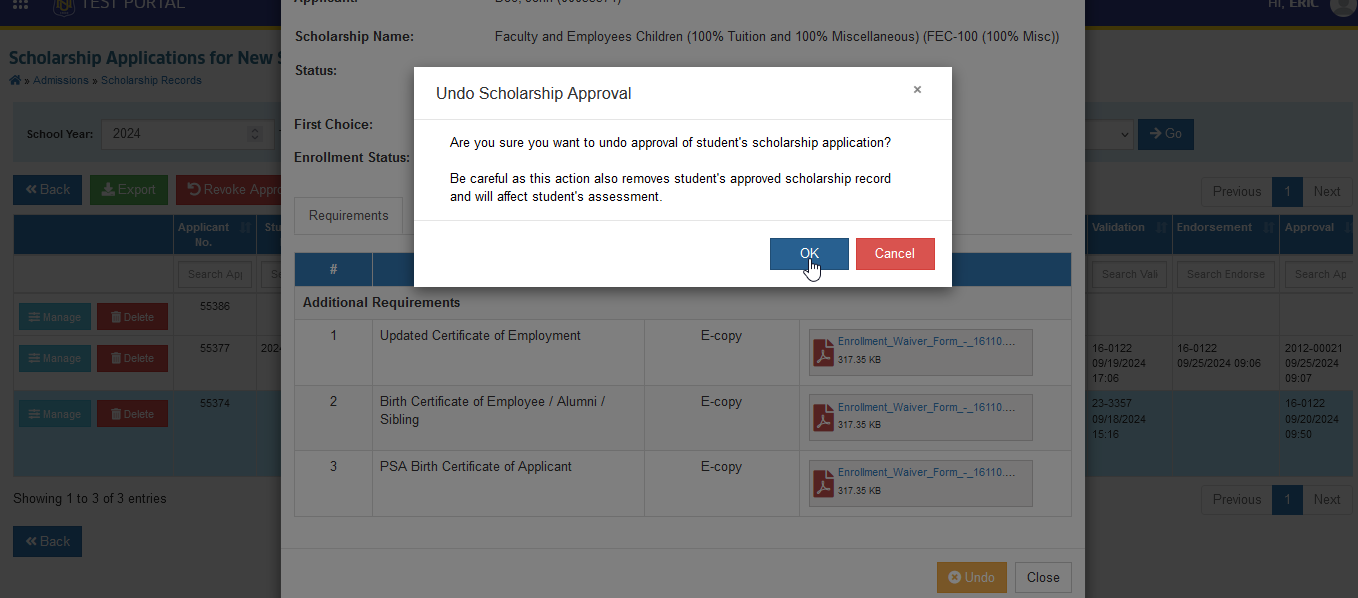
- Once the disapproved application has been undone, the application status will be reverted from to status.
How to Revoke Approval of Scholarship Application.
There are 2 ways to revoke approval.
-
Per Applicant
-
Per Offered Scholarship
How to Undo approval per Applicant
Follow the steps below on how to undo the approval per applicant.
STEP 1. Go to Admissions > Scholarship Records > Scholarship Applications (New Student).
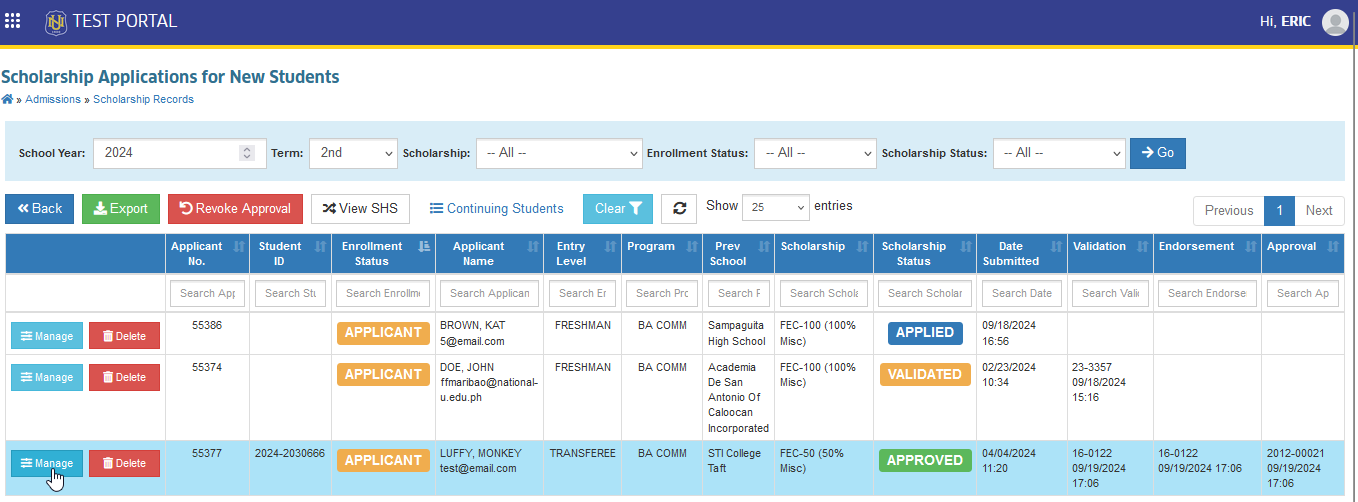
STEP 2. Look for the specific application to undo the approval. User may use the filtering feature of the module for easier searching of the application. Click the corresponding button.
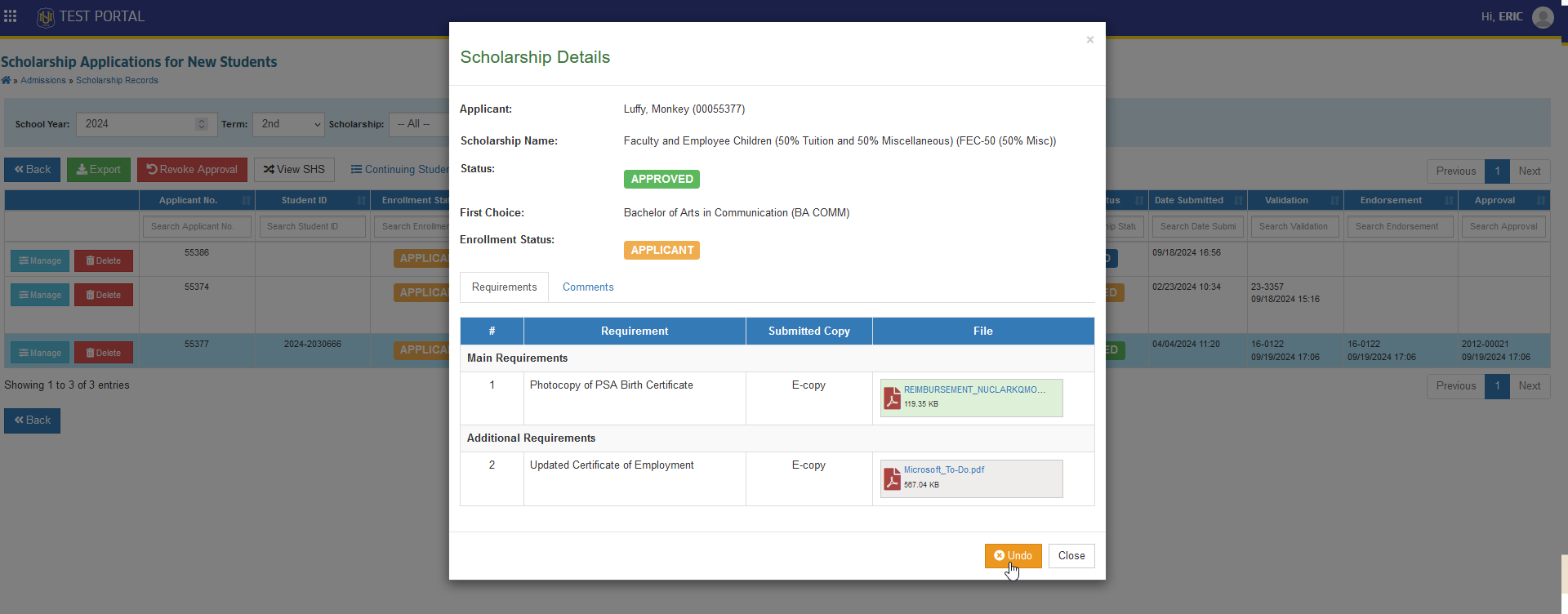
STEP 3. In Scholarship Details form, click the button.
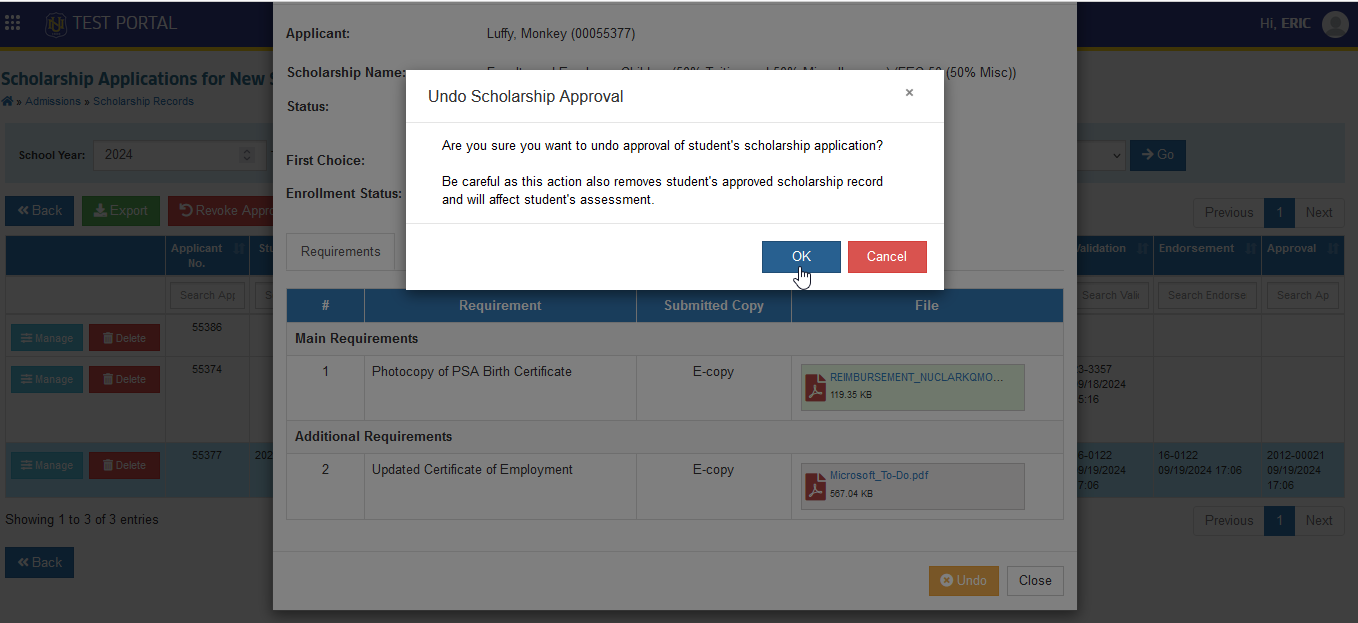
STEP 4. Click the button to confirm.
-
The status of the scholarship application will change to after the approval has been revoked.
-
The Admissions Office (Endorser) can request the cancellation of the approved application by clicking the button.
-
The Approvers will be responsible for undoing an approved application by clickiing the button.
How to undo approval per Offered Scholarship
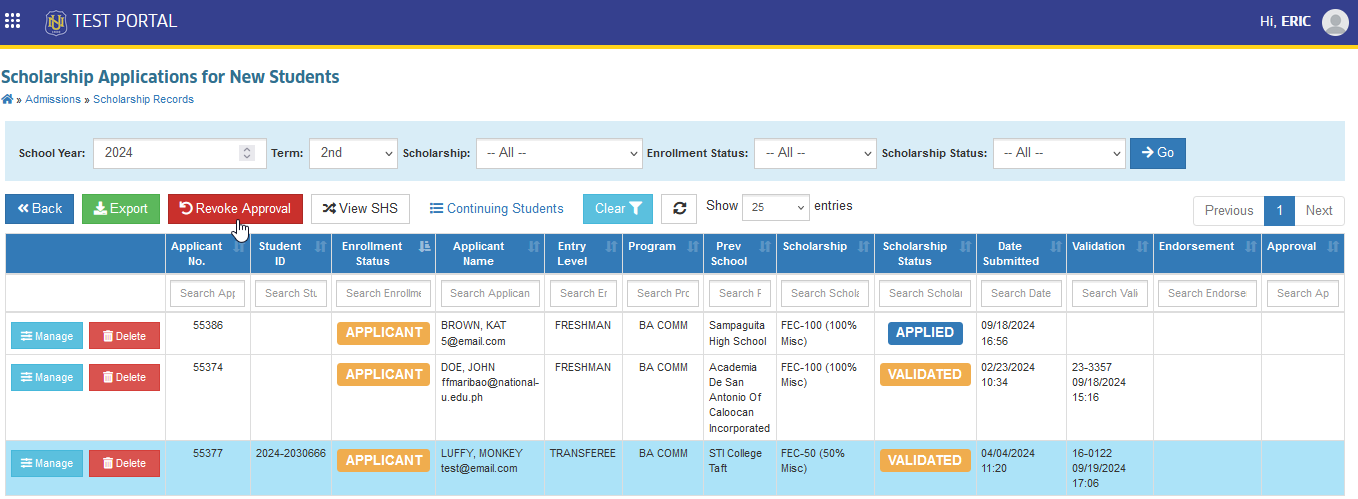
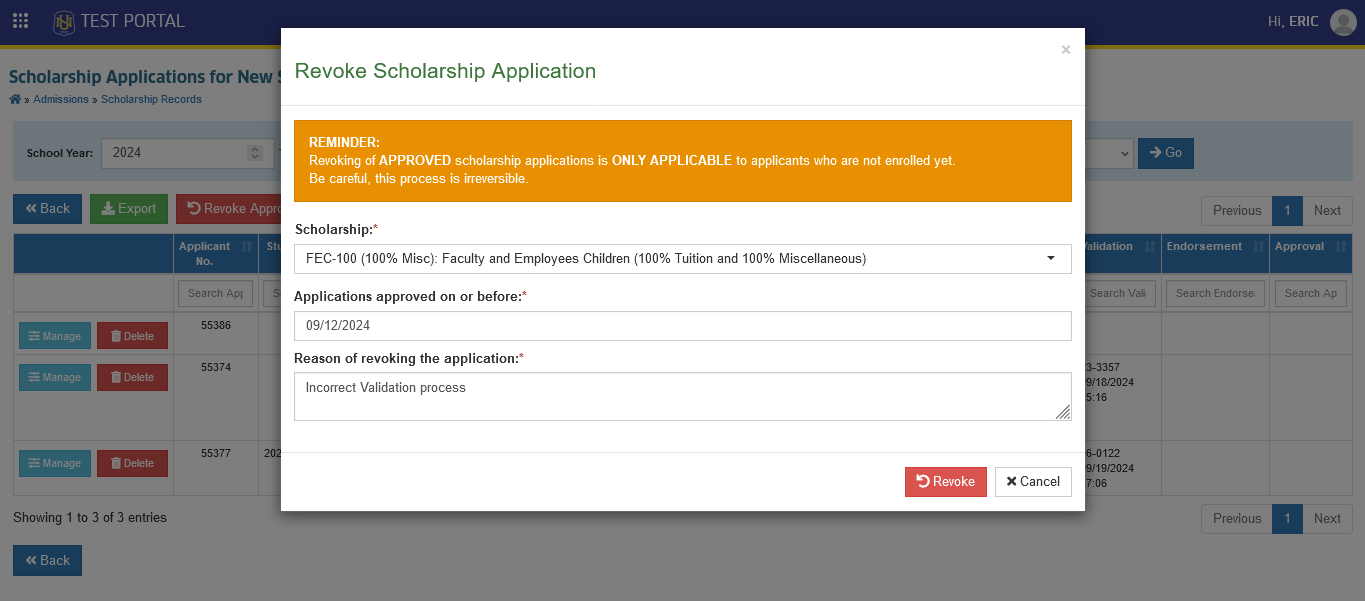
To revoke the approved scholarship per offered scholarship, make sure you have Delete Scholarship Applications . Follow the steps below on how to revoke approved scholarship.
STEP 1. In Scholarship Applications for New Students page, click the button.
STEP 2. Select the scholarship name to revoke approval. Fill out the date range of the approved application to disapprove and the reason for cancellation of the approval.
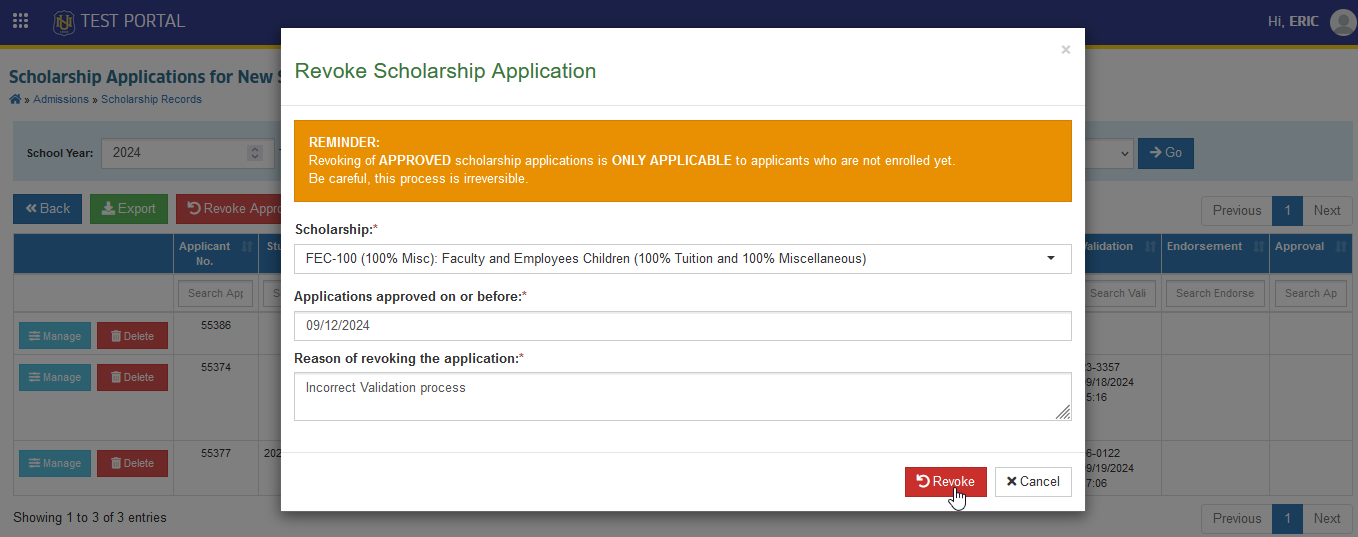
STEP 3. Click the button.
STEP 4. Confirm the cancellation of approved application by clicking the button.
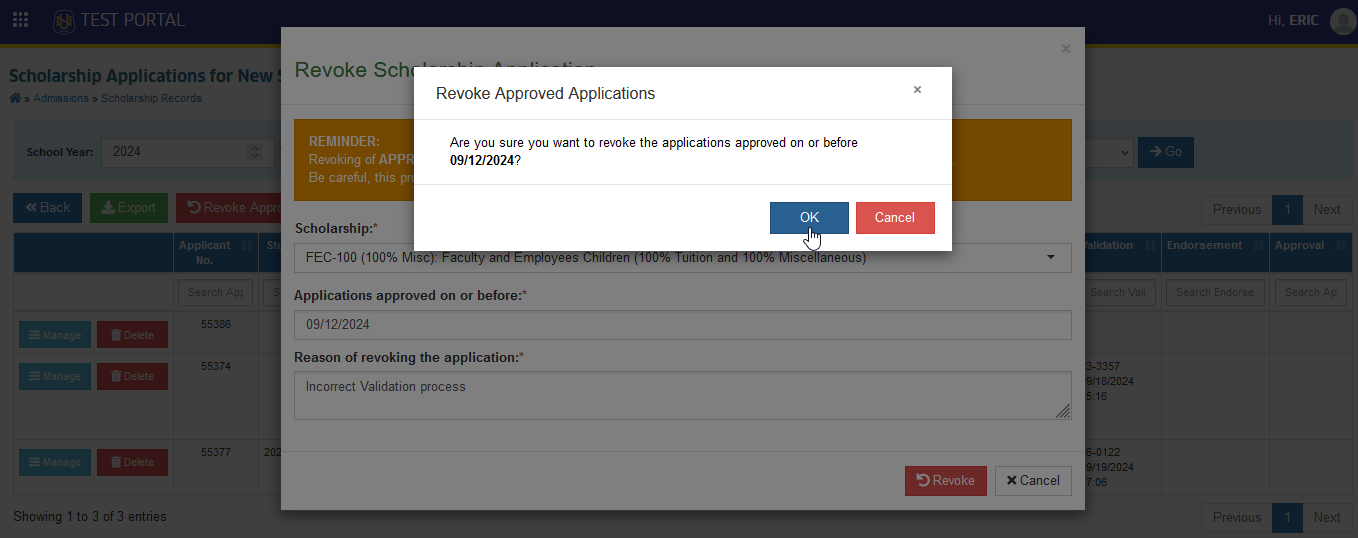
Revoking of APPROVED scholarship applications in ONLY APPLICABLE to applicants who are not enrolled yet. Be careful, This process is irreversible.
How to Delete Scholarship Application
Once the application has been disapproved, the applicants will not be able to reapply for the specific scholarship for which they were disapproved.
If the reason is valid, the Assigned Department of the Offered Scholarship may allow applicants to reapply for the same offered scholarship .The assigned department personnel may delete the application from this module to enable the applicants to reapply.
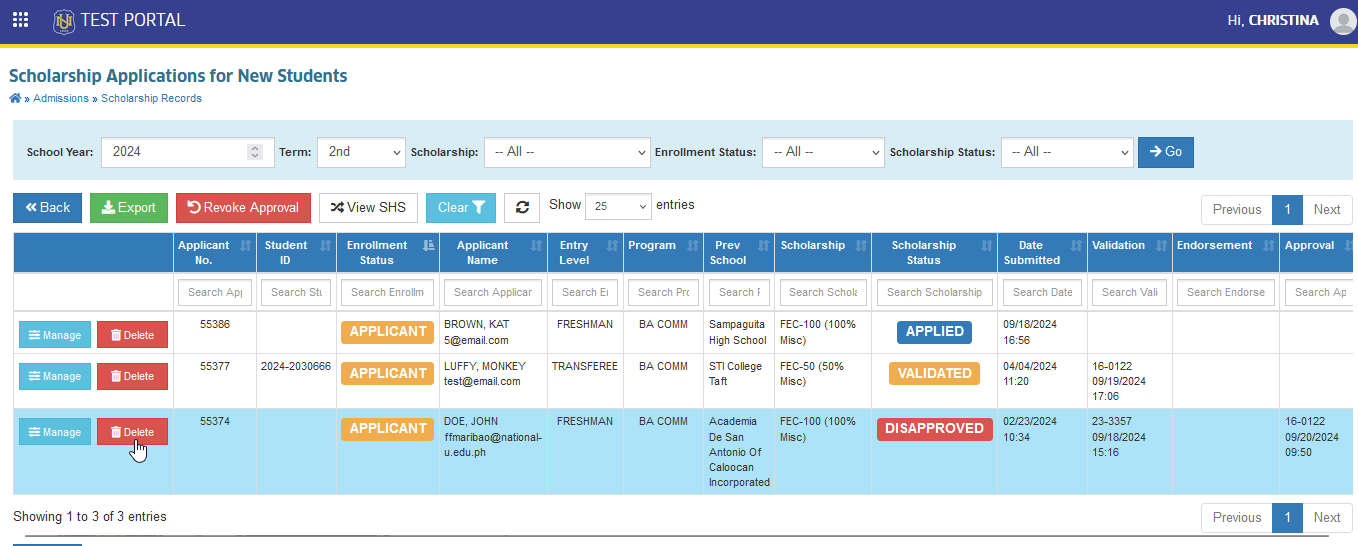
Follow the steps below on how to delete the scholarship application.
STEP 1. In Scholarship Applications for New Students page, under the actions column click the corresponding button of the application that will be deleted.
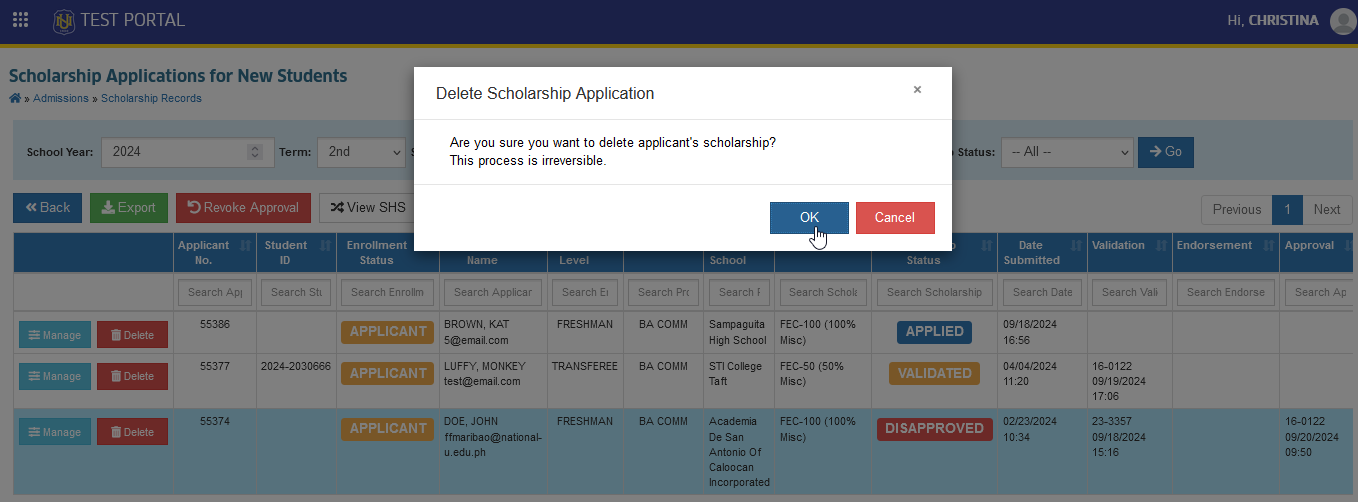
STEP 2. Confirm the action by clicking the button.
Why can't I find a specific scholarship type?
If a specific scholarship type record cannot be viewed by other user, it means that the user is restricted to access or modify that scholarship type. Make sure that user's assigned department in his/her profile aligns with the scholarship type's assigned department for new and for continuing.