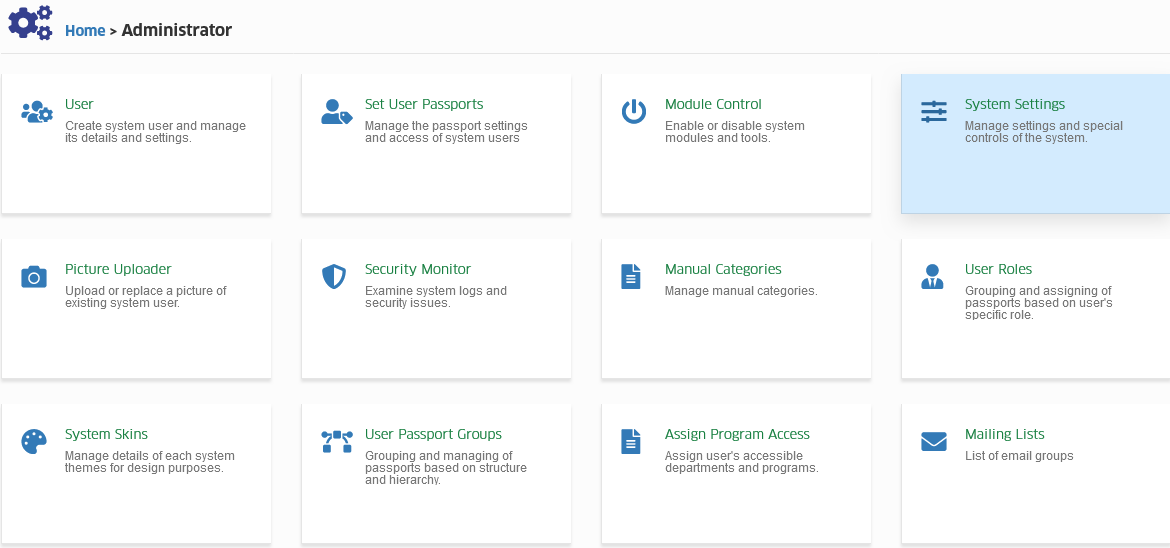
Manage System Settings
Manage settings and special controls of the system.
Required Permissions
- View system settings - Permission to View system setting.
- Add system settings - Permission to Add new system setting.
- Delete system settings - Permission to Delete specific system setting.
- Edit system settings - Permission to Edit existing system setting.
How to access the module?
To access the module, make sure you have the View system settings permission. If it doesn’t appear in your portal, request access from your System Administrator.
Click the module tab to redirect to Manage System Settings page.
Field Descriptions
| Field | Description | Required |
|---|---|---|
| Category | Categorize which settings you want to add, you may select from the existing list or you may add new setting. | Yes |
| Setting | The setting name. (ex. Campus Email <Department Name>, Program Chair Email <Program Code>, etc.) | Yes |
| Value | Value of the setting. | Yes |
How to add new system setting?
Follow the steps below on how to add new setting.
STEP 1. In Manage System Settings page, click the button. You will be redirected to Add Setting page.
STEP 2. In Add Settings page, enter the required informations for the new setting to be created.
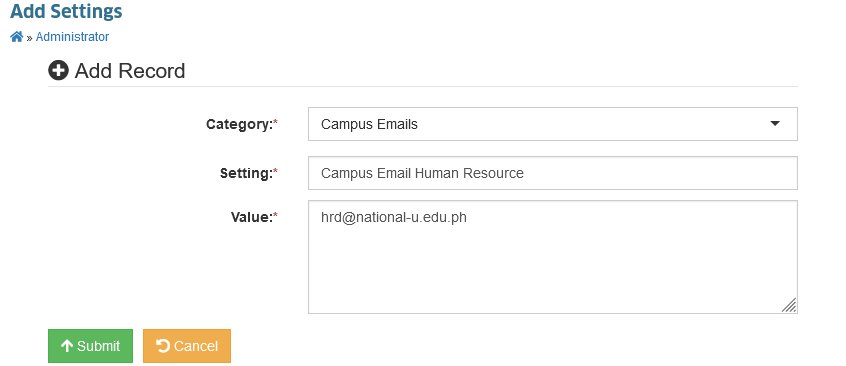
STEP 3. Click the button to save the settings.
New setting has been saved.
The user who created a new setting will be logged to the system. Please refer to the Created By column in Manage System Settings page.
How to edit a system setting?
Follow the steps below on how to edit an existing system setting.
STEP 1. In Manage System Settings page, under the actions column, click the button.
STEP 2. You will be redirected to Edit System Settings page. Modify the setting by changing the informations in the required field.
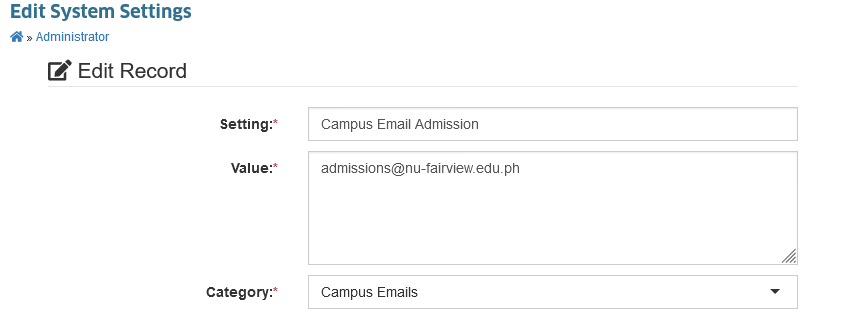
STEP 3. Click the button to save the changes.
System settings has been successfully modified.
The user who updated an existing setting will be logged to the system. Please refer to the Updated By column in Manage System Settings page.
How to delete a system setting?
Follow the steps below on how to delete a system setting record.
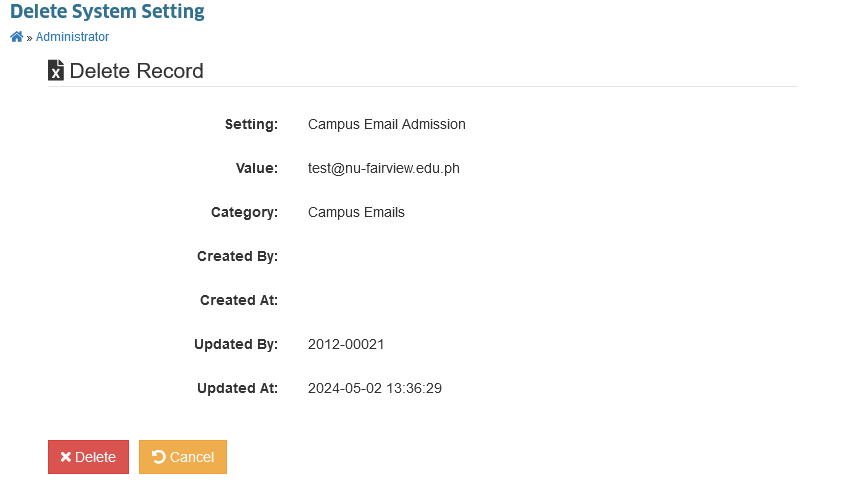
STEP 1. In Manage System Settings page, under the actions column, click the button.
STEP 2. You will be redirected to Delete System Settings page. Click the button to delete the specific system settings record.