Module Control
Enable or disable system modules and tools.
Required Permissions
- Module Control - Permission to access the module.
How to access the module?
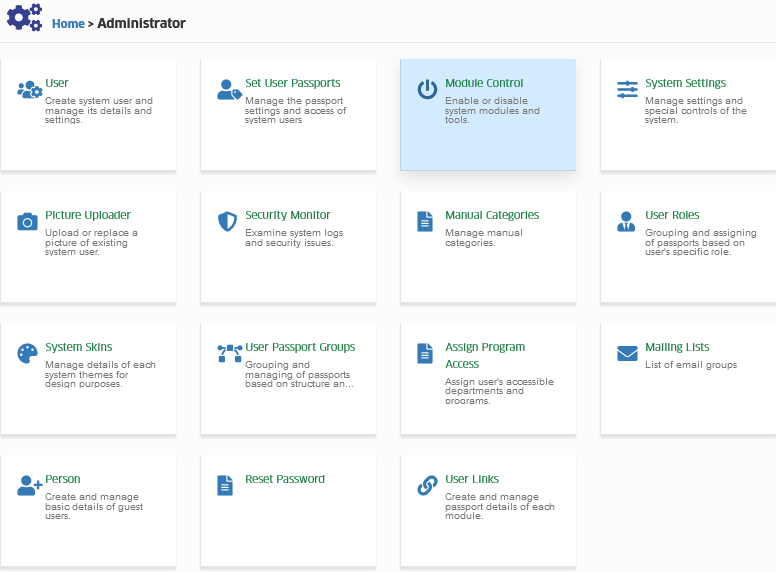
To access the module, make sure you have the Module Control permission. If it doesn’t appear in your portal, request access from your System Administrator.
Click the module tab to redirect to Module Control page.
How to disable permissions?
Follow the steps on how to disable permissions.
STEP 1. In Module Control page, select the passport group in the dropdown list that you want to disable, then click on the button.

STEP 2. Disable permissions by unchecking the permissions checkbox.
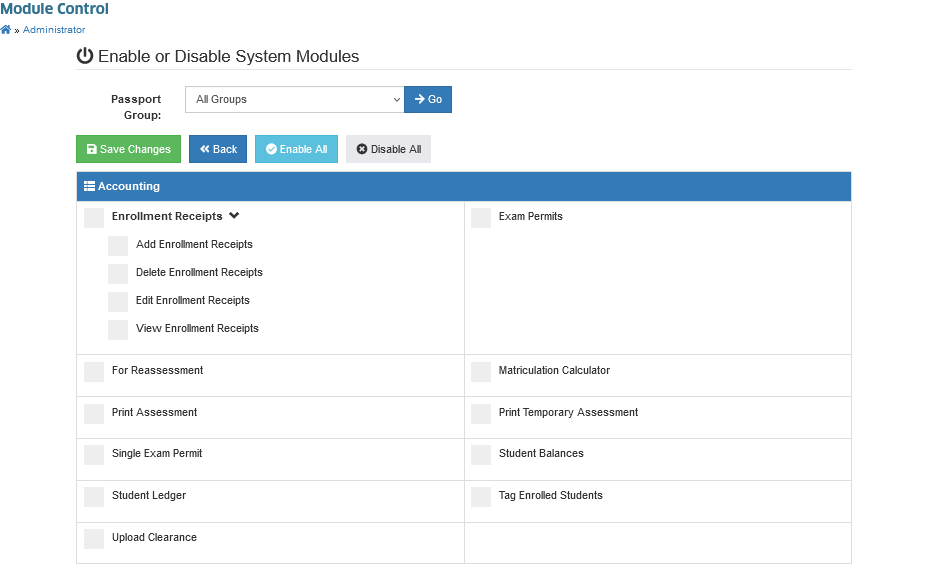
STEP 3. Click the button to save the setting.
Modules status have been updated.
How to enable module permissions?
Follow the steps below to enable module permission.
STEP 1. In Module Control page, select the passport group in the dropdown list that you want to enable, then click on the button.
STEP 2. Enable the module permissions by checking the permissions checkbox.
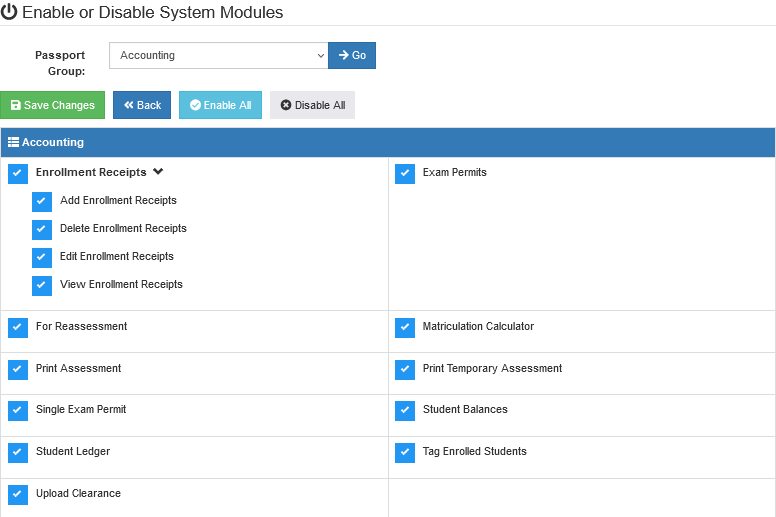
STEP 3. Click the button to save the setting.
Modules status have been updated.