Assign Program Access
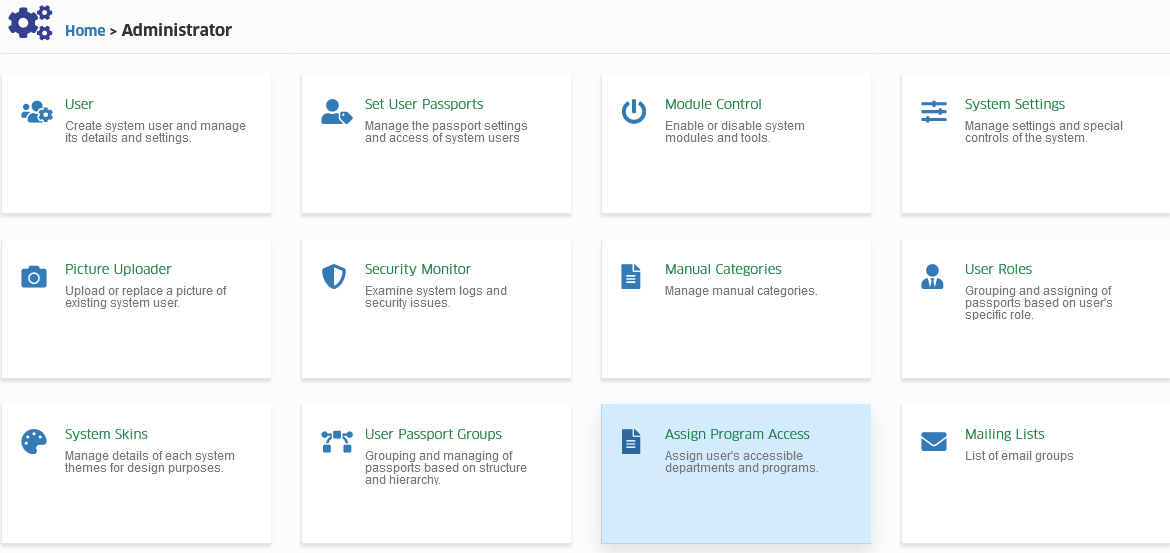
Assign user's accessible departments and programs.
Required Permissions
- Assign Program Access - Permission to assign users to Programs they handle or manage.
How to access the module?
To access the module, make sure you have the Assign Program Access permission. If it doesn’t appear in your portal, request access from your System Administrator.
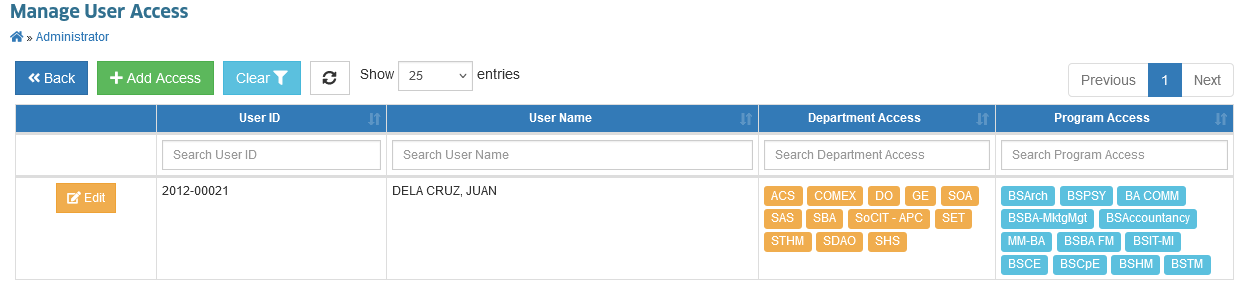
Click the module tab to redirect Manage User Access page.
How to add program access to user?
Follow the steps below on how to assign program access to user.
STEP 1. In Manage User Access page, click the button. You will be redirected to Assign Program Access page.
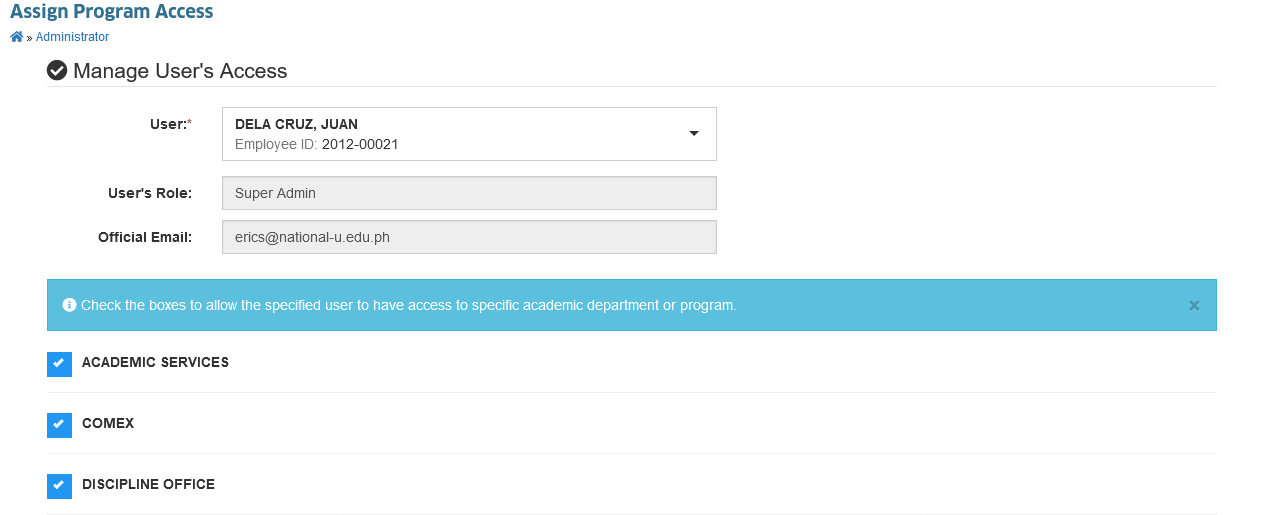
STEP 2. In Assign Program Access page, enter the user's ID to assign and assign the programs by checking the checkbox corresponding to the program name.
STEP 3. Click the button to save the setting.
How to edit user's program access.
In this module, the IT administrator can change the user's program access by checking/unchecking the checkbox corresponding to the program name.
Follow the steps below on how to modify user's program access.
STEP 1. In Manage User Access page, under the actions button, click the button. You will be redirected to Assign Program Access page.
STEP 2. In Assign Program Access page, modify the program access by checking/unchecking the checkbox of the program.
STEP 3. Click the button to save the changes.