My Flowchart
View your curriculum flowchart displaying the details and status of each included subject.
The My Flowchart module is designed to help the students easily visualize and manage their academic journey. It provides a clear, structured view of all the courses in a student's program, showing which courses have been completed and which are still pending. By using this module, students can better plan their future semesters, ensuring they meet all necessary prerequisites and stay on track for their graduation.
Module Features
-
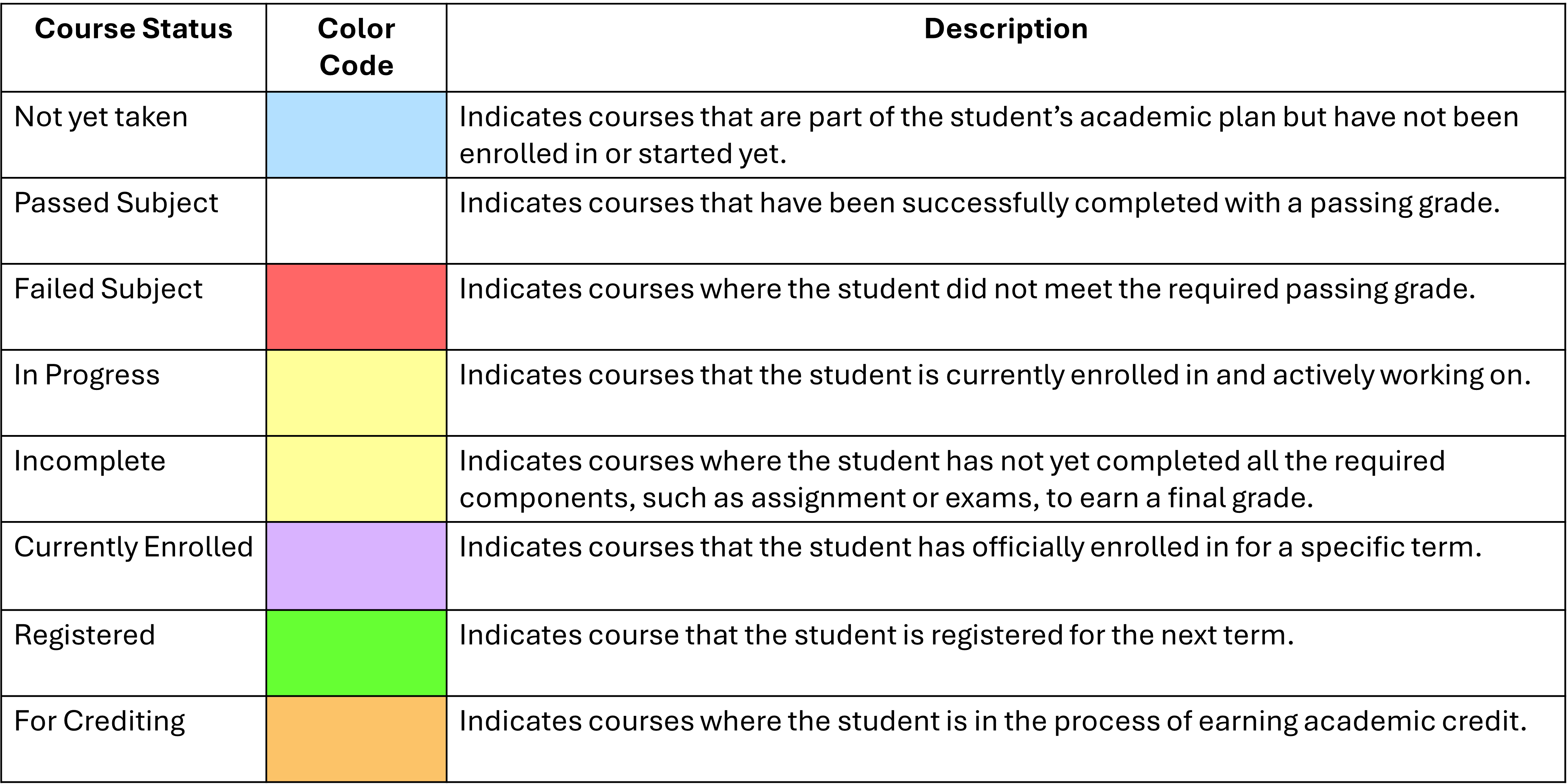
Interactive Flowchart - A visual representation of all courses required for the program, with clear labels for not yet taken, passed subject, failed subject, in progress, incomplete, currently enrolled, registered, for crediting.
-
Course Details - Clickable course boxes that provide detailed information such as course descriptions, prerequisites and credit units.
-
Semester Planning - View courses by term to help students plan their future semesters efficiently.
Required Permission
- My Flowchart - This permission allows the user to access the module and view their program flowchart.
How to access the module
To access the module, make sure you have the My Flowchart permission. If it doesn’t appear in your portal, request access from your System Administrator.
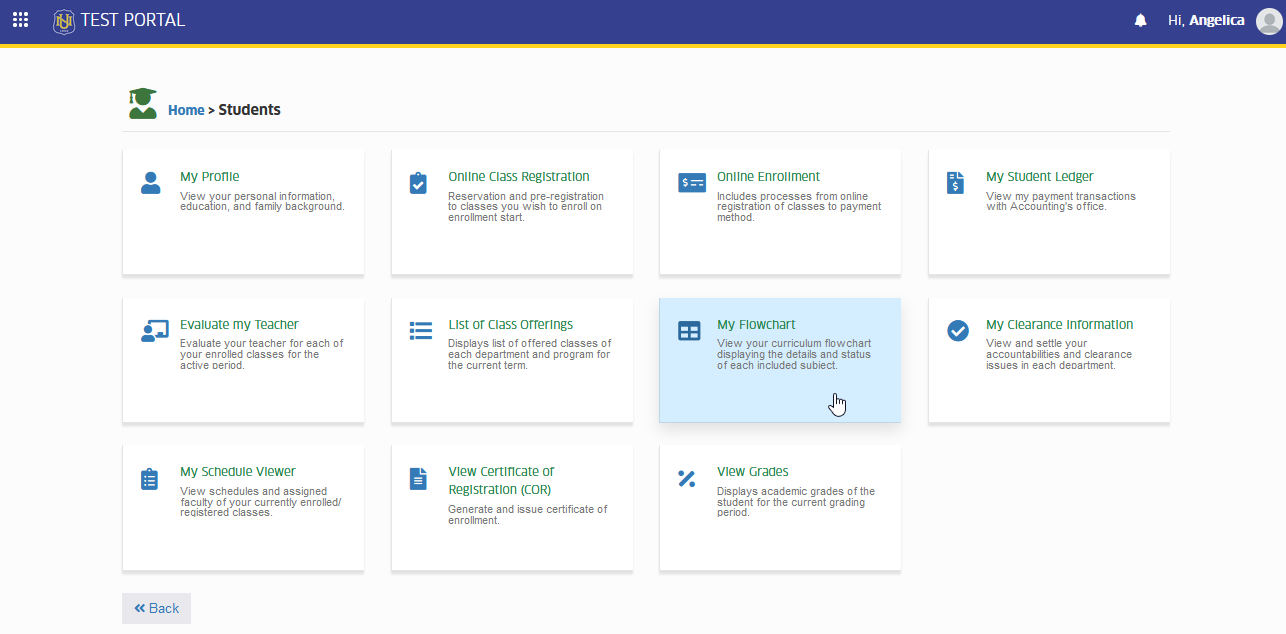
To access the module go to Students > My Flowchart
Click the module tab to redirect to My Flowchart page.
View My Flowchart
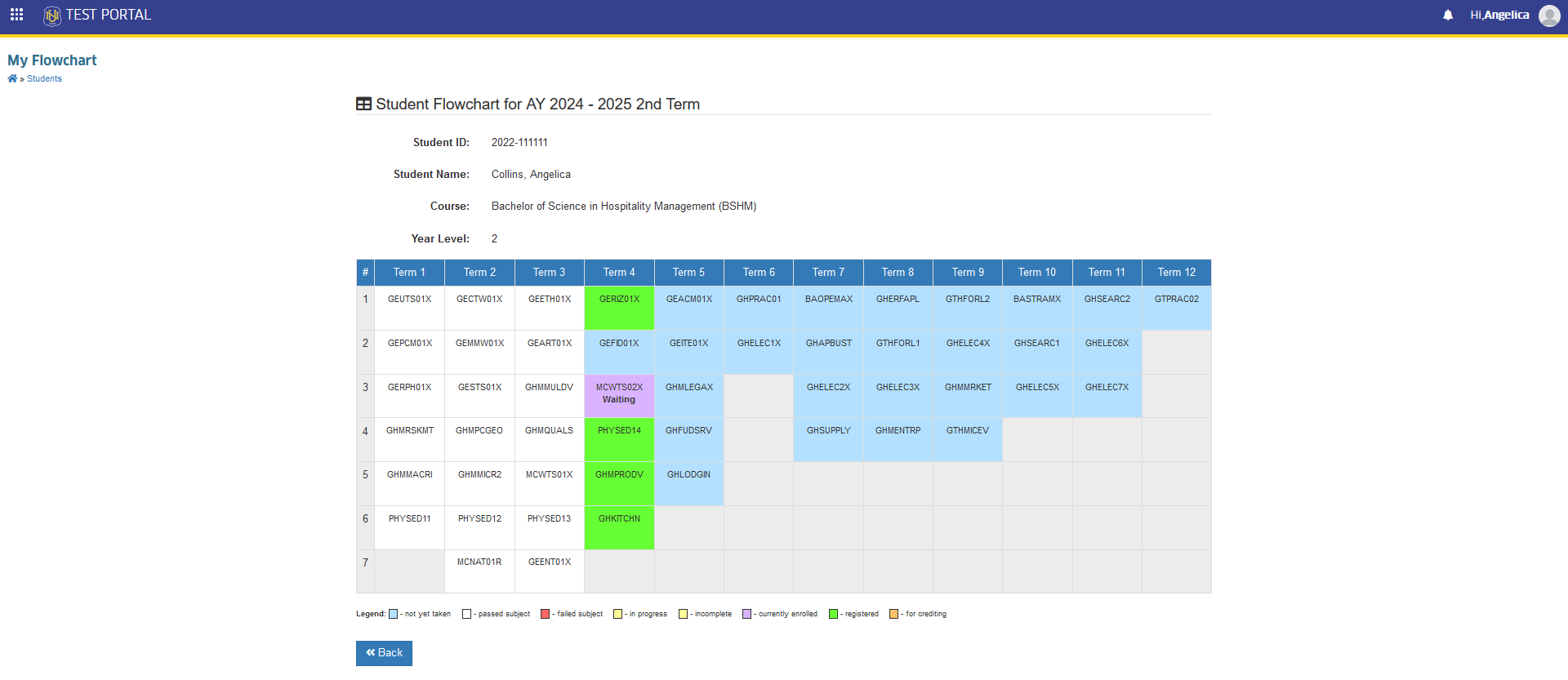
This module will show the student's name, program, student ID, year level, flowchart details for tracking their progress and planning future courses.
Click the module tab to see the assigned curriculum flowchart.
Course Status
The table below displays the color coding of each course status in the student's flowchart.