My Schedule Viewer
View schedules and assigned faculty of your currently enrolled/registered classes.
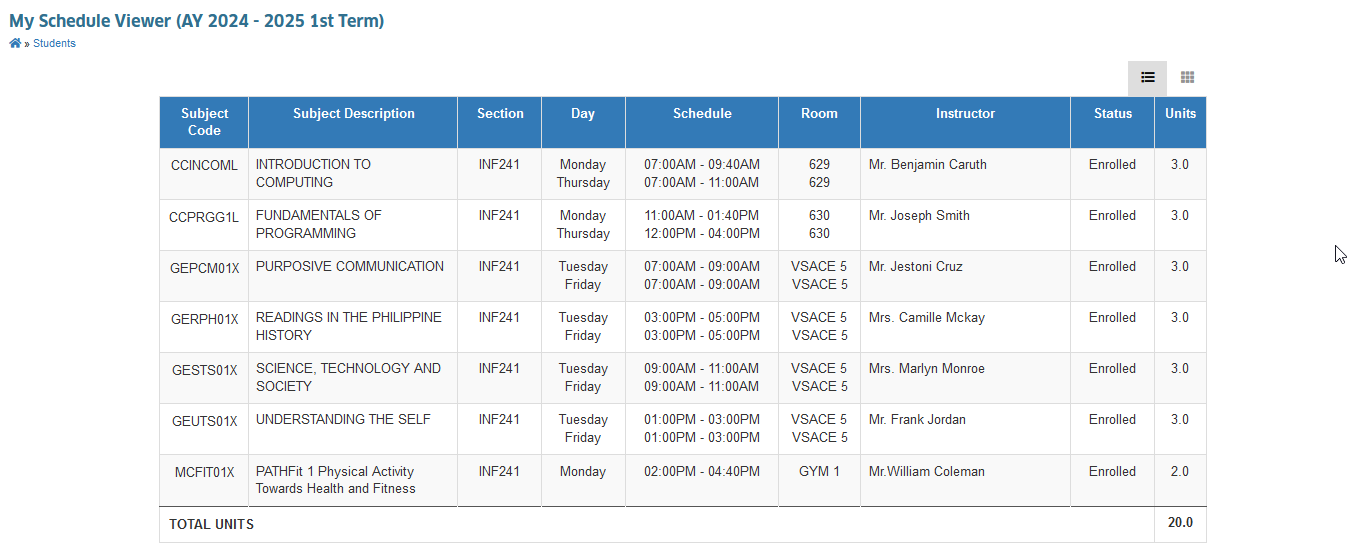
The My Schedule Viewer module allows students to easily view their class schedule for the term. It displays class times, locations, and instructors, helping students stay organized and on time.
Module Features
View Schedule - See detailed list of all classes of the students.
Print or Download - Students will be able to print or download their class schedules for offline viewing.
Required Permissions
- My Schedule Viewer - This permission allows the user access to the module, enabling them to view and download their class schedules as needed.
How to access the module
To access the module, make sure you have the My Schedule Viewer permission. If it doesn’t appear in your portal, request access from your System Administrator.
To access the module go to Students > My Schedule Viewer
Click the module tab to redirect to My Schedule Viewer page.
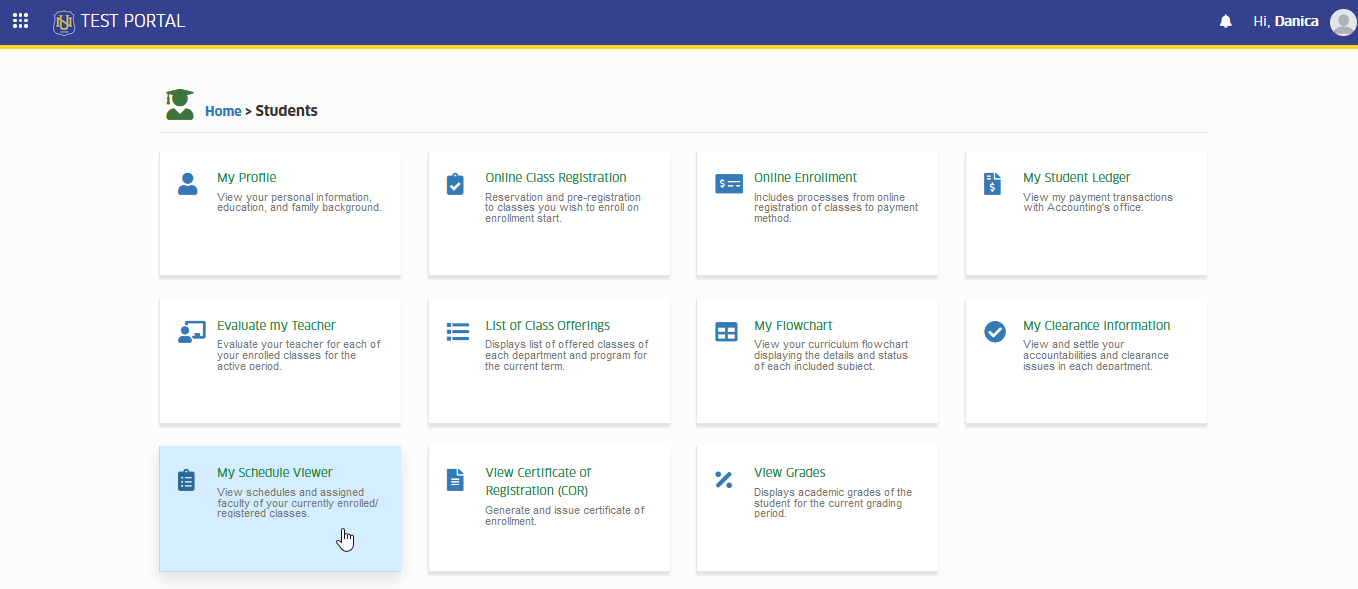
This module will only display the current terms class schedules only.
How to View and Download Schedule
Follow these simple steps to easily view your class schedules.
STEP 1. In your NUIS portal, go to Students > My Schedule Viewer.
STEP 2. This action will automatically display your current terms schedules.
STEP 3. Click the button to print or download a copy of the schedule.
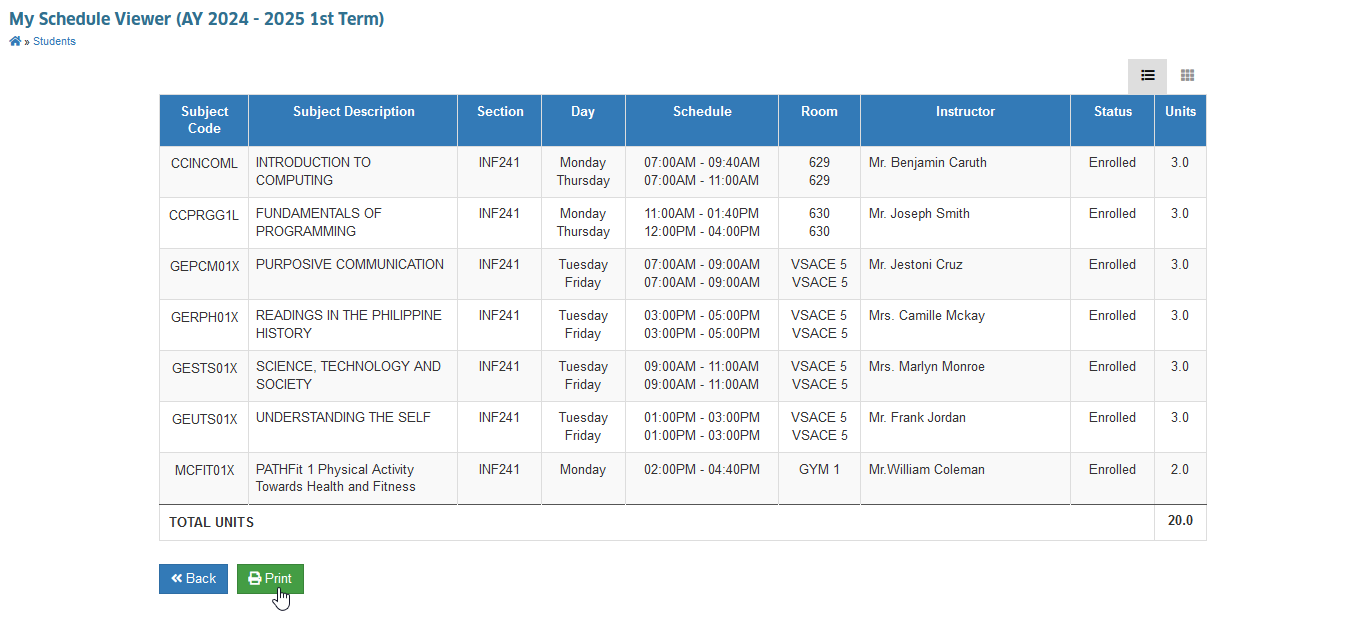
This action opens a new tab displaying the schedule of classes for the selected term. Users can choose to print or download the certificate.