View Certificate of Registration
Generate Certificate of enrollment.
This module allows the students to view, download, and print their registration certificates, verifying their enrollment status.
Students can view their Certificate of Registration once they have been officially marked as enrolled.
The Registrar's Office should be coordinated with if enrollment status has not yet been updated.
Module Features
Term Selection - Students can choose the specifice academic term to view certificates.
Certificate Display - Students can view their Certificate of Registration using this module, showing essential enrollment information such as student personal information, course taken and its schedule, matriculation payment information.
Download and Print Option - Provides downloadable and printable version of certificate in PDF format for offlince access and personal records.
Required Permission
- View Certificate of Registration (COR) - This permission allows the users, specifically the students, to access and view their official Certificate of Registration. With this permission the user can utilize the above metioned Module Feature.
How to access the module
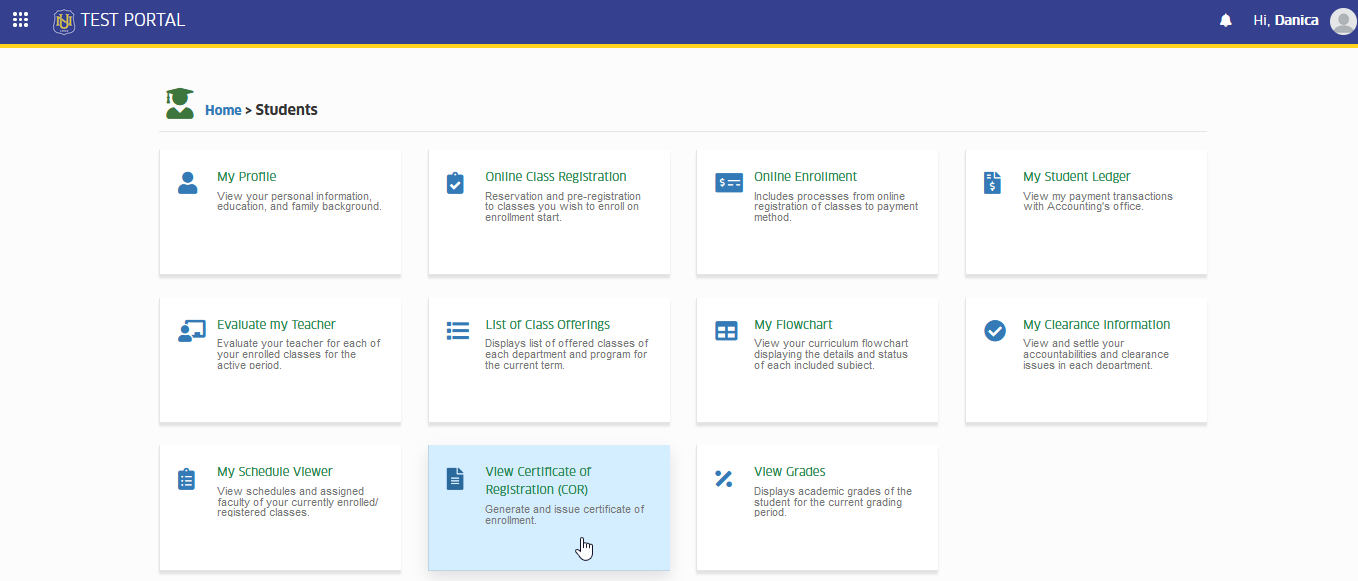
To access the module, make sure you have the View Certicifate of Registration (COR) permission. If it doesn’t appear in your portal, request access from your System Administrator.
To access the module go to Students > View Certicifate of Registration (COR)
Click the module tab to redirect to View my Certificate of Registration page.
How to View Certificate of Registration
Follow the steps below generate the certificate of registration for a specific term.
STEP 1. In NUIS portal, go to Students > View Certificate of Registration (COR).
STEP 2. In View Certificate of Registration (COR) page, the current school year and term will be displayed by default. Select the School year and term to view previous terms certificate of registration and click the button.
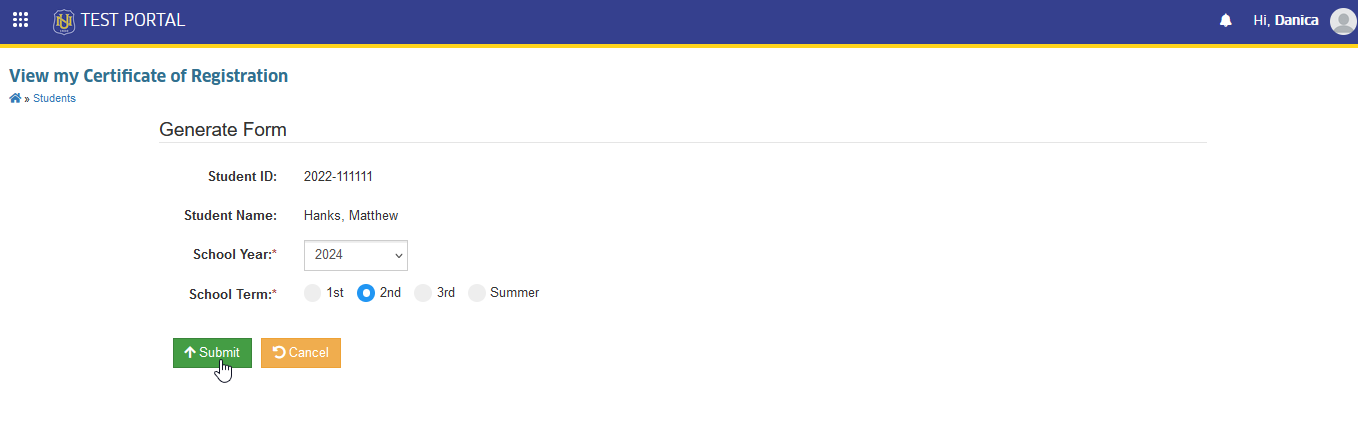
This action opens a new tab displaying the certificate of registration for the selected term. Users can choose to print or download the certificate.