My Clearance Information
View and settle your accountabilities and clearance issues in each department.
This module helps the students easily check what they need to complete to be fully cleared for each term. It shows the list of requirements or other school liabilities from different departments, like returning library books or clearing any fees, that students need to finish before they can register for the next term or graduate.
Students who have outstanding clearance requirements will not be able to enroll for the next term until they complete those requirements.
Module Features
-
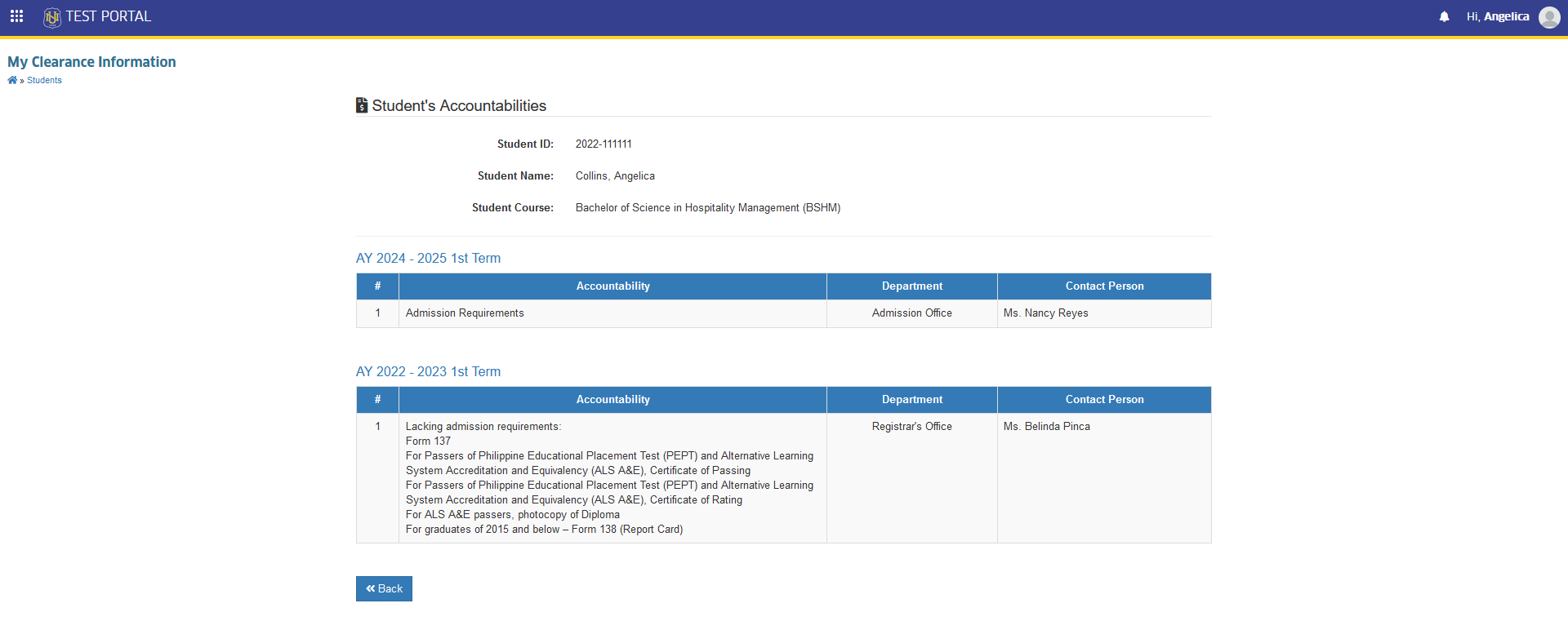
Clearance Requirements Overview - Easily view a list of all clearance required from various departments (like the Registrar, Health Services, Treasury Office etc.) for each term.
-
Contact Information for Assistance - View the person in charge to clear your clearance.
Required Permission
- My Clearance Information - This permission allows the user to access the My Clearance Information module, where they can view their clearance status across various departments.
How to access the module
To access the module, make sure you have the My Clearance Information permission. If it doesn’t appear in your portal, request access from your System Administrator.
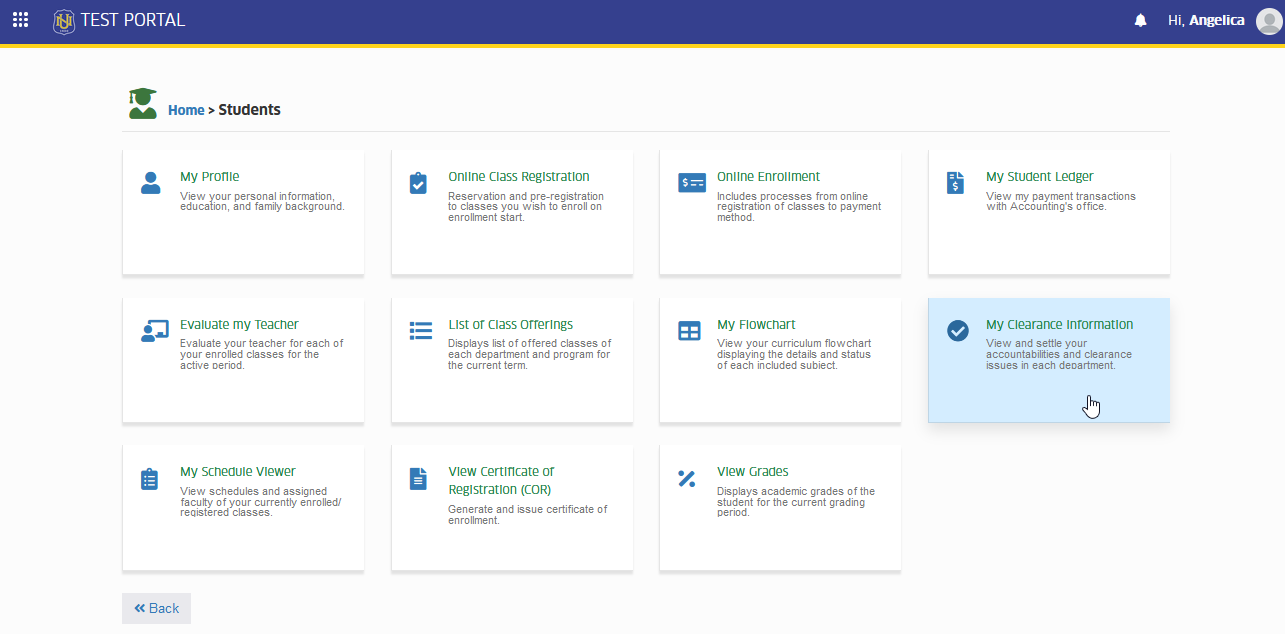
To access the module go to Students > My Clearance Information
Click the module tab to redirect to My Clearance Information page.
Check my school liabilities
This module provides the students with detailed overview of any outstanding obligation they may have with the school. By accessing this section, students can stay informed about their current liabilities and take necessary actions to clear them. ensuring that they can proceed to enrollment.
-
To settle clearance issues, coordinate with the contact person displayed in your clearance information.
-
For more questions or concerns, email us at nuis@national-u.edu.ph