Evaluate my Teacher
Evaluate your teacher for each of your enrolled classes for the active period.
This module allows students to provide feedback on their teachers'performance for the term. It's a straightforward process designed to ensure feedback remains confidential and helps improve the teaching experience.
-
Online Teachers Evaluation is available only during the specific time period designated by the University.
-
Subject teachers are evaluated twice each term, during the midterm and finals period.
-
Failure to complete the OTE will result in access restrictions. Students who do not comply with the evaluation will have limited access to their NUIS portal.
-
To regain access, students must complete the teachers evaluation under late evaluation.
Required Permissions
- Evaluate my Teacher - This permission allows students to access and complete teacher evaluations for their assigned courses. It enables them to provide feedback on teaching performance, course delivery, and overall classroom experience.
How to Access the Module
To access the module, make sure you have the Evaluate my Teacher permission. If it doesn’t appear in your portal, request access from your System Administrator.
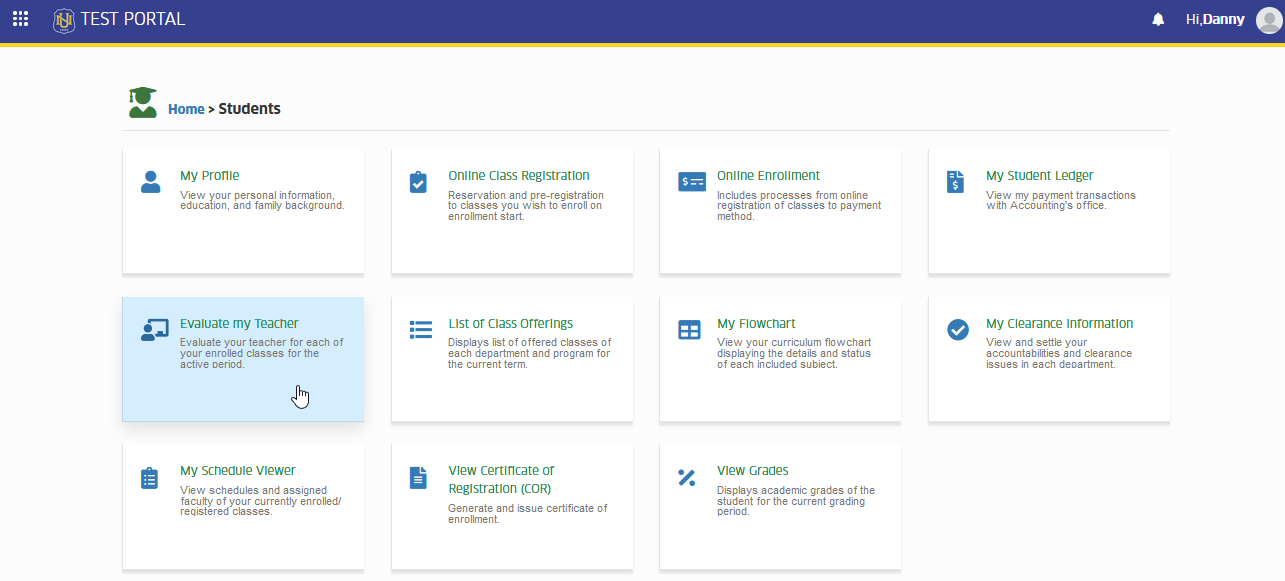
To access the module go to Students > Evaluate my Teacher
Click the module tab to redirect to Online Teacher's Evaluation page.
How to Evaluate subject teachers
This section provides a step-by-step guide to help you evaluate your subject teachers. It covers everything from accessing the evaluation module to submitting your feedback. Follow these instructions to complete your evaluation smoothly.
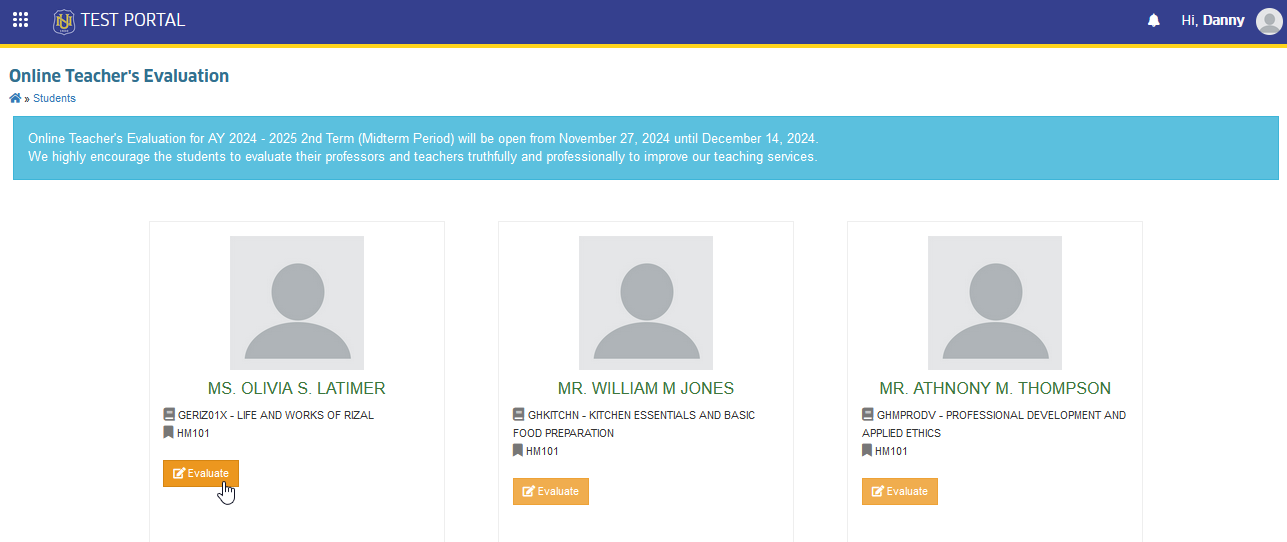
STEP 1. Once the Evaluate my Teacher module is accessed, the page will display all subjects that are currently enrolled and all the instructor assigned to specific subjects for the evaluation.
STEP 2. Click the corresponding button of the subject and its instructor to start with the evaluation.
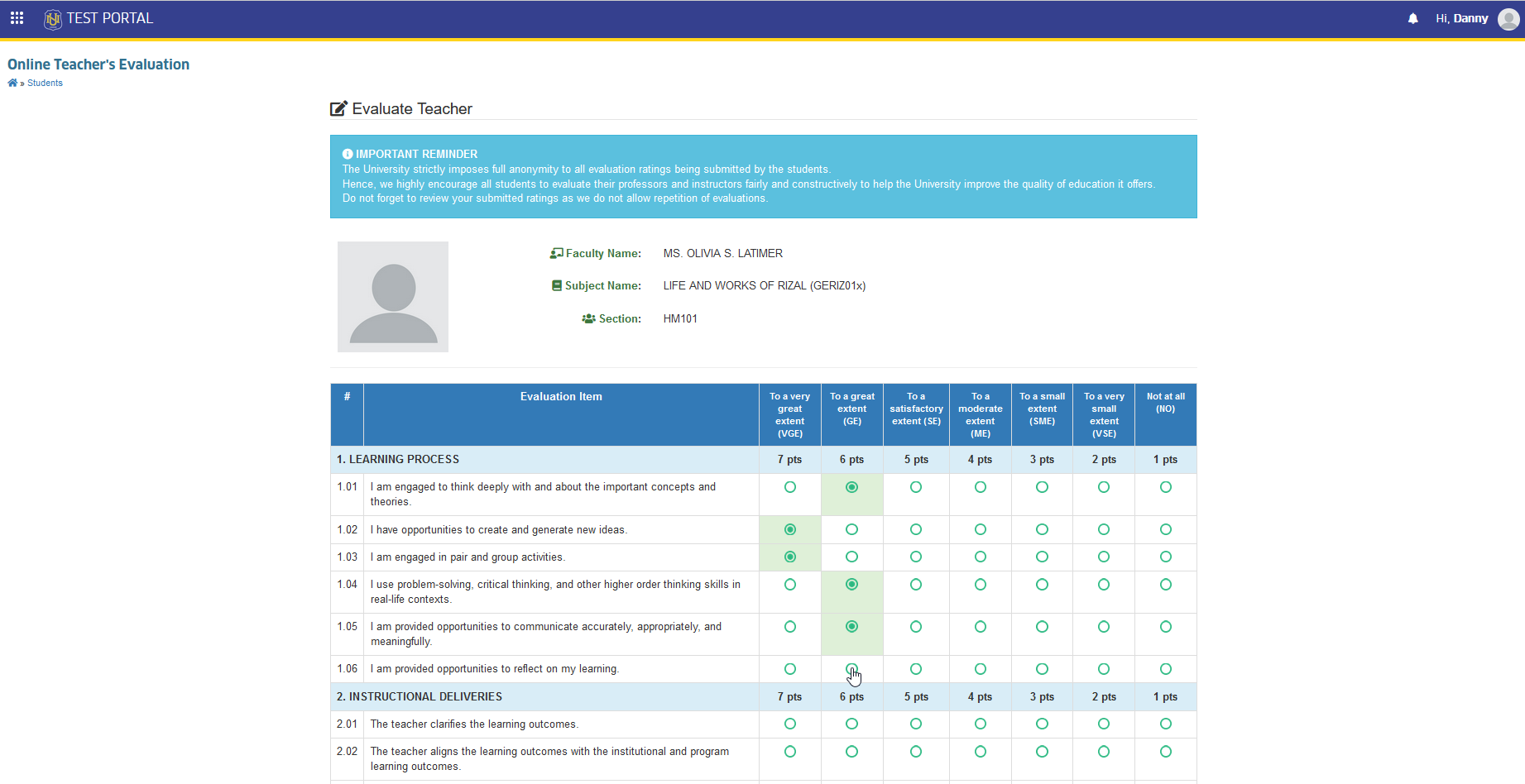
STEP 3. Start the evaluation of instructor by answering the evaluation items displayed in the page.
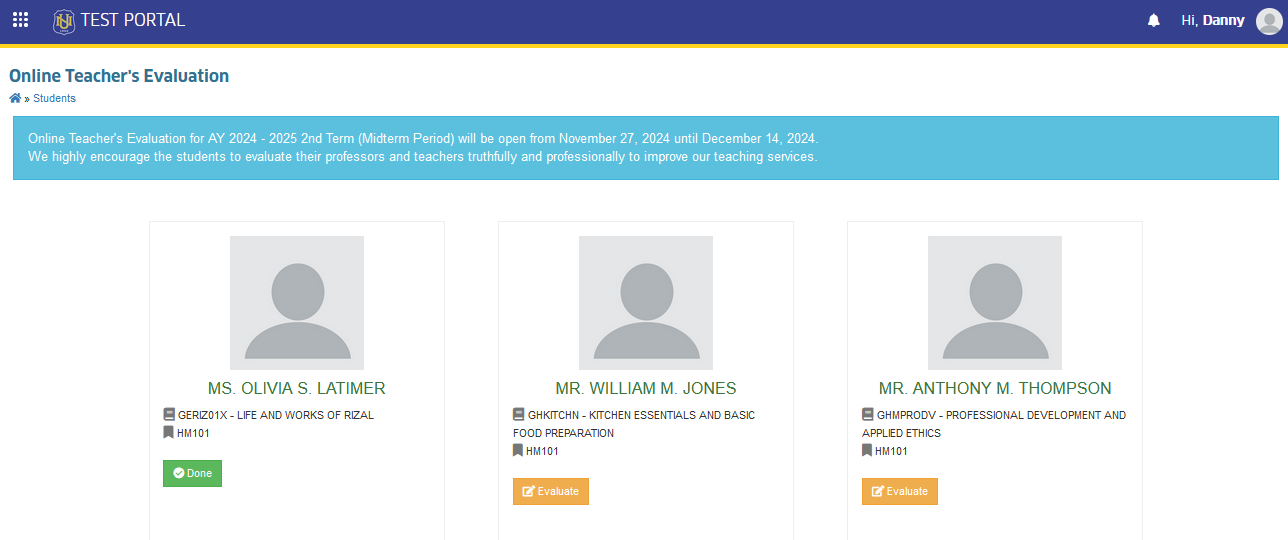
STEP 4. Review the evaluation before submission. and click the button to submit the evaluation. The page will redirect to Online Teacher's Evaluation mainpage. Proceed in evaluating the next subject instructor by following the same steps until all instructor for evaluation has been marked as .
Frequently Asked Questions
Check your device's time zone and make sure it is set to UTC + 8.
No, once the evaluation is submitted, it cannot be edited. Please make sure your feedback is final before submitting.
It is posible that some of your subject's information was modified during or after the term's evaluation period. Please seek assistance from your Program Chair or Deans to endorse you to your campus FSO personel to exempt you in evaluating the specific subjects.
Kindly inform your Instructor that they are not the assigned instructor for the subject in the system. Program Chair or Deans should assigned them to the correct class.
For more questions or concerns, email us at nuis@national-u.edu.ph