My Profile
View your personal information, education, and family background.
The My Profile module allows user to easily view their personal information, education background, and family details in one place.
Module Features
-
View Personal Information - Displays essential details such as name, address, contact number, date of birth, and other personal data.
-
View Education Background - Lists academic history, including schools attended, degrees earned, and graduation dates.
-
View Family Background - Shows details about immediate family members or guardians, such as their names, relationships, and contact information.
-
Information Accuracy Check - Enables users to verify their stored data and report inaccuracies to the Registrar's Office.
Required Permission
- My Profile - This permission allows the users to access and view their personal information, educational background, and family details.
How to Access the module
To access the module, make sure you have the My Profile permission. If it doesn’t appear in your portal, request access from your System Administrator.
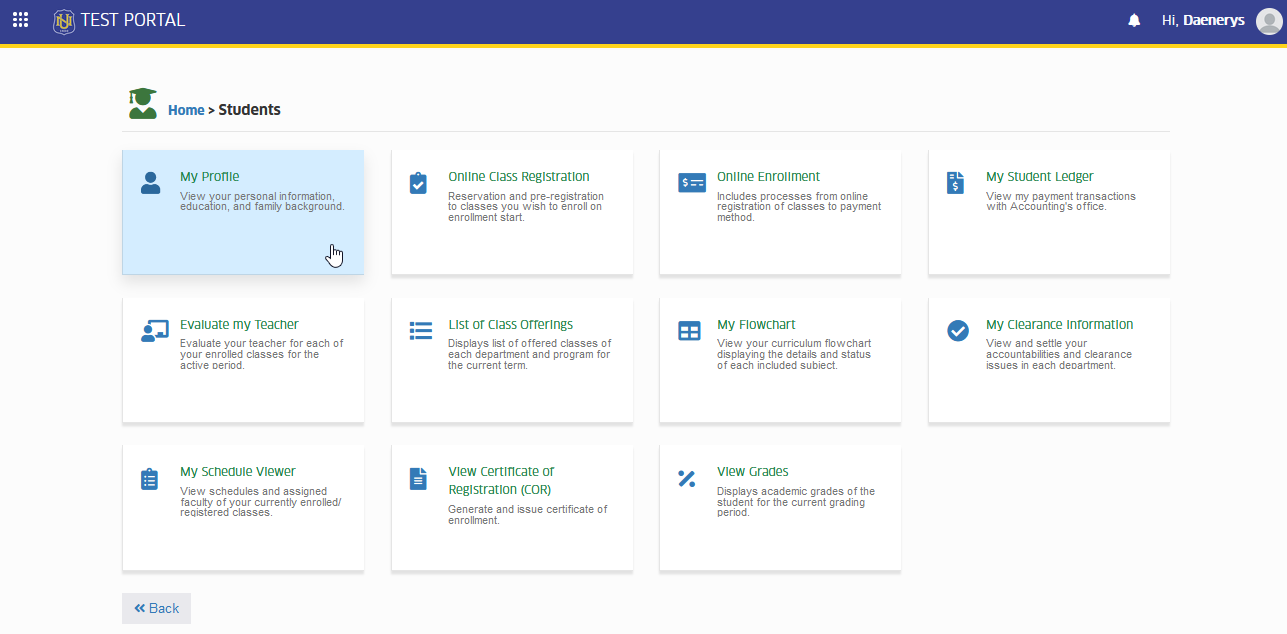
To access the module go to Students > My Profile
Click the module tab to redirect to My Profile page.
How to Use the module.
This section provides step-by-step instruction on how to navigate and utilize the My Profile module. It guides users on accessing their personal, educational, and family information efficiently and ensures they understand the module's features and functions.
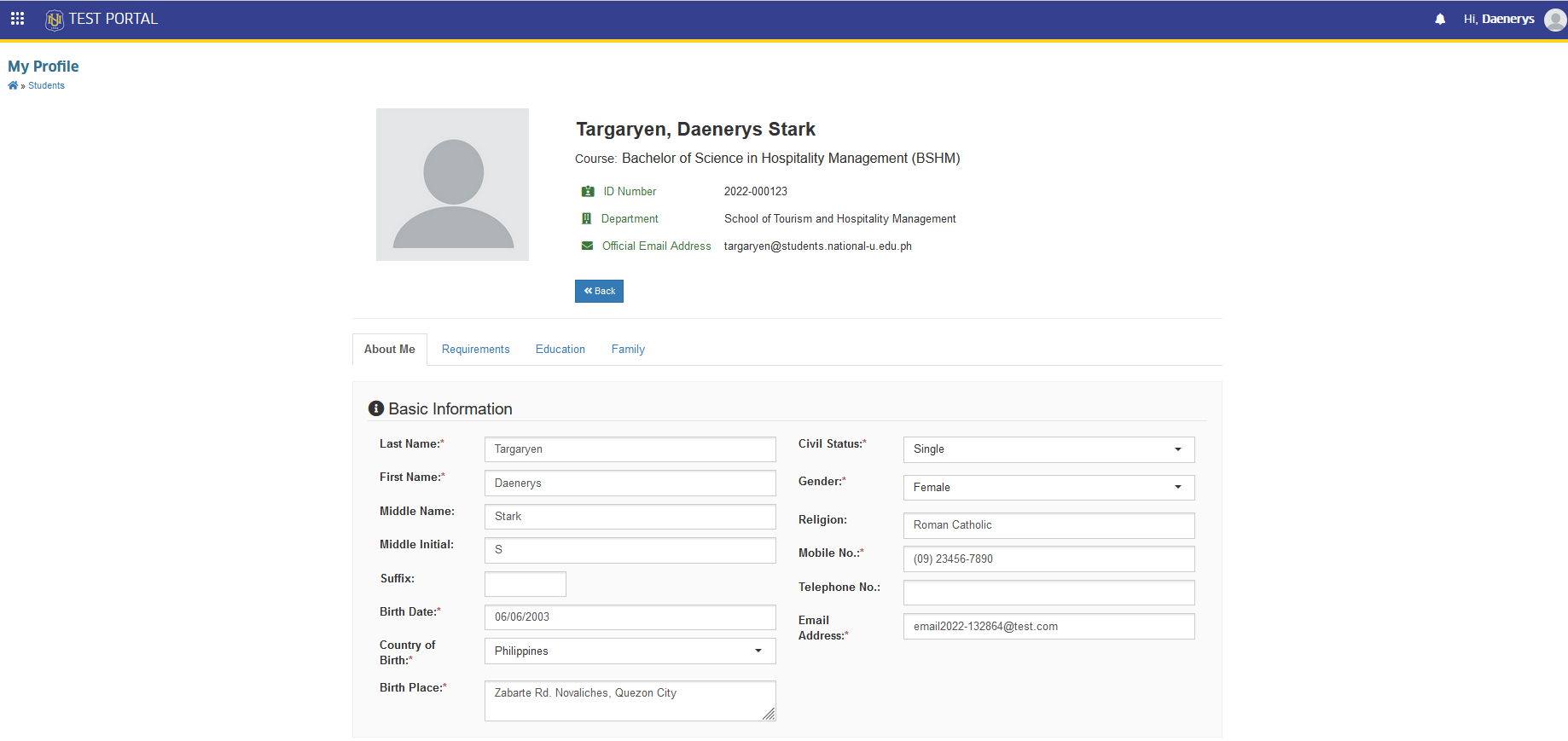
STEP 1. Upon clicking the My Profile module tab, this will redirect to My profile page, displaying the student's personal information. Students may view their personal information, Requirements, Education and Family background by clicking the separate tabs per category.
Frequently Asked Questions
No, this module is for viewing information only. To update any details, please seek assistance from the Registrar Office.
If you notice any errors, seek assistance from the Registrar Office.
Yes, the module is accessible through the portal on mobile devices. Ensure you have a stable internet connection for the best experience.
Yes, all information is protected by the University data security policies. Only authorized personnel and yourself have access to your details.
The information is updated by the Registrar office whenever changes are processed.
For more questions or concerns, email us at nuis@national-u.edu.ph